
Free Proportional Transfer Grid Generator
Transfer drawings between sizes instantly with our 100% free proportional transfer grid generator. Enter the source and target dimensions and the grid reports the cell size at both ends, flagging it when the aspect ratios don't agree, then export SVG or 600 DPI in seconds. No signup, no downloads needed. Trusted by 60,000+ artists worldwide.
Two grids at one ratio
The reference is divided and the support is divided the same way, so enlarging becomes a matter of copying square into square. The ratio between the two is the whole method; the grid holds it steady while your hand does the rest.
7 controls, not a fixed picture
Set columns, rows, source width and source height, toggle cell size labels. 7 controls in all, every one live on the canvas.
Stacks with draw & transfer
Overlays combine, each carrying its own transform, so this one can sit under or over square grid, rectangular and custom, and 4 more in the same set.
Both halves, at scale
Export the ruling on its own as a transparent PNG to print for the support, and the overlaid reference separately, so the pair stays consistent. Up to 600 DPI, no watermark.
| Ctrl + Z | Undo |
| Ctrl + Y | Redo |
| Esc | Deselect overlay |
| Alt + drag | Free positioning (no snap) |
| Ctrl + scroll | Zoom canvas |
| Ctrl + P | |
| ? | Show this help |
Enlarging a drawing is not a scale factor problem — it is a cell size problem. State both sheets and the overlay tells you exactly how big a cell is at each end.
The transfer scaling grid draws one of the 82 composition overlays in Grid Maker Pro, and the rest stack on the same image.
- 26.25 → 52.5 mm
- 2× linear, 4× area
- SVG + 600 DPI export
- Nothing uploaded
What is a proportional transfer?
The transfer scaling grid is a free browser tool that draws an even grid of the column and row counts you choose and reports the physical cell size on both the source and the target sheet. Entering the two sets of dimensions makes the scale factor and the working cell size visible before any drawing starts. It draws over your own reference, exports SVG and raster to 600 DPI, and never uploads anything.

How to use the transfer scaling grid
A small drawing and a larger sheet given the same grid, so each cell is enlarged on its own rather than the whole drawing being redrawn by eye.
Enter both sheets
Proportional transfer starts from two sizes: source dimensions up to 5,000 mm, target up to 20,000 mm. The overlay defaults to A4 to A3 — 210 × 297 becoming 420 × 594 — which is the most common single-step enlargement in studio work.
JPG · PNG · GIF · WEBP
Check the aspect ratios agree
This is the step people skip. If the source and target proportions differ, the transfer will distort, and the cell size readouts make that visible: the source and target cells will have different shapes.
Columns · Rows · Source width
Choose the cell count, then export
For a given amount of care, more cells means a more accurate transfer and slower work. The readouts tell you how big a cell will be on the actual target, which is what decides whether the count is practical. Export SVG or a raster up to 600 DPI.
PNG · JPG · PDF · SVG · up to 600 DPI
Three steps, about a minute. No signup, no upload.
What the Transfer Scaling Grid does
Cell size at both ends
Proportional transfer reports both physical cell sizes, because the same count on two sheets gives two different ones. Seeing both numbers is what turns an abstract scale factor into a decision you can act on with a ruler.
The aspect check, made visible
If the source and target proportions differ, the two reported cells will have different shapes — a square source cell and a rectangular target cell mean the transfer will stretch. That is the most common failure in enlargement and the readouts catch it.
Up to a twenty-metre target
The target dimension runs to 20,000 mm, which covers a gable wall. The source runs to 5,000, which covers any studio drawing. Between them, most real enlargements fit.
Up to 50 × 50 cells
Enough for a detailed transfer and far more than most work needs. The useful count is set by the smallest feature you must place, not by ambition — a cell smaller than a feature tells you nothing about where it goes.
Over your own reference
The grid goes on the source image, which is where you read the drawing from. The target sheet gets the same grid drawn out at the reported target cell size.
Vector out
SVG keeps every line editable and scales without loss, which matters when the target sheet is large. Raster export runs to 600 DPI, sized from the paper format.
Proportional transfer examples: four ways the scaling grid reads
Proportional transfer vs a projector vs pouncing from a cartoon
| Option | Aspect check | Cell size reported | Works in daylight | Cost |
|---|---|---|---|---|
| Grid Maker Prothis tool | Both cells shown, so a mismatch is visible | Source and target | Yes | Free |
| A projector | Noneit fits to the wall | n/a | No | Equipment |
| Pouncing from a cartoon | Implicit — the cartoon is full size | n/a | Yes | Time |
| Enlarging by eye | None | None | Yes | Free |
Who a proportional transfer is for: work that changes size
How a proportional transfer works — Scaling a drawing up: the arithmetic that decides whether it works
Proportional transfer — enlarging a drawing by grid — is the oldest reproduction technique there is, and among the 82 composition overlays the one that fails in exactly two ways. Both are arithmetic, both happen before a single mark is made, and both are visible in two numbers.
The technique is simple. Divide the source into cells, divide the target into the same number of cells, copy the contents of each cell one at a time. Because the target cell is larger, the drawing comes out larger, and because the relationship is cell-by-cell, it comes out proportional.
The failure everybody knows and nobody checks
The first failure is the one everybody knows and nobody checks: the two sheets have different proportions. If the source is 210 × 297 and the target is 400 × 500, the same cell count gives source cells of one shape and target cells of another, and every shape in the copy is stretched by the difference.
That failure is invisible while you work. Inside each cell the copy is faithful, so nothing looks locally wrong. Because the distortion is uniform across the whole drawing, it is the hardest kind of error to see and the easiest to prevent.
The prevention is one comparison. If the source and target cells reported are both square, or both the same rectangle, the transfer is proportional. If one is square and the other is not, it is not. That is the entire check, and the reason this overlay reports both numbers rather than a scale factor.
Scale factors, and the A-series case
A scale factor is a less useful number than it looks, because it only exists when the proportions match. Two sheets with different aspect ratios have two different scale factors — one horizontal, one vertical — and quoting either as "the" scale factor is how the distortion gets hidden.
The defaults here are the A-series case, which is the one where the arithmetic is friendliest. A4 is 210 × 297 mm and A3 is 420 × 594, so the target is exactly twice the source in each direction. At 8 × 8 cells, the source cell is 26.25 × 37.13 mm and the target cell is 52.5 × 74.25.
That doubling is not a coincidence. The A-series is built on the √2 proportion precisely so that halving the long side of any sheet produces the next size down with the same proportions, and every A-series enlargement is therefore automatically proportional. It is the only paper system with that property built in.
The area consequence is worth stating because it surprises people planning work. Doubling both dimensions quadruples the area, so an A4 drawing enlarged to A3 has four times as much surface to cover. Time and material both scale with area, not with the linear factor.
Choosing a workable cell count
The second failure is the practical one: choosing a cell count that produces cells the wrong size on the target. This is where the readouts earn their place.
On a 4-metre wall at 12 columns, a cell is 333 mm — a third of a metre, which is a comfortable unit to work in with a chalk line and a straight edge. At 50 columns it is 80 mm, which means drawing and following two thousand five hundred small squares up a ladder.
Conversely, on a small target a low cell count gives cells so large that each one contains most of a feature, and the grid stops constraining anything. The rule of thumb is that the smallest feature you need to place should be about one cell across — smaller and the grid cannot tell you where it goes, much larger and the grid is doing work you did not need.
Between those two limits there is usually a comfortable answer, and the readouts are how you find it in one look rather than by trial.
Where proportional transfer came from
The technique's history is long and unglamorous. Egyptian tomb painting used proportional grids for figures, with canons specifying the number of squares from the sole of the foot to the hairline — eighteen in the classic canon, twenty-one after the Late Period reform.
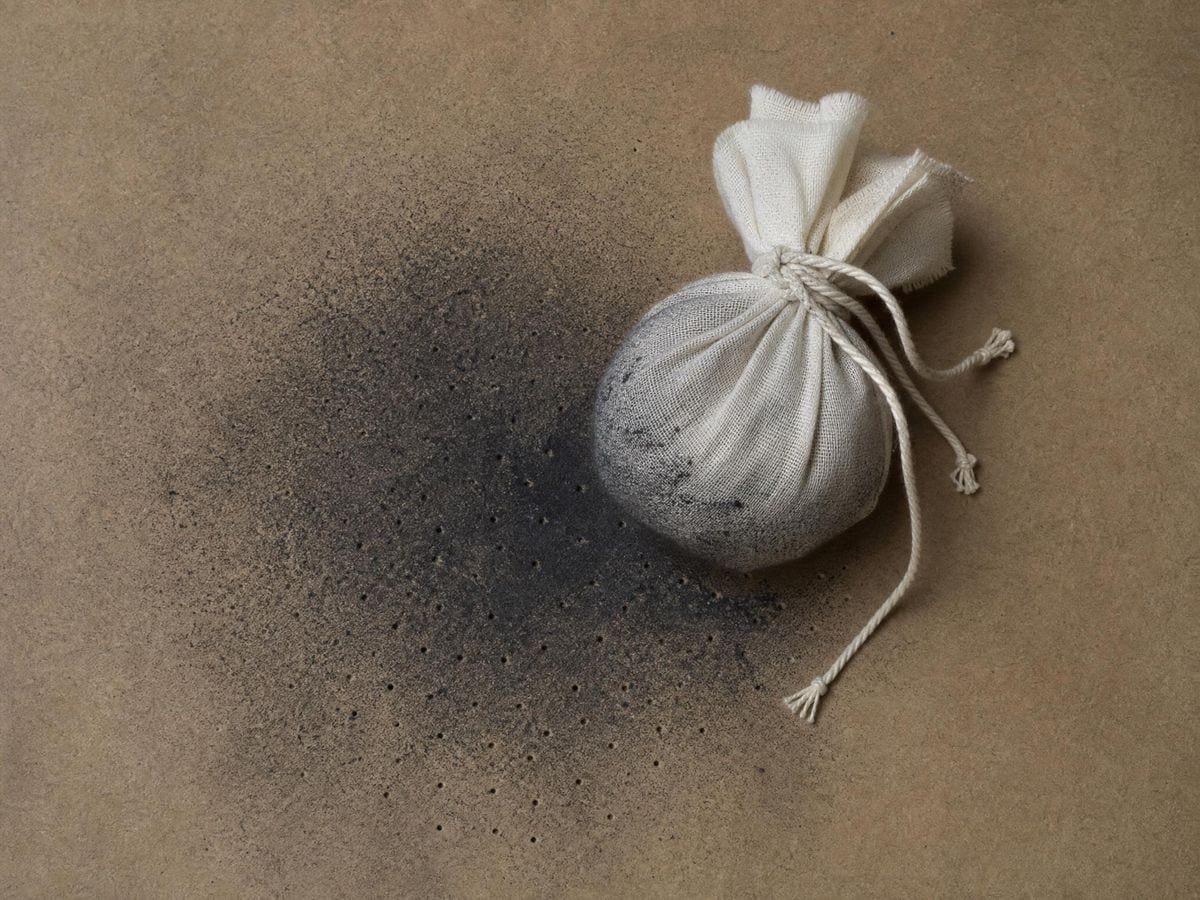
The proportional transfer overlay page covers the history, beside the rest of the artist guide grids. Renaissance workshops used it for transferring cartoons to walls and panels, alongside pouncing, which is the same operation performed with a pricked outline and charcoal dust. Alberti describes a version in De pictura in 1435 and Dürer's woodcuts of the 1520s show the apparatus in use.
Sign painting, scenic painting and mural work have used it continuously since, and for the same reason: it is the only method that requires no equipment and produces an exact enlargement. A projector is faster and needs a projector, a dark room and a surface you can stand in front of — or a phone, which is what the art projector uses in place of a lamp.
For large work the grid has an advantage a projector does not: it works in daylight, on a surface you may only be able to reach in sections, and it survives the drawing being interrupted. A chalked grid is still there tomorrow.
The practical sequence
The usual practical sequence is to draw the grid on the target first, at the reported target cell size, using a chalk line for anything above about a metre. Then work cell by cell, and resist the temptation to draw whole features across several cells at once — the accuracy comes from the constraint.
Numbering both grids identically is the other half of the discipline. A cell reference on the source and the same reference on the target means you can stop, walk away, and resume without losing your place, which on a large piece matters more than any efficiency.
What this overlay deliberately does not do
One thing this overlay deliberately does not do is compute for you. It reports what a cell will be at each end and leaves the decision alone, because the right cell count depends on the subject, the medium, the reach of your arm and how long you have — none of which a tool can know.
If you want the arithmetic done as a calculation rather than as an overlay, the proportion calculator handles the same relationship as numbers: source dimensions in, target dimensions out, with the scale factor and cell sizes computed. The two are complementary — the calculator plans, this draws.
For anything above about two metres it is worth also considering the mural scaling grid generator and the mural scaling tool, which state the wall dimensions directly and reports the cell size in metres or feet rather than millimetres. Millimetres stop being a useful unit somewhere around the point where you need a ladder.
The grid draws over your own reference rather than exporting a fixed template because you need it on the source image to read from. The target sheet gets the same grid drawn out physically, at the size the readout gives.
The export sizes itself from the paper format and the DPI you choose rather than from your screen, so a grid printed at A4 and 600 DPI has genuinely fine lines. SVG scales without loss, which matters when the target is large.
Everything runs in your browser. Images you load are never uploaded, because there is no server for them to reach. The drawing, the transform and the export all happen on your own machine.
Where a proportional transfer gets used
A scale factor only exists when the proportions match. Two aspect ratios means two factors, and quoting one is how the stretch gets hidden.
A chalked grid is still there tomorrow. A projector needs a dark room and someone standing in front of the wall.
Number both grids identically. On a large piece, being able to stop and resume matters more than any efficiency.
Proportional transfer: frequently asked questions
The geometry
What does A4 to A3 give?
At 8 × 8 cells, a source cell of 26.25 × 37.13 mm becoming a target cell of 52.5 × 74.25 — exactly twice in each direction. That doubling is built into the A-series, which uses the √2 proportion so that every size relates to the next with the same shape.
What cell size is comfortable on a wall?
On a 4-metre wall at 12 columns a cell is 333 mm, which works with a chalk line and a straight edge. At 50 columns it is 80 mm, which means drawing and following 2,500 small squares from a ladder. The upper limit is set by reach rather than by accuracy.
How does this differ from the proportion calculator?
The calculator does the same relationship as arithmetic — dimensions in, scale factor and cell sizes out — with no image. This one draws the grid over your reference so you can read the drawing from it. The two are complementary: one plans, the other draws.
Why not just use a projector?
A projector is faster where you have one, a dark space and a surface to stand in front of. A chalked grid works in daylight, on a surface you may only be able to reach in sections, and it survives being interrupted — it is still there tomorrow.
Using it
How do I check the transfer will not stretch?
Compare the two reported cells. If both are square, or both the same rectangle, the transfer is proportional. If one is square and the other is not, every shape in the copy will be stretched by the difference — uniformly, so there is no local error to spot.
Why does the work take longer than the scale factor suggests?
Because doubling both dimensions quadruples the area. An A4 drawing enlarged to A3 has four times the surface to cover, and both time and material scale with area rather than with the linear factor.
How many cells should I use?
Enough that the smallest feature you need to place is about one cell across. Smaller and the grid cannot tell you where the feature goes; much larger and the grid is doing work you did not need. The readouts tell you what that count means physically on the target.
Can I add diagonals to the cells?
Yes — the diagonal cell overlay is offered here as a companion, which is worth switching on for the large cells a big enlargement produces. It carries its own row and column counts, so match them to the ones set here.
How do I stop losing my place across a large enlargement?
Number the cells on both sheets before you start, and work in complete rows rather than jumping to the interesting parts. On a big transfer the error that costs you a day is never a misjudged shape — it is two cells copied into the wrong squares.
Export and print
What should I print for the target sheet?
The grid alone at the target's dimensions, with the cell size labels on. Printing the grid rather than ruling it saves the slowest part of the job and removes the accumulating error a hand-ruled grid picks up across a large sheet.
Can I get both grids from one setup?
Yes — the counts are shared, so export once at the source dimensions and once at the target, and the two sheets carry the same cell references at different physical sizes. That pairing is the whole method.
Choosing a grid
Why does the overlay report two cell sizes instead of a scale factor?
Because a scale factor only exists when the two sheets have the same proportions. If they do not, there is a horizontal factor and a vertical factor, and quoting either as "the" scale factor is exactly how the distortion gets hidden. Two cell sizes make a mismatch visible in one look.
When should I use the mural scaling grid instead?
Above about two metres. That overlay states the wall dimensions directly and reports the cell size in metres or feet, and millimetres stop being a useful unit somewhere around the point where you need a ladder.
Practical matters
Does anything I load get uploaded?
No. There is no server to upload to. The image is read by your browser, the grid is drawn on your machine, and the export is generated locally.
Does it work for scaling down as well as up?
Yes, and the arithmetic is the same — the scale factor simply comes out below one. Reducing is usually easier by eye than enlarging, so the grid earns less on the way down unless the reduction is severe.
Can I use it with a reference that is a different shape?
Yes, and the tool says so: it reports that the cells are not square. Heed the warning — unequal cells stretch the copy in one direction. Either crop one surface to match the other's proportion or accept the distortion deliberately.
Open the tool Transfer scaling grid
Both cells, before you start
The aspect check that stops an enlargement stretching. Export vector or 600 DPI. No signup, nothing uploaded.
Back to the generator →