
Free Proportion Calculator
Scale drawings without the maths instantly with our 100% free proportion calculator. Enter the size you're copying from and the surface you're copying onto to get the scale factor, matching height and the right grid cell size for each end in seconds. No signup, no downloads needed. Trusted by 60,000+ artists worldwide.
What you are copying
What you are copying onto
The height follows the width, so nothing distorts.
If you are gridding it
6 × 4 cells, square on both surfaces.
Every measurement on the reference becomes 5 times bigger. A 1 in line becomes 5 in, and one grid cell goes from 1 in to 5 in.
The figures
- Surface size
- 30 × 20 in
- Reference ratio
- 1.5 : 1
- Grid
- 6 × 4 cells
- One cell on the reference
- 1 × 1 in
- The same cell on the surface
- 5 × 5 in
- Surface back to reference
- ×0.2
Nothing here is sent anywhere — the arithmetic runs in this page.
Three questions, answered together
The scale factor between reference and surface, the second dimension that keeps the proportions exact, and the size of one grid cell on each side. The third is the one that makes a transfer work and is the one most scaling calculators leave out.
5 controls, not a fixed result
Set cells across, width, height and measured in, toggle keep the proportions. The figures recompute as you type — nothing to submit, nothing to wait for.
Part of the draw & transfer set
The set also holds grid drawing tool, image splitter and rectangular grid maker, and 10 more in the group, all of them free and all of them working in the browser.
Figures to mark out with, in your units
Everything converts through millimetres and reports back in millimetres, centimetres or inches, so a reference measured in inches can be scaled onto a canvas measured in centimetres without doing it twice.
- 100% free
- No signup
- No watermark
- Nothing is uploaded
Enter the size you are copying from and the size you are copying onto. You get the scale factor, the height that keeps the proportions exact, and — the part most calculators leave out — how big one grid cell is on each surface. Once the numbers are settled, the 82 composition overlays draw the grid you just sized.
- mm · cm · in · px
- Cell size both sides
- Distortion warning
- Nothing uploaded
What is a proportion calculator?
A proportion calculator works out how much bigger or smaller one size is than another, and what the second dimension has to be so the shape does not change. For the grid method it also answers the question that actually governs the work: if both surfaces are divided into the same number of cells, how big is one cell on each of them.

How to scale a drawing to a new size
The source size, the target size and the cell count — three numbers in, and the whole transfer grid out, with the cell measurement you will actually rule onto the paper.
Measure what you are copying from
Enter the width and height of the reference — a photograph, a printed image, a small sketch — in whatever unit you measured it in. Mixing units between the two sizes is fine; inches in, centimetres out.
JPG · PNG · GIF · WEBP
Enter the size of the surface
Give the width of the canvas, panel or wall. With the proportions locked, the height is filled in for you, and that is the height the surface has to be for nothing to stretch.
Columns · Rows · Source width
Read the cell sizes and mark them out
Set the number of cells across and you get one cell measured on the reference and one on the surface. Mark both, and the transfer becomes copying one small square at a time.
PNG · JPG · PDF · SVG · up to 600 DPI
Three steps, about a minute. No signup, no upload.
What the Proportion Calculator does
The cell size on both surfaces
The number that governs a grid transfer. Knowing the scale factor is not the same as knowing that one inch on the photo is 3.4 inches on the canvas.
It tells you when it will stretch
Unlock the ratio and the two scale factors are reported separately, with a warning when they disagree by more than half a percent. Distortion becomes a choice rather than a surprise.
Units mix freely
A reference measured in inches against a wall measured in metres is the normal case, not the exception. Everything is converted through millimetres so the mixture is exact.
It answers instantly
No submit button and no page reload. The numbers update as you type, which matters when you are standing at a wall trying sizes.
The ratio, stated
The original's aspect ratio is reported alongside, so you can see straight away whether a standard canvas will fit it or whether something has to be cropped.
Nothing leaves the page
It is arithmetic in a browser. No account, no logging, no sizes recorded anywhere.
Proportion calculator examples: the transfer, four ways
Proportion calculator vs a generic ratio calculator vs arithmetic on paper
| Option | Gives the matching dimension | Gives the cell size | Warns about distortion | Cost |
|---|---|---|---|---|
| Grid Maker Prothis tool | Yesfrom the ratio | Yeson both surfaces | Yeswhen the two factors differ | Free, no account |
| A generic ratio calculator | Usually | No | No | Free |
| Arithmetic on paper | If you do it | If you do it | Only if you check | Free, and error-prone |
| A projector | Not applicable | Not applicable | Distorts if it is off-axis | Equipment |
Who a proportion calculator is for: the people scaling something up today
How a proportion calculator works — Why scaling a drawing goes wrong, and which number actually prevents it
A proportion calculator exists because the arithmetic of enlarging an image is easy and the mistake in it is invisible until the drawing is half finished and the head is too big for the canvas.
The scale factor itself is simple: divide the new width by the old width. A six-inch photograph going onto a thirty-inch canvas has a factor of five. Every measurement on the reference — the width of a shoulder, the distance from the chin to the eyes — becomes five times bigger. That much is not where the errors are.
The trap of the second dimension
The first real trap is the second dimension. A six-by-four photograph is 3:2. Put it on a thirty-by-twenty-four canvas — a standard size, and one that looks close enough — and the width scales by five while the height scales by six. On a portrait, where a viewer knows the proportions of a face, the result is a subtly stretched image that reads as wrong without anyone being able to say why. The proportional transfer overlay is the same arithmetic drawn on the surface, and the artist guide overlays cover the rest of the transfer family. The fix is to compute the height from the ratio rather than choosing a stock size and hoping, and then either accept a margin or crop the reference deliberately.
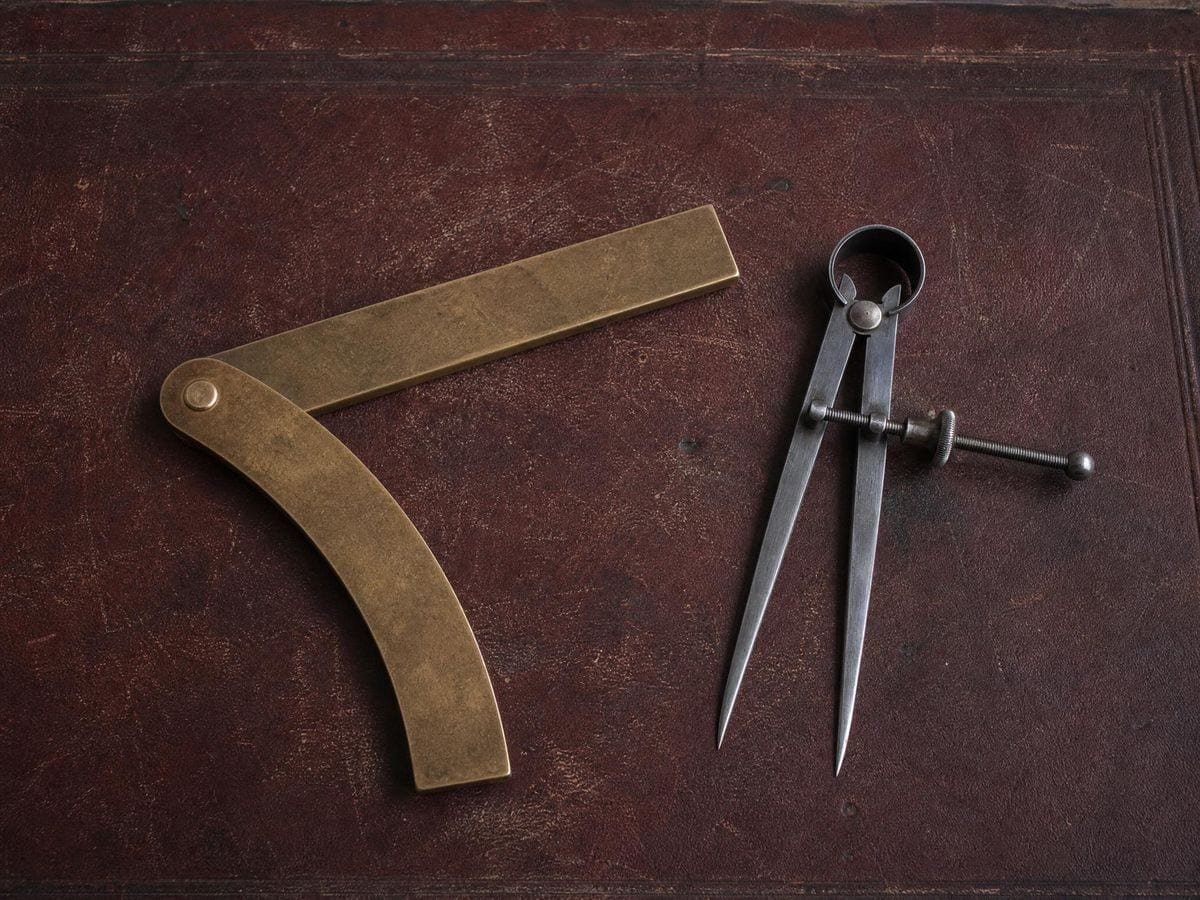
The second trap is measuring the wrong edges. A photograph's printed area and its paper are not the same rectangle, and a canvas's stated size is the stretcher bar, not the visible face — a gallery-wrapped canvas loses several millimetres to the wrap on every side. Both errors are small in absolute terms and both are multiplied by the scale factor, which is exactly the mechanism that turns a two-millimetre measurement error into a centimetre of drift at the far edge.
Why both grids need the same cell counts
The third is the one this calculator exists for. In the grid method both surfaces are divided into the SAME number of cells, and the cells are different sizes on each. That is the whole trick: proportions are preserved automatically because every cell on the reference maps to exactly one cell on the surface, so you never measure a distance at all — you copy what is inside a small square into a bigger square. Knowing the scale factor does not tell you how far apart to draw the lines; knowing that one cell is 25mm on the photo and 127mm on the canvas does.
How many cells is a genuine judgement rather than a rule. For a given amount of care, more cells means more reference points and a closer copy, and also more time spent drawing and rubbing out lines. The mural scaling calculator takes the same numbers up to wall size, and the canvas size calculator works the other way, from a ratio to a stretcher. Portrait work with a lot of information in a small area — an eye, a mouth — usually wants a finer grid over that region than over a plain background, which is what the half-grid subdivision in the overlay tool is for: keep a coarse grid overall and halve it only where the detail is.
Where the method came from
The method is old and its lineage is documented rather than folkloric. Leon Battista Alberti described a gridded veil for exactly this purpose in De Pictura in 1435, and Albrecht Dürer engraved artists using one in 1525. What has changed is not the geometry but the arithmetic: they were dividing by hand, and a calculator removes the one part of the process where a slip propagates into every cell that follows.
One more practical point about walls, because murals are where the numbers get large enough to hurt. A scale factor of thirty is normal for a sketch going onto a building, and at that factor a one-millimetre error in measuring the sketch becomes three centimetres on the wall. It is worth measuring the reference generously — in centimetres rather than millimetres, on the largest print available — precisely because the error is multiplied along with everything else.
And a note on units. There is no reason for both sizes to be in the same one; a reference measured in inches and a wall measured in metres is the normal case for anyone working from printed material in a country that builds in metric. Converting through a single base unit rather than round-tripping between two is what keeps that exact, and it is why pixels are offered alongside physical units — a digital reference has no physical size until you give it one.
Scale factor against enlargement percentage
It is worth separating this calculation from the one people often think they are doing, which is resolution. Scaling a PHYSICAL drawing has no upper limit — a six-inch sketch can go onto a six-metre wall, because the pencil supplies the detail as you go. Scaling a DIGITAL image does have one, because a 600-pixel-wide photograph enlarged to poster size has 600 pixels of information no matter how large you print it. The proportion arithmetic is identical in both cases; what differs is whether the extra size comes with extra information. If you are working from a phone photograph onto a large canvas, the calculator will happily give you a scale factor of twenty, and the reference will be soft long before you get there. That is an argument for a better reference, not for different arithmetic.
There is also a quiet decision hidden in the phrase "the size you are copying onto". For a stretched canvas, the honest number is the visible face, not the stated size — a gallery wrap takes several millimetres from each edge and a drawing planned to the stated size runs off around the corner. For paper, it is the image area you intend rather than the sheet, since almost nobody draws to the very edge. Both of those are a subtraction you make once, before the numbers go in, and both are the sort of thing that is obvious afterwards and invisible beforehand.
Cell count and scale factor are independent
Finally, the cell count and the scale factor are independent choices and it is worth noticing that they are. The scale factor is fixed the moment the two sizes are decided; the cell count is entirely yours, and it trades drawing time against accuracy. A common working pattern is to pick the cell count so that the cell size on the SURFACE lands on a round number you can mark quickly — five centimetres, or six inches — because the grid on the big surface is the one you have to draw by hand, and marking 4.7cm intervals across a wall is how errors accumulate.
Where a proportion calculator gets used
Murals live or die on the first hour. Getting the cell size right on both the sketch and the wall before a single line goes up is the difference between a day's work and a week's.
Commission work usually means a reference photo at one ratio and a canvas the client already bought at another. Seeing both scale factors side by side makes the crop conversation a thirty-second one.
Teaching the grid method, the moment it clicks is when students see the two cell sizes rather than a scale factor. The factor is abstract; a cell you can measure with a ruler is not.
Proportion calculator: frequently asked questions
The geometry
What is a proportion calculator?
A proportion calculator works out how much larger or smaller one size is than another, and the remaining dimension that keeps the shape the same. For drawing it also gives the size of one grid cell on each surface, which is the measurement the grid method is actually carried out with.
Can I mix inches and centimetres?
Yes. Each size carries its own unit and everything is converted through millimetres, so a reference measured in inches against a wall measured in metres gives an exact result. That mixture is the normal case rather than an edge case.
Why does it warn me that the drawing will stretch?
Because the width and height are scaling by different amounts, which is what happens when both target dimensions are fixed independently. The warning appears once the two factors differ by more than half a percent, which is roughly where the distortion becomes visible in a face.
Does this work for murals?
Yes, and it is where the calculation matters most. At the scale factors a wall involves, a small error in measuring the reference is multiplied into a large one on the wall, so it is worth measuring the sketch generously and reading the cell size in whole units you can mark out with a chalk line.
Using it
How do I scale a drawing up without distorting it?
Keep the ratio between width and height identical. Enter the reference's width and height and the surface's width, and the matching height is computed from the ratio. If you fix both dimensions independently, the two scale factors differ and the copy stretches in one direction.
How do I work out the grid cell size?
Divide each surface by the same number of cells. A six-inch-wide reference at six cells across gives one-inch cells; a thirty-inch canvas at six cells across gives five-inch cells. Both grids have the same number of cells, and that correspondence is what preserves the proportions.
How many cells should I use?
Between four and twelve across suits most work. More cells give more reference points and a more accurate copy at the cost of time; fewer are faster and rely more on your eye. Detailed passages benefit from halving the cells locally rather than making the whole grid finer.
What does the scale factor actually mean?
It is the number every measurement gets multiplied by. At a factor of five, a one-inch feature on the reference is five inches on the surface. It applies to distances, not to areas — a factor of five makes the drawing twenty-five times larger in area.
Export and print
Can I print the numbers rather than copying them down?
Print the page or export the grid with its cell-size labels on, and the measurements travel with the drawing instead of on a sticky note. For a mural that is the difference between one trip up the ladder and several.
Does anything here export as a file?
The grid does — with the cell-size labels switched on you get a sheet showing not just where the lines fall but how big each cell is in your own units, as SVG or as a raster to 600 DPI. The calculation itself is numbers on the page.
Choosing a grid
Why not just use a generic ratio calculator?
Because a ratio calculator answers half the question. It will tell you the scale factor; it will not tell you what cell size that implies on each surface, which is the number you actually need to rule the two grids. That is the arithmetic this does for you.
Is a projector not simpler than any of this?
Simpler on the day, and it needs a dark room, a flat wall square to the lens and no shadow between the two. The grid method needs a ruler. For a canvas you can carry, the projector usually wins; for a wall, in daylight, the numbers do.
Practical matters
Do my measurements get uploaded anywhere?
No. This is arithmetic running in your own browser. Nothing is submitted, stored or logged, and the page works with the network disconnected once it has loaded.
Is it free?
Yes, with no account and no usage limit. The core tools on this site are free permanently; the paid product is a separate augmented-reality tracing app for drawing directly on paper.
Does it work in inches and centimetres at once?
The two surfaces have to be in the same unit as each other, because the scale factor is a ratio and a ratio has no unit. Convert one before you start — the answer is then correct in whichever unit you used.
Can I use it on a phone at the wall?
Yes, and that is where it earns its place. Re-checking a cell size halfway up a scaffold is exactly when you do not want to be doing arithmetic in your head, and nothing here needs a connection once the page has loaded.
Open the tool Proportion calculator
Two sizes in, the whole transfer out
The scale factor, the matching height, and one cell measured on each surface. No signup, nothing uploaded.
Back to the generator →