
Free Rectangular Grid Maker
Build a rectangular grid instantly with our 100% free rectangular grid maker. Set rows and columns separately, up to 40 each way, with a lock-square option, cell labels and margins over any image, then export SVG or 600 DPI in seconds. No signup, no downloads needed. Trusted by 60,000+ artists worldwide.
Columns and rows set apart
Column count and row count are independent, so cells can be deliberately taller or wider than square — the right shape when the reference and the support have different proportions.
13 controls, not a fixed picture
Set columns, rows, cell size and lock cells square, choose set cells by, cell unit and cell labels, toggle cell labels (A1, B2…). 13 controls in all, every one live on the canvas.
Stacks with draw & transfer
Overlays combine, each carrying its own transform, so this one can sit under or over square grid, custom and transfer scale, and 4 more in the same set.
Carries its aspect to paper
The exported sheet keeps the column-to-row ratio exactly, at up to 600 DPI in PNG, JPG, PDF or SVG. Grid-only export drops the photograph and leaves the ruling.
| Ctrl + Z | Undo |
| Ctrl + Y | Redo |
| Esc | Deselect overlay |
| Alt + drag | Free positioning (no snap) |
| Ctrl + scroll | Zoom canvas |
| Ctrl + P | |
| ? | Show this help |
The grid method's most useful and most dangerous variant: cells that need not be square, and the one arithmetic check that stops them stretching your copy.
The rectangular grid maker draws one of the 82 composition overlays in Grid Maker Pro, and the rest stack on the same image.
- 2–40 each way
- 1.875:1 cells on a 3:2 frame
- SVG + 600 DPI export
- Nothing uploaded
What is a rectangular grid?
The rectangular grid maker is a free browser tool that draws a transfer grid with the column and row counts set independently, up to 40 each. It adds a lock-square option, cell labels, a margin, a half-grid subdivision and one highlightable cell. It draws over your own photograph or a blank canvas, exports SVG and raster to 600 DPI, and never uploads anything.

How to use the rectangular grid
Independent column and row counts, so a wide reference gets a grid that fits it instead of square cells that stretch the copy without telling you.
Check the aspect ratios before the counts
Cells are square only when the column-to-row ratio matches the canvas's width-to-height ratio. The default 8 × 10 gives square cells on a 4:5 frame and cells nearly twice as wide as tall on a 3:2 one.
JPG · PNG · GIF · WEBP
Use lock-square if the ratios differ
Locking the cells square forces both counts to the smaller dimension, so a copy made cell by cell comes out undistorted. It also means the grid no longer fills the canvas — on a 3:2 frame with 8 × 10 counts it leaves nearly half the width unused.
Columns · Rows · Cell labels (A1, B2…)
Label, subdivide, then export
Labels give every cell a name; the half-grid adds a finer level at 45% opacity without renumbering anything. Export SVG or a raster up to 600 DPI sized to your paper.
PNG · JPG · PDF · SVG · up to 600 DPI
Three steps, about a minute. No signup, no upload.
What the Rectangular Grid Maker does
Counts set separately
A rectangular grid takes columns and rows to 40 each, chosen independently. That is what lets a grid match the proportions of a subject rather than of the frame — a tall figure wants more rows than columns whatever shape the paper is.
Square only at one ratio
8 columns by 10 rows gives square cells when the canvas is 4:5 and only then. On a square canvas those cells are 1.25:1; on a 3:2 landscape frame they are 1.875:1 — nearly twice as wide as tall.
Lock-square, and its cost
Locking forces both cell dimensions to the smaller one, which removes the distortion entirely. The trade is that the grid stops filling the canvas: on a 3:2 frame with 8 × 10 counts it covers 640 of 1200 pixels across.
Named cells
A1-style or numeric labels, at a size from 40% to 220%. Naming cells is what lets a teacher say "look at C4" and have everyone find the same square, which is the whole reason the grid method survives in classrooms.
A finer level, on demand
The half grid halves every cell at 45% opacity and renumbers nothing, so a difficult passage gets four times the resolution without the rest of the drawing changing its coordinates.
One cell called out
A single cell can be highlighted at 2.2× the line weight. For teaching, for a commission conversation, or for your own place-keeping over a long transfer.
Rectangular grid examples: four ways the rectangular grid reads
Rectangular grid vs drawing it on the reference by hand vs a printed grid transparency
| Option | Independent counts | Square-cell guarantee | Vector export | Cost |
|---|---|---|---|---|
| Grid Maker Prothis tool | Yesto 40 each | Lock-square option | SVG + raster to 600 DPI | Free |
| Drawing it on the reference by hand | Yes | Only if you measure | n/a | Time |
| A printed grid transparency | Fixed | Fixed | No | Per sheet |
| Grid features in a photo editor | Usually | Rarely | Sometimes | Subscription |
Who a rectangular grid is for: copying accurately
How it works — The rectangular grid: why cells that are not square are usually a mistake, and occasionally exactly right
A rectangular grid works because a small area is easier to copy accurately than a large one, which makes it the plainest of the 82 composition overlays and the most used. It fails, silently and completely, when the cells on the reference and the cells on the surface have different proportions — and that is the failure this page is mostly about.
The method itself is straightforward. Divide a reference into cells, divide the working surface into the same number of cells, and copy the contents of each cell one at a time. A shape that is difficult to judge across a whole picture is easy to judge inside a small square.
The word doing the work in that description is same. The number of cells must match, and so must their proportions. If a cell on the reference is square and the corresponding cell on the paper is 1.2 times as wide, every shape in the copy comes out 20% wide, and it will happen consistently everywhere so that nothing looks locally wrong.
That is what makes the failure so hard to catch. A drawing distorted uniformly in one axis does not have an error you can point to. It has a subject who looks slightly heavy, or a face that is not quite the face, and the artist concludes their drawing is off rather than their grid.
Working out whether your cells are square
The arithmetic is simple enough to do in your head once you know to do it. Cells are square when the ratio of columns to rows equals the ratio of the canvas's width to its height.
So the default here — 8 columns by 10 rows — gives square cells on a canvas whose width is 0.8 of its height. That is 4:5, the classic portrait format and the shape of a great many photographs shot in portrait orientation.
On other shapes the same counts give other cells. On a square canvas 8 × 10 gives cells 1.25 times as wide as tall. On a 3:2 landscape frame they come out at 1.875:1 — nearly twice as wide as tall. On 16:9, 2.22:1.
Those numbers matter the moment the reference and the working surface are different shapes. Copy from a 3:2 photograph onto a 4:5 canvas using the same 8 × 10 counts on both, and the reference cells are 1.875:1 while the canvas cells are 1:1. The drawing comes out 87.5% wider than it should be.
Which is a large enough distortion to be obvious in the finished work and entirely invisible while you are doing it, because inside each cell the copy is faithful.
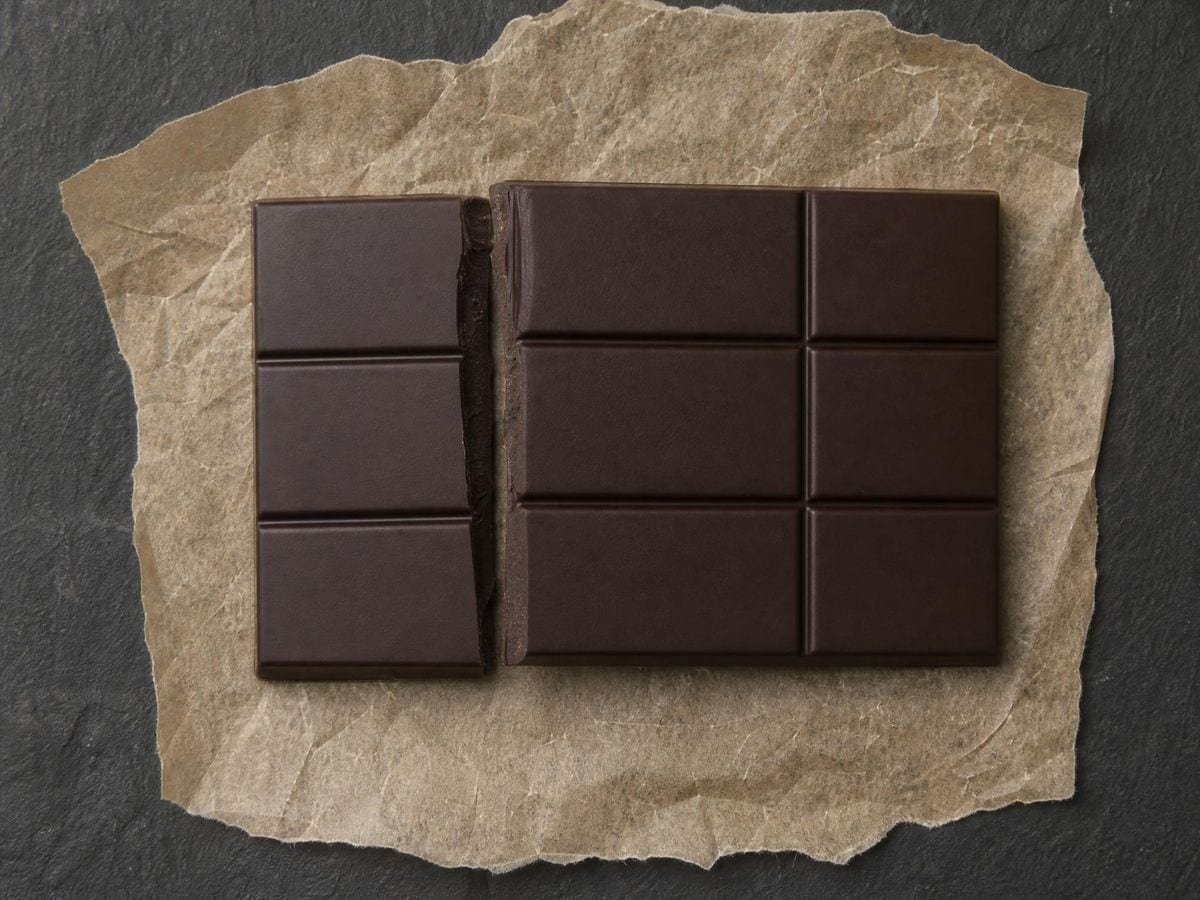
What the lock-square control does
The lock-square control removes the problem by force. It sets both cell dimensions to whichever is smaller, so the cells are square regardless of the counts and the canvas shape. The copy is then guaranteed undistorted.
The cost is that the grid stops filling the canvas. On a 1200 × 800 frame with 8 columns and 10 rows, the cells would be 150 wide and 80 tall; locked square they are 80 × 80, so the grid covers 640 pixels of the 1200 available and leaves 560 unused across the width.
That is not a bug and it is the correct behaviour — a square grid at those counts genuinely does not fit that frame — but it surprises people, and it is better to know before than to discover it mid-setup.
The usual right answer is to choose counts that match the canvas rather than to lock. On a 3:2 canvas, 12 × 8 gives square cells. On 16:9, 16 × 9 does. On A4 portrait, the ratio is 1:√2, which no whole-number pair matches exactly — 10 × 14 is within 1%, which is close enough that no eye will find it.
When unequal cells are the right choice
There is a genuine case for unequal cells, and it is worth stating so the whole thing does not read as a warning. If the reference and the surface are different shapes and you have decided to accept the distortion — a deliberate stretch, a stylised elongation, a design that has to fill a specific space — then unequal cells give you a controlled, uniform transformation rather than a guessed one.
Sign painters and muralists use this deliberately. A design drawn at one proportion and installed at another can be gridded across, and the resulting stretch is exact and repeatable rather than eyeballed.
Where the grid method came from
The history of the method goes back at least to the Egyptians, whose figure canons were laid out on grids of specified proportion — the standing figure occupying eighteen squares from foot to hairline in the classic canon, revised to twenty-one in the Late Period. Those are proportional systems as much as transfer grids.
The rectangular grid overlay page follows that history, beside the rest of the drawing-grid category. Alberti describes a version in De pictura in 1435, and Dürer's woodcuts of the 1520s show the apparatus: a gridded frame between artist and subject, a matching grid on the paper. Those images are the reason the method is often called Dürer's grid, though he documented it rather than invented it.
The method's reputation has been damaged by an argument it is not part of. Using a grid is sometimes treated as a shortcut that bypasses observation, but the grid does not draw anything — it constrains where marks go, and every judgement inside a cell is still yours. The reason it survives in teaching is that it isolates the shape-judging skill from the proportion-judging one so they can be learned separately.
Cell labels and the half grid
The cell labels are what make it teachable. A1-style labels — letters across, numbers down — let a group of people refer to the same square, which is the difference between a demonstration and a set of individual struggles.
The label size control matters more than it looks. At 40% the labels are unobtrusive on a dense grid; at 220% they are readable across a room. For a printed worksheet you want small; for a wall demonstration you want large.
The half grid is the standard escalation. When a passage — a face, a hand, a piece of lettering — needs more resolution than the main cells give, halving each cell gives four times the detail without changing any coordinate. Cell C4 is still C4; it just has four quadrants now.
Drawing it at 45% opacity rather than full is what keeps the two levels distinguishable. A half grid at the same weight as the main grid is just a finer grid, and you lose the ability to work at the coarse level when you want to.
Margins, and grids specified in millimetres
The margin control insets the whole grid, which is what a drawing sheet with a border needs and what every printed worksheet has. It also gives you somewhere to write, which sounds trivial and is the difference between a usable teaching sheet and one people write on top of the drawing.
For a grid specified in millimetres rather than in counts the custom grid maker takes over, and the proportion calculator works out the scale factor between the two surfaces. The highlight picks out one cell at 2.2 times the line weight. Over a long transfer it is a place-keeper; in a lesson it is a pointer; in a commission conversation it is how you and a client agree which part of the reference you are discussing.
The grid draws over your own image rather than exporting a fixed template because the counts have to be chosen against a specific reference. How many cells a subject needs is a question about the subject's complexity, and it cannot be answered on a blank sheet.
The export sizes itself from the paper format and the DPI you choose rather than from your screen, so a worksheet printed at A4 and 600 DPI has genuinely fine lines. SVG keeps every line editable, and the labels come through as text.
Everything runs in your browser. Images you load are never uploaded, because there is no server for them to reach. The drawing, the transform and the export all happen on your own machine.
Where a rectangular grid gets used
A uniform stretch has no local error, so students conclude their drawing is off rather than their grid. Check the ratios first, every time.
For a design going onto a wall of a different proportion, unequal cells give me an exact stretch instead of a guessed one.
The half grid is the escalation. Four times the detail on a face, and the coordinates of everything else stay put.
Rectangular grid: frequently asked questions
The geometry
When are the cells square?
When the ratio of columns to rows equals the canvas's width-to-height ratio. The default 8 × 10 gives square cells on a 4:5 frame and only there — on a square canvas they are 1.25:1, on 3:2 landscape 1.875:1, and on 16:9 they are 2.22:1.
What actually goes wrong with unequal cells?
If the reference cells and the surface cells have different proportions, every shape in the copy is stretched by the ratio between them — uniformly, so there is no local error to spot. Copying from a 3:2 photograph onto a 4:5 canvas at the same 8 × 10 counts gives a drawing 87.5% too wide.
What does lock-square do?
Forces both cell dimensions to the smaller one, guaranteeing an undistorted copy whatever the counts and canvas shape. The trade is that the grid then stops filling the canvas — on a 1200 × 800 frame at 8 × 10 it covers 640 pixels of the 1200 across.
Is it better to lock or to choose matching counts?
Matching counts, because the grid then fills the frame. On a 3:2 canvas use 12 × 8; on 16:9 use 16 × 9. A4 is 1:√2, which no whole-number pair matches exactly, but 10 × 14 is within 1% — closer than any eye will detect.
Are unequal cells ever the right choice?
Yes, when the distortion is deliberate. A design drawn at one proportion and installed at another can be gridded across, giving an exact and repeatable stretch rather than an eyeballed one. Sign painters and muralists use this routinely.
What is the half grid for?
Escalation. When a passage needs more resolution than the main cells give, halving each cell gives four times the detail and renumbers nothing — C4 is still C4, it just has four quadrants. Drawing it at 45% opacity is what keeps the two levels distinguishable.
Why do the cell labels matter?
They make the method teachable. A1-style labels let a group refer to the same square, which is the difference between a demonstration and a room full of individual struggles. The size control runs 40% to 220%: small for a printed worksheet, large for a wall.
How old is the technique?
At least as old as the Egyptian figure canons, which laid out the standing figure on grids of specified proportion — eighteen squares foot to hairline in the classic canon, twenty-one in the Late Period. Alberti describes a version in 1435, and Dürer's 1520s woodcuts show the apparatus.
Using it
Should I set cells by count or by size?
By size when a real measurement governs: a 25mm grid on a sheet you rule by hand, a 50px grid matching a sprite. By count when the proportion governs and the absolute size does not, which is most copying work. The unit selector takes pixels, millimetres, centimetres or inches.
What is the highlight row and column for?
Keeping your place. Copying cell by cell, the commonest error is not misjudging a shape but working the wrong square, and a highlighted row and column give you a crosshair you can find again after looking away. Set it to the cell you are on and move it as you go.
Export and print
Can I print a grid transparency to lay on a reference?
Print the grid alone onto acetate at your paper format and you have exactly that, at whatever cell size you set — which is better than a bought transparency, since those come in one grid and your reference does not.
Which format keeps the cell labels readable at large sizes?
SVG, and the label size control is worth setting before you export. Labels rasterised at a small size and then scaled up go soft, where vector text stays sharp at any size — which matters if the sheet is going on a wall.
Choosing a grid
Is the grid method cheating?
The grid does not draw anything. It constrains where marks go, and every judgement inside a cell is still yours. It survives in teaching because it separates the shape-judging skill from the proportion-judging one so they can be learned one at a time.
How is this different from the drawing grid maker?
Independent counts and a lot more furniture. The drawing grid maker is the simple square case; this adds separate column and row counts, real-world cell units, a margin, a half-grid subdivision and the highlight. Start there and come here when you need one of those.
Practical matters
Does anything I load get uploaded?
No. There is no server to upload to. The image is read by your browser, the grid is drawn on your machine, and the export is generated locally.
Can I add diagonals to the cells?
Yes. This grid offers the diagonal cell overlay as a companion, so it switches on alongside rather than instead. Match its rows and columns to the ones you have set here; it carries its own counts.
Open the tool Rectangular grid maker
Two counts, one check
Match the ratios or lock the cells. Export vector or 600 DPI. No signup, nothing uploaded.
Back to the generator →