
Free Dot Grid Generator
Print dot grid paper at the exact spacing you want instantly with our 100% free dot grid generator. Pick A5 to A2, set the pitch, and the 600 DPI export prints true to size for bullet journals and lettering practice in seconds. No signup, no downloads needed. Trusted by 60,000+ artists worldwide.
Intersections only
The points where a square grid's lines would cross, with the lines themselves left out. It gives the same positional reference while staying far quieter under drawing or handwriting.
1 control, not a fixed picture
Set density. Every one is live on the canvas.
Stacks with lattices & pattern
Overlays combine, each carrying its own transform, so this one can sit under or over hexagonal, triangular and radial, and 4 more in the same set.
Quiet on the page
Export as PDF at true spacing to print your own dot-grid pages, or as a transparent PNG to sit under digital sketching.
| Ctrl + Z | Undo |
| Ctrl + Y | Redo |
| Esc | Deselect overlay |
| Alt + drag | Free positioning (no snap) |
| Ctrl + scroll | Zoom canvas |
| Ctrl + P | |
| ? | Show this help |
Choose the sheet, choose the spacing, export at up to 600 DPI. No fixed template, no fit-to-page rescaling quietly turning your 5mm grid into 4.7mm.
The dot grid generator draws one of the 82 composition overlays in Grid Maker Pro, and the rest stack on the same image.
- 5–40 dots per short side
- A5 to A2
- SVG + 600 DPI export
- Nothing uploaded
What is a dot grid?
The dot grid generator is a free browser tool that makes printable dot paper and dot-grid overlays. A density control sets how many dots fall across the sheet's short side, from 5 to 40, so the spacing is the short side divided by that number: on A4 a density of 35 gives dots exactly 6mm apart, and 21 gives 10mm. Export is raster at up to 600 DPI sized from the paper format you chose, or vector SVG. The same lattice can be laid over a photograph instead, with its own transform. Nothing is uploaded.

How to make printable dot paper
A field of dots at the spacing you choose, printed at true size, so the sheet on your desk has the spacing you asked for rather than whatever the printer decided.
Choose the sheet
A dot grid starts from the sheet: set the paper format to the one you print on — A5, A4, A3, A2, Letter, Legal or square. Everything downstream is measured from that, which is what makes the printed spacing predictable.
JPG · PNG · GIF · WEBP
Set the spacing
The density is the number of dots across the short side, so the spacing is the short side divided by it. On A4, 35 gives 6mm and 21 gives 10mm. Adjust the colour and opacity too — dot paper you will draw over wants to be faint.
Density
Export at print resolution, and turn scaling off
Export at 300 or 600 DPI, then print at 100% with any fit-to-page option switched off. That last step is the one that decides whether the spacing on paper is the spacing you set.
PNG · JPG · PDF · SVG · up to 600 DPI
Three steps, about a minute. No signup, no upload.
What the Dot Grid Generator does
The spacing is arithmetic, not a guess
A dot grid's spacing is the sheet's short side divided by the density. On A4 that makes 35 exactly 6mm and 21 exactly 10mm — numbers you can check with a ruler after printing, which is not true of most downloaded templates.
Sized from the sheet, not the screen
Export geometry comes from the paper format and the DPI you chose, so an A4 export is A4 at that resolution regardless of your browser window. A PNG sized to your viewport is the reason so many printed grids come out at an arbitrary scale.
Vector, for any sheet
SVG export scales to A2 or down to a notebook page without the dots swelling into blobs, because they stay circles rather than becoming pixels. One file, every size.
As faint as you want it
Colour and opacity are yours, so the printed grid can sit at the threshold of visibility — which is what dot paper is for. A template PDF gives you whatever grey the author chose.
Or use it as an overlay
The same lattice drops onto a photograph with its own transform, which is the quiet way to check spacing and alignment in a layout, a tiling or a piece of lettering without a grid of lines shouting over it.
Nothing uploaded, nothing stored
There is no account, no watermark and no usage cap, and any image you overlay stays on your device. Dot paper is not something anyone should have to sign up for.
Dot grid examples: four ways the lattice reads
Dot grid vs a downloaded dot-paper PDF vs a bought dot-grid notebook
| Option | Spacing you choose | Prints at the size you set | Vector export | Cost |
|---|---|---|---|---|
| Grid Maker Prothis tool | Yesby density on a real sheet | Yesif scaling is off | SVG + raster to 600 DPI | Free |
| A downloaded dot-paper PDF | Fixed by the file | Only at its own sheet size | Sometimes | Free or paid |
| A bought dot-grid notebook | Whatever it ships with | Yes | No | Per notebook |
| Drawing it with a ruler | Yes | Yes | No | A great deal of time |
Who a dot grid is for: anyone who wants a guide rather than a cage
How a dot grid works — Spacing, sheet size, and the real reason your printed dot grid is the wrong size
Dot grid paper is the least demanding of the 82 composition overlays to print and it goes wrong constantly, in a specific and fixable way. Here is exactly how the spacing is computed, which spacings you can reach, and the one print setting that undoes all of it.
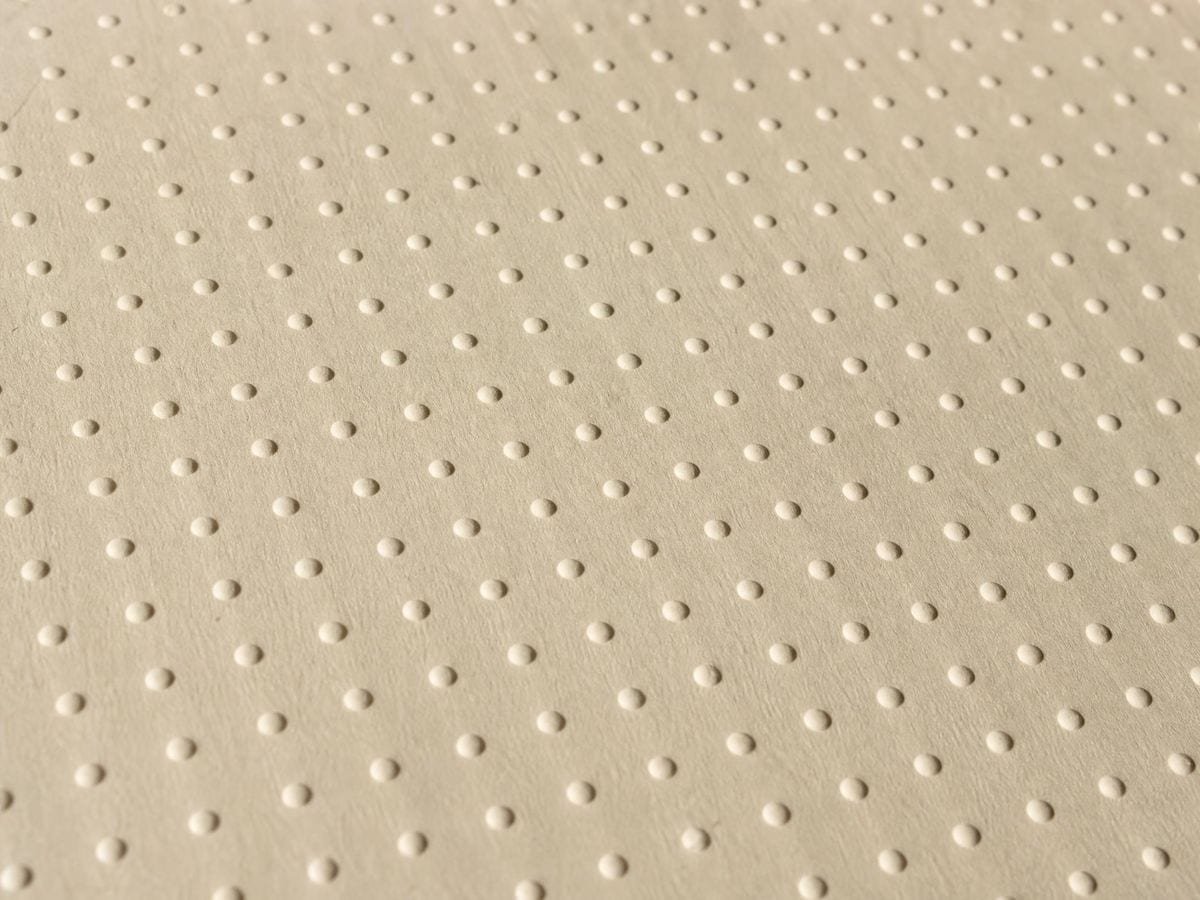
A dot grid is a lattice of points with nothing drawn between them. That is its entire virtue: it gives you structure to align to and then disappears under the work, where ruled lines and graph squares stay visible and compete. It is why bullet journals adopted it, why designers sketch on it, and why it is the default for anyone who wants a guide rather than a cage.
The overlay draws exactly that and nothing else — no lines, no labels, no margins. One control sets the density, and the spacing follows from it: spacing equals the sheet's short side divided by the density. The dots start one full spacing in from the top and left edges, so the lattice sits inside the sheet rather than running off it.
Dot paper is easy to make and easy to print at the wrong size. Only one of those is a design problem.
The spacings you can actually reach
The density runs from 5 to 40. Since the spacing is the short side divided by it, the finest grid available on any sheet is that side divided by 40 — 5.25mm on A4, 3.7mm on A5, 5.4mm on US Letter, 7.4mm on A3.
Densities that land on round millimetres are worth knowing. On A4: 21 gives 10mm, 28 gives 7.5mm, 30 gives 7mm, 35 gives 6mm, 40 gives 5.25mm. On A5: 16 gives 9.25mm, 20 gives 7.4mm, 37 gives 4mm. On Letter: 18 gives 12mm, 24 gives 9mm, 27 gives 8mm, 36 gives 6mm. On A3: 27 gives 11mm, 33 gives 9mm, 36 gives 8.25mm.
For ruled paper rather than dots, the printable graph paper generator works in millimetres directly. One honest gap: the 5mm spacing that most commercial dot notebooks use needs a density of 42 on A4, which is past the top of the range. On A4 the closest you can get directly is 5.25mm at 40. If you need exactly 5mm on A4, scale the overlay down slightly with its own transform, or work at A5 where 5mm sits comfortably inside the range and print two-up.
Why the printed grid comes out wrong
Almost always for one reason: the print dialogue's fit to page, shrink oversized pages or scale to fit option, which is on by default nearly everywhere. With “fit to page” left on, the driver shrinks the image by a few percent so that nothing is clipped by the unprintable margin, and a 5mm grid quietly becomes 4.7mm.
The fix is to print at 100% with scaling off and accept that the outermost dots may fall inside the printer's margin. That is the correct trade: a grid that is the right size with a slightly wider border beats a grid that fills the sheet and measures wrong. If you are matching an existing notebook, measure ten spacings on the printed sheet rather than one — the error compounds and is far easier to see over ten.
The second reason is exporting at screen resolution. Export geometry here comes from the paper format and the DPI you pick, not from your browser window, so an A4 export at 600 DPI is 4960 by 7016 pixels whatever size your screen is. Choosing 300 for everyday printing and 600 when the dots are fine is the whole decision.
Dot size, and why it scales
The dots are drawn at 0.4% of the sheet's short side, with a floor so they never vanish. On A4 that is a dot a little under a millimetre across — visible enough to align to, small enough to disappear under a pen line. Because it scales with the sheet rather than being a fixed pixel size, an A2 sheet gets proportionally larger dots and reads the same from the distance you would actually view it.
If you want them fainter rather than smaller, drop the opacity instead. A grid at 30% grey is a guide; the same grid at full black is a texture you will be fighting for the whole page.
Matching a notebook you already own
The common job is not making dot paper from nothing — it is making inserts that match a book already on the desk. Measure the existing grid properly first: put a ruler on ten spacings rather than one and divide, because a half-millimetre error per dot is invisible on its own and obvious across a page.
Then work backwards. Divide your sheet's short side by the spacing you measured to get the density you need, and if that number lands between two integers, decide which side to err on. Slightly wider than the original is usually the safer miss, because a grid that is fractionally tight reads as crowded next to the real thing while a fractionally open one just reads as a different page.
Finally, print one sheet and measure it before printing thirty. The gap between what the screen says and what the printer does is entirely in the scaling setting, and it costs one sheet to find out.
The overlay use, which is the quieter one
The same lattice goes over a photograph instead of onto a sheet. Because there are no lines, it is the least intrusive way to check whether something is evenly spaced — the rhythm of windows on a façade, the repeat of a tiling, the letter spacing in a piece of lettering. A grid of lines answers the same question and buries the image while doing it.
It is also the gentlest transfer grid, and the rectangular grid generator is the ruled version for the same job. Squares tell you which cell a shape is in; dots tell you the same thing with a tenth of the ink, which matters when you are working on the surface itself rather than on a printout you will throw away. The dot grid overlay page covers its uses, beside the rest of the specialty grid overlays.
Where a dot grid gets used
I print my own inserts because the notebook I like is not sold in the size I use. Setting the sheet and the spacing separately is the whole reason this works.
Sketching interfaces, I want a guide I can ignore. Dots at low opacity give me alignment without a grid I end up designing to.
For pattern work the overlay version is the useful one — dots over a photograph of the repeat tell me instantly whether the spacing drifted.
Dot grid: frequently asked questions
The geometry
What spacing does a density number give me?
The sheet's short side divided by the density. On A4 that makes 21 exactly 10mm, 35 exactly 6mm and 40 about 5.25mm; on A5, 37 gives 4mm; on US Letter, 36 gives 6mm and 27 gives 8mm. Because it is measured on the short side, turning the sheet does not change the spacing.
How big are the dots?
0.4% of the sheet's short side, with a lower limit so they never disappear — a little under a millimetre on A4. They scale with the sheet, so a large sheet gets proportionally larger dots and reads the same at the distance you would view it from.
Can I use it as an overlay on a photo instead?
Yes, and it is the quietest overlay in the catalogue. Because there are no lines between the points, it is the least intrusive way to check whether something is evenly spaced — a repeat, a façade, the letter spacing in a piece of lettering.
Why are there no dots on the very edge of the sheet?
The lattice starts one full spacing in from the top and left, so it sits inside the sheet rather than running off it. That also keeps the outermost dots clear of the printer's unprintable margin.
Using it
How do I make the grid fainter?
Drop the overlay's opacity rather than shrinking the dots. Dot paper works when it sits at the threshold of visibility — a grid at full black is a texture you will be fighting for the whole page.
How do I match an existing notebook's spacing?
Measure the notebook's dot pitch, then work back from the density: the spacing is the sheet's short side divided by the density, so on A4 a 5mm pitch needs a density of about 42. Print one sheet and measure it before running a stack.
Can I use dots as an overlay on a photograph rather than as paper?
Yes, and it is the quietest positional overlay there is. Dots mark position without ruling lines across the subject, which is why they suit portraits and any picture whose modelling you need to keep seeing.
Export and print
Why did my printed grid come out smaller than I set?
Almost certainly the print dialogue's fit-to-page or shrink-oversized-pages option, which is on by default nearly everywhere and quietly takes a few percent off to protect the printer's margin. Print at 100% with scaling off, and accept a slightly wider border.
What DPI should I export at?
300 for everyday printing, 600 when the dots are fine or the sheet is large. Export geometry comes from the paper format and DPI rather than from your browser window, so an A4 export at 600 DPI is 4960 by 7016 pixels regardless of your screen.
Can I export it as an SVG?
Yes, and for dot paper it is the better export. Vector dots stay circles at any size, so one file prints correctly on a notebook page and on A2, where a raster would turn them into soft blobs at the larger size.
Can I get the dots without a background?
Yes — the grid-only export writes a transparent PNG of the dots alone, which is what you want as a layer in a drawing app. SVG if you would rather it stayed sharp while you zoom.
Choosing a grid
Should I use dots or a square grid for copying?
Squares, if you are copying cell by cell — you need the edges to judge against. Dots, if you already draw reasonably well and want position without the interference a ruled grid puts across the subject. Dots give you less help and obscure less.
Is a bought dot-grid notebook better?
For daily carry, yes: bound paper in a bag beats loose sheets. Generating your own wins when the pitch matters, when you want a size no one sells, or when you want the dots fainter than any notebook prints them.
Practical matters
Can I get exactly 5mm, like a commercial dot notebook?
On A5 and Letter, comfortably. On A4 it needs a density of 42, which is one past the top of the range, so the closest direct setting is 5.25mm at 40. If A4 at exactly 5mm matters, scale the overlay down slightly using its own transform, or set A5 and print two-up.
Is it really free?
Yes. No account, no watermark, no usage cap, and nothing uploaded. Dot paper is not something anyone should have to sign up for.
Can I print a stack for a workshop?
Yes — no account, no metering, no watermark. The terms put no restriction on what you generate, so printing fifty sheets costs only paper and toner.
Open the tool Dot grid generator
Dot paper, at the spacing you asked for
A dot grid takes two decisions: the sheet and the spacing. Export at 600 DPI and print with scaling off. No signup, nothing uploaded.
Back to the generator →