
Bullet journaling
The use that made dotted notebooks mainstream. Dots anchor lists, headers, and hand-drawn table borders while staying invisible under the writing. The method is set out in Ryder Carroll's book.
A dot grid marks the vertices of a square lattice with small, evenly spaced dots and leaves the connecting lines undrawn. The result is structure without lines — an implied grid the eye joins only when it wants alignment and ignores the rest of the time, so it never competes with the marks made on top of it. This page is honest about what the dot grid is: a humble, widely-reinvented utility with no single inventor. Here is the literal lattice math, the real lineages it comes from, where dotted fields actually appear, and the mistakes worth avoiding.
One of the 82 composition overlays every visual artist should know and use.
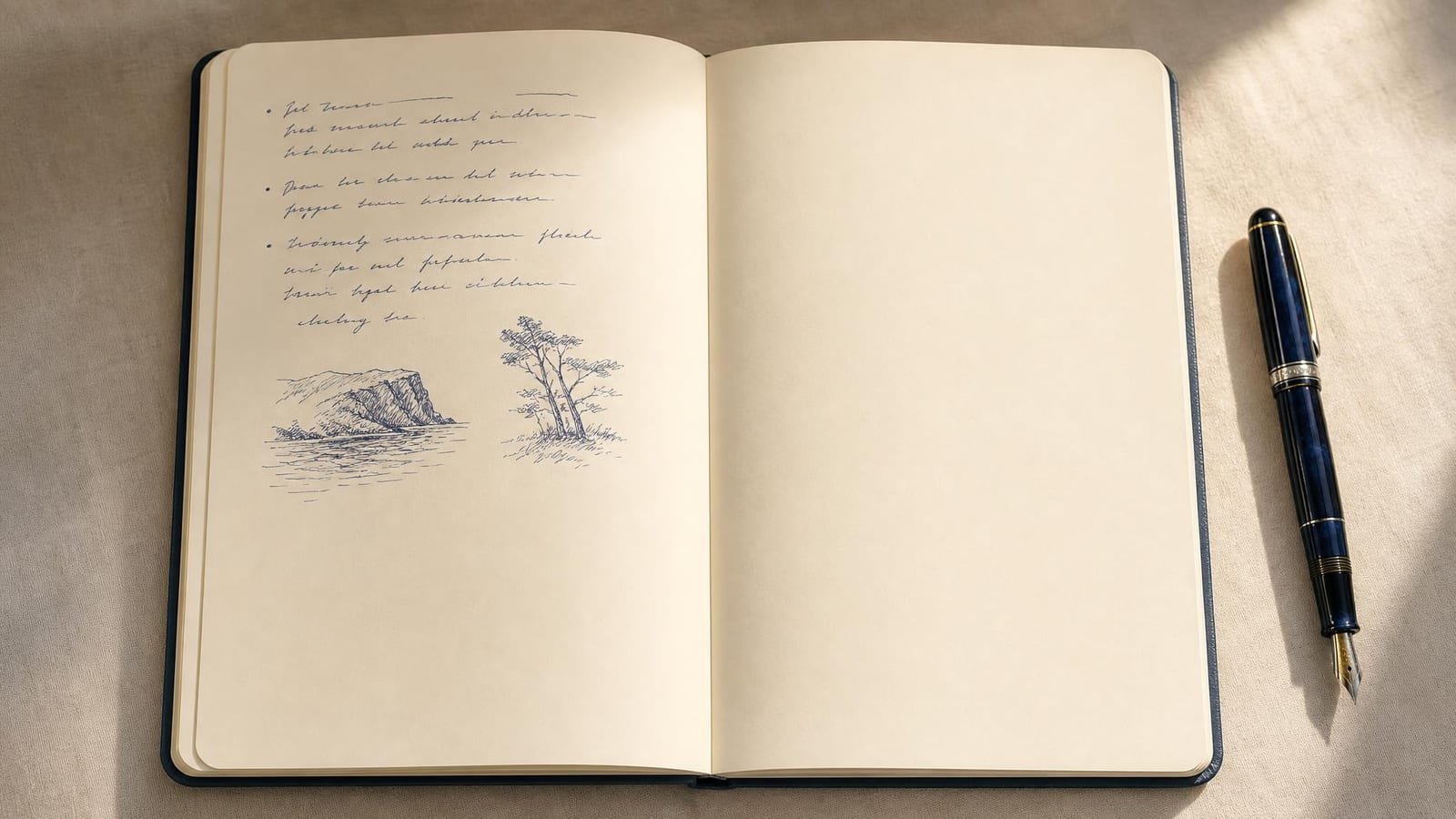
Bullet journaling is the use that made dotted notebooks mainstream — dots anchor lists and hand-drawn table borders while staying invisible under the writing. Drag to see how lightly the field asserts itself.
The dot grid overlay lays down a field of evenly spaced dots, one at each intersection of an imaginary square grid. The connecting horizontal and vertical lines are simply never drawn. What you see is a regular array of points — and what your eye does, almost automatically, is join nearby dots into an implied grid whenever you need to line something up. The moment you stop looking for alignment, the dots fade back into the surface.
That is the defining property: structure you can align to that stays visually quiet. Dot size, spacing, and opacity are all adjustable, so the field can sit pale grey under handwriting or dark enough to read over a busy reference. Because only the vertices are marked, the grid carries far less ink than a lined grid covering the same area, which is exactly why it does not compete with the marks made on top of it.
There is almost nothing to it, and that is the point. Place a dot at every vertex of a square lattice — that is, at every point whose coordinates are integer multiples of a single spacing value s. The dot at row i, column j sits at position (j · s, i · s). A common value for s is 5 mm.
Two variants change one thing each. A rectangular dot lattice uses different horizontal and vertical spacings, sx and sy. An isometric dot field staggers alternate rows by half a step so the dots fall on a triangular lattice for isometric sketching. In every case the construction is identical in spirit: dots at the vertices, no connecting lines. The whole virtue of the dot grid is being this minimal.
The dot grid is best understood as a humble utility that has been reinvented independently, more than once, by people who never spoke to each other. Three separate lineages share the same minimal idea.
Dotted drafting and engineering paper. Long before any journal trend, draughtsmen used dotted and dot-and-cross paper as a quieter alternative to full graph paper — the dots gave alignment without the dense line field that crowds a technical sketch. This use predates and runs parallel to the modern journal market.
The Ben-Day dot in printing. In commercial print, fields of regularly spaced dots have a long industrial history as a way to render tone and colour cheaply — the Ben-Day process and the broader halftone system both build images from dot patterns. This lineage is documented in the standard history of the field, Meggs and Purvis's Meggs' History of Graphic Design.3 It is a different problem from page alignment, but it is the same fundamental object: a regular dotted field.
The modern dotted notebook. Dotted-paper notebooks became a mainstream stationery category in the 2010s, driven in large part by the bullet-journal practice that Ryder Carroll later set down in The Bullet Journal Method.6 The dotted notebook is now treated as a third option alongside lined and squared paper.
Why a quiet, implied grid helps at all is a question the graphic-design tradition answered carefully. Müller-Brockmann's Grid Systems in Graphic Design1 and Kimberly Elam's Grid Systems: Principles of Organizing Type2 explain how an underlying grid lends order and clarity; Ellen Lupton's Thinking with Type4 and Jan Tschichold's essays in The Form of the Book5 treat the grid as an unobtrusive structure beneath the content. None of those authors claim a historical masterpiece was drawn on dot paper — and neither does this page. They explain the principle; the dot grid is one humble expression of it.
It is not a composition system. The dot grid has no proportion, no focal logic, and no opinion about where anything should go. For composing a picture, reach for the rule of thirds, the golden ratio, or dynamic symmetry instead.
Spacing too tight becomes noise. Pack the dots too densely and the field reads as texture, defeating the quietness that justifies it. Samara's Making and Breaking the Grid is a useful reminder that a grid is only as helpful as its restraint.7
It is an aid, not a method. The dot grid helps you keep things aligned; it does not make the work good. That distinction is the honest centre of the whole overlay.
| If you want to... | Use the dot grid | Don't use it for... | Difficulty |
|---|---|---|---|
| Keep handwriting and lists aligned without ruled lines | Dots anchor rows and headings while staying out of the writing's way | Pages where a strong ruled structure is wanted (use a lined grid) | Beginner |
| Plan a sketch or diagram with quiet scaffolding | The implied grid guides placement, then vanishes behind line work | Composing the image itself (use rule of thirds or golden ratio) | Beginner |
| Practise hand-lettering or calligraphy spacing | Dot rows mark baseline and x-height without competing with the strokes | Final lettered work where guides must not show (work on a separate sheet) | Intermediate |
| Lay out a page or interface on a light modular grid | Vertices give snap points for blocks and margins without visual clutter | A printed grid that is part of the finished artefact (use lines) | Intermediate |
| Rough out an isometric or unit-based study by hand | The staggered dot variant gives axis points without a heavy lattice | Precise engineering drawing needing measurable converging structure | Beginner |
Six documented domains where a regular dotted field is genuinely in use. These are working contexts, not masterworks — the dot grid is a utility, and this is where the utility shows up.
The use that made dotted notebooks mainstream. Dots anchor lists, headers, and hand-drawn table borders while staying invisible under the writing. The method is set out in Ryder Carroll's book.
Dotted and dot-and-cross paper give draughtsmen alignment for rough technical sketches without the crowded line field of full graph paper. Often denser than journal paper, around 0.1 inch spacing.
A regular dotted field used to render tone and colour in print, varying dot size or density to fake continuous shading. A different problem from alignment, but the same underlying object — documented in Meggs and Purvis.
Artists use a dotted field to mark cell corners when blocking sprites and tiles by hand, so each unit snaps to a consistent grid without a heavy line overlay obscuring the small artwork.
Pegboards and perforated panels are a physical dot grid — a regular array of holes that fixes where hooks, pegs, or beads can go. Fuse-bead and peg-art templates plan against the same lattice.
Dot rows mark baseline, x-height, and ascender heights for lettering and calligraphy drills without the heavy ruled lines that compete with the stroke shapes being practised.
Pack the dots close together and the field stops being a quiet scaffold and starts reading as grey texture or noise, which is exactly what the dot grid was meant to avoid.
Heavy dots compete with the content instead of receding behind it, especially under light-coloured pens — and the whole virtue of the overlay is its quietness.
The dot grid tells you where the regular intersections are; it says nothing about where the subject, the focal point, or the balance should sit. Used as a composing tool, it gives no useful guidance.
When the grid itself is part of the finished work — a math worksheet, an engineering chart, a pattern that the reader must follow — dots leave the eye with nothing to track along.
The dot grid is the working surface of choice for bullet journaling and visual note-taking precisely because it does not impose. You can rule a quick table by joining four dots, drop a heading anywhere, or sketch a small diagram in the margin, and the field never forces handwriting into a fixed shape the way ruled lines do. Five-millimetre spacing matches most handwriting; print your own pages from the tool to match an existing notebook.
Dot rows give you baseline, x-height, and ascender references for drills without the strong ruled lines that visually fight the stroke shapes you are trying to judge. Set the spacing to your nib or pen size, practise on the dotted field, then move to a clean sheet for finished pieces so no guides show. The dots are a measuring aid during practice, nothing more.
Use the dot field as quiet scaffolding for blocking a sketch — placing horizon, sizing a diagram, keeping repeated elements evenly spaced — then let it vanish behind the line work. Because only the vertices are marked, the grid carries little ink and never dominates a light pencil drawing. For arranging the picture itself, switch to a composition overlay; the dot grid is for placement, not composition.
A light dot lattice gives snap points for blocks, margins, and baselines while staying far quieter than a visible column grid. The design tradition — Müller-Brockmann, Elam, Lupton — explains why an underlying grid brings order; the dotted form is simply the least intrusive way to keep it visible while you work. When the grid must appear in the delivered artefact, though, draw the lines instead.
"The grid system is an aid, not a guarantee. It permits a number of possible uses and each designer can look for a solution appropriate to his personal style."
Josef Müller-Brockmann, Grid Systems in Graphic Design1

Illustrative composites of how the tool gets used in practice — not quotes from named individuals.
I letter and journal on the same dotted field. The dots give me a baseline to drill against, then disappear the moment the page fills up — lined paper never let me do both.
For blocking a sketch I drop the dot overlay light, place the horizon and the big shapes against it, then ignore it. It scaffolds the drawing without ever showing up in the line work.
When I block sprites by hand the dotted field marks every cell corner without a heavy grid covering the art. Each tile snaps to the same lattice and I can still read the pixels.
Drop a reference image or start on a blank page. The dot grid applies in one click, with adjustable spacing, size, and opacity. Free, in your browser.
Launch Grid Maker Pro →You can use the dot grid overlay here for nothing, today and always. What a browser still can't do is get the picture itself onto paper — that needs a camera. The Grid Maker Pro AR app floats your reference over the real page through your phone so you trace the outlines straight onto the surface, then build on them with the same overlays you use here.
How AR tracing works → Free web tool, free forever · AR tracing is the separate paid app