
Free Printable Graph Paper Generator
Get printable graph paper that measures true instantly with our 100% free generator. Pick A4 or US Letter, set the square in millimetres or inches, and a 5 mm square prints at exactly 5 mm, ready in seconds. No signup, no downloads needed. Trusted by 60,000+ artists worldwide.
Paper
Grid
the default squared paper
Lines
38 × 55 cells · 210 × 297 mm · vector, prints at any size
The sheet is built from numbers in this page. Nothing is uploaded, and the SVG is the artwork itself — a 0.2 mm rule prints at 0.2 mm.
Measured in millimetres, not pixels
Paper size, square spacing, margin and rule weight are all physical measurements, and the sheet is built in millimetres throughout. 210mm of A4 is 210 units, so a 5mm square is 5 units and prints at 5mm with no scale factor anywhere.
10 controls, not a fixed result
Set margin, spacing, weight and heavy line every, choose size, style and unit, toggle landscape and label cells A1, B2 … 10 controls in all. Every change redraws the sheet, in this page's own document.
Part of the lattices & pattern set
The set also holds hexagonal grid generator, dot grid generator and triangular grid generator, and 7 more in the group, all of them free and all of them working in the browser.
Hexagonal grid generatorDot grid generatorTriangular grid generator
SVG, so the download is the artwork
Vector out means the printer sets the resolution and a 0.2mm rule really is 0.2mm — no resampling and no DPI dialog to get wrong. A PNG at 150, 300 or 600 dpi is there for anything that will not take vector.
- 100% free
- No signup
- No watermark
- Nothing is uploaded
Choose A4 or Letter, set the square in millimetres or inches, and print. The sheet is drawn as vector geometry in real units, so five millimetre squares measure five millimetres under a ruler.
The printable graph paper draws one of the 82 composition overlays in Grid Maker Pro, and the rest stack on the same image.
- A4 and Letter
- True size, measurable
- SVG + 300 dpi PNG
- Nothing uploaded
What is printable graph paper?
Printable graph paper is squared paper you generate and print yourself rather than buy. Among the 82 composition overlays and tools here it is the one whose whole difficulty is physical rather than geometric. This one draws the sheet as vector geometry in millimetres, so the square you ask for is the square you measure on the paper: a 5 mm grid is 5 mm, and a 0.2 mm rule prints at 0.2 mm rather than at whatever width the printer rounds a screen pixel to. It covers A4, A3, A5, US Letter, Legal and Tabloid, portrait or landscape, and prints, downloads as SVG, or exports a 300 dpi PNG.

How to print graph paper at true size
The squares you specify, at the size you specify, printed at true measure. The sheet that comes out of the printer has the cells you asked for.
Pick the paper that is actually in the tray
Printable graph paper starts with the sheet, and A4 and US Letter are not the same shape. A4 is 210 × 297 mm; Letter is 215.9 × 279.4 mm — wider and shorter. A sheet laid out for one and printed on the other loses a strip or gains a band of white, and the squares stop being square if the driver rescales to fit.
JPG · PNG · GIF · WEBP
Set the square in the unit you think in
Millimetres for school and engineering work, inches for US stationery, quilting and woodwork. Changing the unit here preserves the physical size rather than the number, so 5 mm becomes 0.197 in and not 5 in.
Square cells per short side · Cell labels (A1, B2…)
Print at 100%, or take the file
Print opens a page already sized to the sheet, so the dialog starts on the right paper. Choose Save as PDF for a file, or download the SVG for Illustrator and cutting machines, or a 300 dpi PNG for software that will not accept vector.
PNG · JPG · PDF · SVG · up to 600 DPI
Three steps, about a minute. No signup, no upload.
What the Printable Graph Paper does
Real units, not pixels
The sheet is built in millimetres and the SVG carries a physical width and height with a matching viewBox. Nothing is rescaled on the way to the printer, which is exactly where most generated graph paper loses its accuracy.
A heavy rule where you count
Counting squares is most of what graph paper is for. A heavier line at an interval you set gives the eye somewhere to land, which is why engineering pads have carried one for a century.
Margins your printer can reach
Most consumer printers cannot put ink closer than three to six millimetres from the paper edge. Set the margin and the grid is laid inside it in whole cells, so nothing comes back cropped mid-square.
Grey by default, not black
Graph paper is a background, not the drawing. The default rule is a mid grey at reduced opacity so pencil and ink read clearly over it. Set it to black when the sheet is going through a photocopier, which loses light greys.
Portrait or landscape, without redrawing
Landscape swaps the sheet dimensions and relays the grid; it does not rotate a portrait image. The margin, the square and the heavy-line interval all stay exactly as set.
Three ways out
Print for immediate use, SVG when the sheet is going into design software or onto a cutter, and a 300 dpi PNG when something in the chain refuses vector. All three carry the same geometry.
Printable graph paper examples: four sheets, four jobs
Printable graph paper vs a bought pad vs a downloaded JPEG or PNG
| Option | Square size | True size when printed | Paper sizes | Cost per sheet |
|---|---|---|---|---|
| Grid Maker Prothis tool | Any, in mm, cm or inches | Yesvector in real units | A4, A3, A5, Letter, Legal, Tabloid | Free |
| A bought pad | Whatever the pad is | Yes | One | Pennies, once you have it |
| A downloaded JPEG or PNG | Fixed by the file | Rarely — resampled at print | Usually one | Free |
| A spreadsheet with narrow columns | Approximate | Nodepends on the print scale | Whatever you set up | Free |
Who printable graph paper is for: people who measure what they print
How printable graph paper works — Paper sizes, printer margins, and why a printed square is so often the wrong size
Generating graph paper is trivial arithmetic. Getting it onto paper at the size you asked for is not, and almost every failure happens in the last three steps: the paper standard, the printable area, and the scaling the print dialog applies without telling you.
The two paper standards, and why they are not interchangeable
Most of the world prints on ISO 216 A-series paper. Its defining property is the aspect ratio 1:√2 — approximately 1:1.414 — which is the only ratio that survives being halved. Cut an A4 sheet across its long side and you get two sheets of exactly A4's proportions, at A5. That is why the series scales cleanly: A0 is one square metre at that ratio, and every subsequent size is the previous one folded in half.
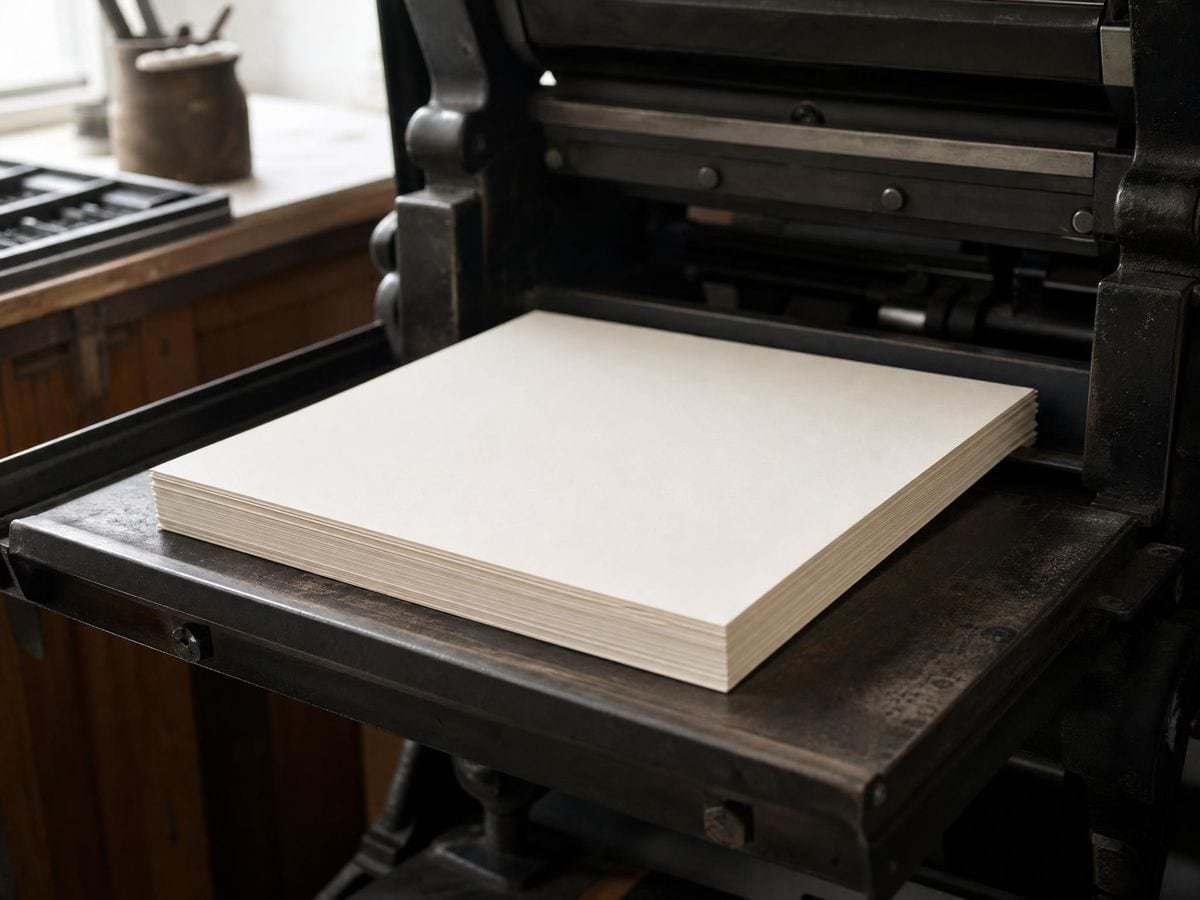
A4 is 210 × 297 mm. A3 is 297 × 420 mm, which is A4 doubled on the long edge. A5 is 148 × 210 mm, A4 halved. The rounding to whole millimetres is why the numbers look arbitrary — 297 rather than 296.98.
North America uses a different system entirely. US Letter is 8.5 × 11 inches, or 215.9 × 279.4 mm: wider than A4 and shorter. Legal is 8.5 × 14 in, Tabloid 11 × 17 in. None of them share the √2 property, so halving a Letter sheet does not produce a Letter-shaped sheet, and a layout designed for one standard does not transfer to the other without either cropping or rescaling.
This matters here for a specific reason. If you generate a sheet at A4 and print it on Letter, the printer driver will usually offer to scale it to fit. Accepting that is what turns 5 mm squares into 4.7 mm squares. The sheet still looks like graph paper; it simply is not the graph paper you asked for.
Printing at 100% is the whole game
Every accurate printed sheet depends on one setting: scale at 100%, not "fit to page" or "shrink to printable area". The default in several browsers and PDF readers is the fitting behaviour, because it guarantees nothing is clipped — a reasonable default for a document, and the wrong one for a measuring instrument.
The check takes ten seconds. Print one sheet, put a ruler across ten squares of a 5 mm grid, and confirm it reads 50 mm. If it reads 47 or 48, the scaling is on. Correcting it once in the print dialog fixes every sheet after it.
The printable area is smaller than the paper
Consumer inkjet and laser printers leave an unprintable border at the edge of the sheet. The unprintable border is typically three to six millimetres, and often larger at the trailing edge where the rollers grip. Some photo printers manage borderless output, but only by over-spraying a slightly enlarged image — which rescales it, and therefore breaks true size.
That is why margin is a control here rather than a fixed value. Setting a margin at or above your printer's limit means the grid is laid entirely inside the reachable area, in whole cells. Setting it to zero produces a mathematically correct sheet that your printer will crop.
Line weight, and the thing photocopiers do
A rule at 0.2 mm is the width of a fine technical pen, and it is the practical floor for a printed grid: below about 0.1 mm, laser toner and inkjet dithering both start dropping parts of the line. That is why the weight here is given in millimetres rather than pixels — the number means something physical, and it prints as itself.
Photocopying and scanning change the calculation. Both raise contrast, and both tend to lose light greys entirely or render them as broken dotted lines. A sheet destined for a copier wants a darker rule than one you will draw on directly.
Which square to use
Five millimetres is the general-purpose default and what most school exercise books in metric countries use. It is fine enough for graphing and coarse enough to write inside.
One and two millimetre grids are for plotting where the paper is the measuring instrument — the traditional "millimetre paper" of laboratory work, usually printed with a heavier rule every five or ten squares so a reading can be located quickly.
Ten millimetres, or one centimetre, is layout paper: sketching plans, blocking out a page, drawing to a scale where one square is a convenient real-world unit.
In inches, quarter-inch is the ubiquitous US school and engineering square, eighth-inch its finer relative, and half-inch the layout equivalent of a centimetre grid. Quilting and woodwork tend to work in quarter and eighth inches because that is how the rulers and cutting mats are marked.
The heavy rule is not decoration
Graph paper with every line at the same weight is hard to read and slow to count. The convention of emphasising every fifth or tenth line exists because the eye can take in groups of five at a glance but has to count past that one at a time.
The interval should match the arithmetic you intend to do. A heavy line every fifth square on a 2 mm grid gives a 1 cm major, which makes centimetres readable directly. Every tenth on a 1 mm grid gives the same result. On a 5 mm grid, every fourth gives a 2 cm major, which suits scale drawing.
Squared paper is older than the graphs on it
Pre-printed squared paper was patented in England in 1795 by Dr Buxton, well before the plotting conventions that made it famous. Its adoption in education came much later: the American mathematician E. H. Moore argued for squared paper in secondary teaching in the early 1900s, and it became standard classroom equipment through the twentieth century.
The reason it persists in a screen age is that it is a physical coordinate system you can put a pencil on. That is the same argument the square grid page makes on screen, and the drawing-grid category set out the family. For a lattice other than squares — isometric, hexagonal, dot — the graph paper generator draws all five at the same sheet sizes. Anything drawn on it inherits a measurable grid without a ruler, which is exactly the property that makes it useful for scale drawings, knitting charts, cross-stitch, pixel art, floor plans and the grid method of copying a picture.
Why vector, and not a picture of a grid
A raster image of graph paper has a fixed pixel resolution, and printing it means resampling from that resolution to the printer's. Fine rules land between output dots and are either dropped, doubled or blurred, which is why downloaded graph paper JPEGs so often print with uneven line weights.
An SVG has no resolution. The sheet is a set of coordinates in millimetres, and the printer renders those at whatever resolution it has. A 0.2 mm rule is 0.2 mm at 300 dpi and 0.2 mm at 1200 dpi. The PNG export here exists only for software that cannot accept vector, and it is rendered at 300 dpi from the same geometry rather than scaled up from the screen.
Where printable graph paper gets used
Students and teachers print the most of it, and usually at the last minute — an exercise book has run out mid-term, or a class needs thirty sheets at a specific square. Being able to set the square rather than take whatever a search result offers is the whole value.
Knitters, cross-stitchers and quilters use squared paper as a charting surface, where one square is one stitch or one patch. Here the square size is chosen to match the gauge, not to look right, so an arbitrary grid is useless.
Scale drawing — floor plans, garden layouts, model making — treats one square as a fixed real distance. A 5 mm grid at 1:100 makes each square half a metre, which is why the metric square sizes matter more than the visual density.
Printable graph paper: frequently asked questions
The geometry
Will 5 mm squares actually measure 5 mm?
Yes, provided you print at 100% rather than "fit to page". The SVG declares its width and height in millimetres, so the geometry is dimensionally correct; scaling in the print dialog is the only thing that changes it. Check by measuring ten squares — they should read 50 mm.
What square size should I use?
Five millimetres is the general-purpose default and matches most metric exercise books. Use 1 mm or 2 mm for plotting, 10 mm for layout and scale drawing, and quarter-inch for US stationery compatibility.
Why does my sheet come out with a white border?
Because printers leave an unprintable border, three to six millimetres on most consumer machines. Set the margin to at least that and the grid is laid inside the reachable area in whole cells.
Why is the grid grey rather than black?
Graph paper is a background for something else, and a mid grey lets pencil and ink read clearly on top of it. Set the colour to black if the sheet is going through a photocopier, which tends to lose light greys.
Can I use this for knitting or cross-stitch charts?
Yes, and the square size is the thing to get right: one square stands for one stitch at your gauge. The cross-stitch grid maker counts stitches directly if that is the job. Set it in millimetres and print at 100% so the chart matches the finished work. For a sheet with a drawing on it rather than a blank one, the grid drawing worksheet prints the reference and the grid together.
Using it
How do I stop the last row of squares being cut off?
Raise the margin until whole cells sit inside it. The grid keeps complete cells within the margin you set, so a part-row at the edge means the margin is narrower than your printer's own unprintable border — widen it rather than printing borderless, which scales the page.
How do I get a specific square size rather than a count?
Switch the cell mode from count to size and type it in with the unit you want — millimetres, centimetres or inches. That is the setting that makes this graph paper rather than a grid: 5mm means 5mm on the sheet, not a fraction of the page.
Export and print
What is printable graph paper?
Printable graph paper is squared paper generated as a file and printed on demand rather than bought as a pad. The advantage is that the square size, the paper size, the line weight and the heavy-rule interval are all chosen for the job instead of being fixed by what the shop had.
How do I get a PDF?
Use Print and choose "Save as PDF" as the destination. The print window is already sized to the sheet, so the PDF comes out at the right dimensions without a separate export step.
Choosing a grid
Can I print graph paper on US Letter instead of A4?
Yes. Letter, Legal and Tabloid are all in the paper list alongside the A series. Choose the size that is physically in the tray — printing an A4 layout on Letter paper is what causes rescaling.
What if I need dots, triangles or hexagons instead of squares?
The graph paper generator covers dot, isometric, hexagonal and ruled sheets from the same engine, with the same true-size printing. This page defaults to squares because that is what "graph paper" almost always means.
Why not just download a graph paper PDF?
Because a downloaded PDF comes in one square size, on one paper size, at one line weight. Here the three are yours to set — and a raster download will also soften when your printer scales it, where vector geometry will not.
What if I need dots, triangles or hexagons?
Use the graph paper generator, which draws five lattices — square, dot, isometric, hexagonal and ruled — at any spacing. This page is the square case, done thoroughly.
Practical matters
Is it free, and do I need an account?
It is free and there is no account. Nothing is metered, watermarked or held back behind a signup.
Does my file get uploaded anywhere?
Nothing is uploaded. The sheet is built from the numbers you set, inside this page, and the download is assembled in the browser. There is no server in the process.
Does it work on a phone?
It generates and downloads on a phone. Printing depends on the phone's own print support, and the download of the SVG or PNG works regardless, so the file can be printed later from anywhere.
Can I use it for knitting or cross-stitch charts?
Yes, with one caveat worth knowing: knitting stitches are wider than they are tall, so a square grid distorts a charted design when it is knitted. Set a rectangular cell in the ratio your gauge gives, or accept that the finished piece will be shorter than the chart looks.
Can I print a pad's worth for a classroom?
Yes — nothing is metered, there is no account and no watermark, so printing thirty sheets costs only the paper. The terms put no restriction on what you do with what you generate.
Open the tool Printable graph paper
Squares that measure what they say
Set the paper, set the square, print at 100%. Free, no signup, and nothing leaves your device.
Back to the generator →