
Free Tree of Life Kabbalah Grid Generator
Draw the Tree of Life kabbalah diagram instantly with our 100% free grid generator. Place ten sefirot and all 22 connecting paths in their correct places, every line restyleable over any image, then export SVG or 600 DPI for study, print and craft in seconds. No signup, no downloads needed. Trusted by 60,000+ artists worldwide.
Ten sephirot, twenty-two paths
The Kabbalistic diagram: ten nodes arranged in three columns and joined by twenty-two paths. Its proportions come from the circles of the Flower of Life, so the node positions are constructed rather than chosen.
4 controls, not a fixed picture
Set construction step and scale, toggle sephirot labels and full 22 paths. Every one is live on the canvas.
Stacks with sacred geometry & pattern
Overlays combine, each carrying its own transform, so this one can sit under or over flower of life, sri yantra and metatron’s cube, and 15 more in the same set.
Nodes and paths as separate geometry
SVG export keeps circles and lines as distinct paths, which is what you need to colour or letter them afterwards. Raster to 600 DPI for printing.
| Ctrl + Z | Undo |
| Ctrl + Y | Redo |
| Esc | Deselect overlay |
| Alt + drag | Free positioning (no snap) |
| Ctrl + scroll | Zoom canvas |
| Ctrl + P | |
| ? | Show this help |
Ten sefirot arranged across three vertical pillars, joined by twenty-two paths. Placed from the node geometry rather than traced from a picture, so the paths connect what they are supposed to connect. The Tree of Life is one of the 82 composition overlays in the app, and it stacks with the rest.
- 10 sefirot
- 22 paths
- SVG + 600 DPI export
- Nothing uploaded
What is the Tree of Life?
The Tree of Life generator is a free browser tool that draws the Kabbalistic diagram on a blank canvas or over any reference image you load. Ten sefirot are laid out across three vertical pillars and joined by twenty-two paths. The paths are placed from the node positions rather than copied from a drawing, so the connection pattern is consistent every time, which matters because the pattern is the content of the diagram rather than its decoration. It is part of Grid Maker Pro and exports as SVG or at up to 600 DPI.

How to make a Tree of Life diagram
Ten sephirot and the twenty-two paths between them, set out on the classical proportions, with the labels on or off depending on whether you are studying or printing.
Open the Tree of Life overlay
Open the tool with the Tree of Life already selected. The ten sefirot and the twenty-two paths between them are generated together, so the connection pattern is right before you adjust anything.
JPG · PNG · GIF · WEBP
Size it to your surface
Work on the blank canvas, or drop in a reference image and scale, rotate and drag the diagram over it. The overlay carries its own transform, so the artwork underneath stays where it is.
Construction step · Scale · Sephirot labels
Style it, then export
Set line colour, width and opacity — the diagram is read as a network, so the paths need to stay distinguishable — then export SVG, or a raster at up to 600 DPI sized to your paper.
PNG · JPG · PDF · SVG · up to 600 DPI
Three steps, about a minute. No signup, no upload.
What the Tree of Life Generator does
Paths from nodes, not tracing
The twenty-two paths are placed from the sefirot positions, so each one begins and ends on a node rather than near one.
Over your own reference
Load a photograph, a panel or a page layout in progress and lay the diagram over it with an independent transform.
Legible at diagram scale
Colour, width and opacity per overlay, so the paths stay readable as separate connections instead of merging into a mesh.
The three pillars stay vertical
The left, middle and right columns are structural, not stylistic. Generated placement keeps them aligned when you scale the figure.
Vector out, not just pixels
SVG export gives real paths for plotting or cutting and scales without loss. Raster export runs to 600 DPI, sized to paper from A5 to A2.
Nothing is uploaded
The geometry is drawn in your browser and any reference is read locally. No signup, and no server that could receive the image.
Tree of Life examples: four ways the diagram gets used
Tree of Life vs standalone sacred-geometry generators vs downloaded diagram images
| Option | Paths meet their nodes | Over your own image | Vector export | Cost |
|---|---|---|---|---|
| Grid Maker Prothis tool | Yesdrawn between node positions | Yeswith independent transform | SVG + raster to 600 DPI | Free |
| Standalone sacred-geometry generators | Usually | Norenders on its own ground | Varies by tool | Free or paid |
| Downloaded diagram images | Drift when rescaled | Only in a separate editor | Rarely | Free or paid |
| Drawing it by hand | If you keep the count | On the surface itself | No | Time |
Who the Tree of Life is for: people who need the connections to be right
How the Tree of Life works — The diagram is a network, which is why a decorative copy is not good enough
The Tree of Life is a graph rather than a pattern, which makes it unusual among the 82 composition overlays: most of them are shapes, and here what matters is which node connects to which. That survives copying much less reliably than a shape does.
The structure is ten nodes, the sefirot, arranged in a specific vertical layout: a middle pillar running down the centre and two side pillars flanking it, with the nodes distributed across the three. Twenty-two paths join them. Those two numbers are the diagram — the ten and the twenty-two together are traditionally counted as the thirty-two paths of wisdom, which is why both are fixed rather than adjustable.
The consequence is that the Tree cannot be simplified the way an ornamental figure can. Drop a circle from the Flower of Life and you have a less complete pattern; drop a path from the Tree and you have a different diagram, asserting a connection structure that is not the one the tradition describes. The visual difference is one short line. The semantic difference is total, and a viewer who knows the diagram will see it immediately.
In a pattern, a missing element is a flaw. In a diagram, a missing element is a false statement.
Where copies go wrong
Reproductions fail in two specific ways, and both are easy to miss. The first is a dropped or added path: twenty-two is a lot of lines to audit by eye, and versions circulate with twenty-one or twenty-three. The second is subtler — paths that nearly meet their nodes. When a diagram is traced or rescaled from a raster, line ends drift, and a path that stops a few pixels short of a sefirah reads as ambiguous about whether the connection exists at all. At small sizes nobody notices; enlarged for a print or a banner, the gaps become the first thing you see.
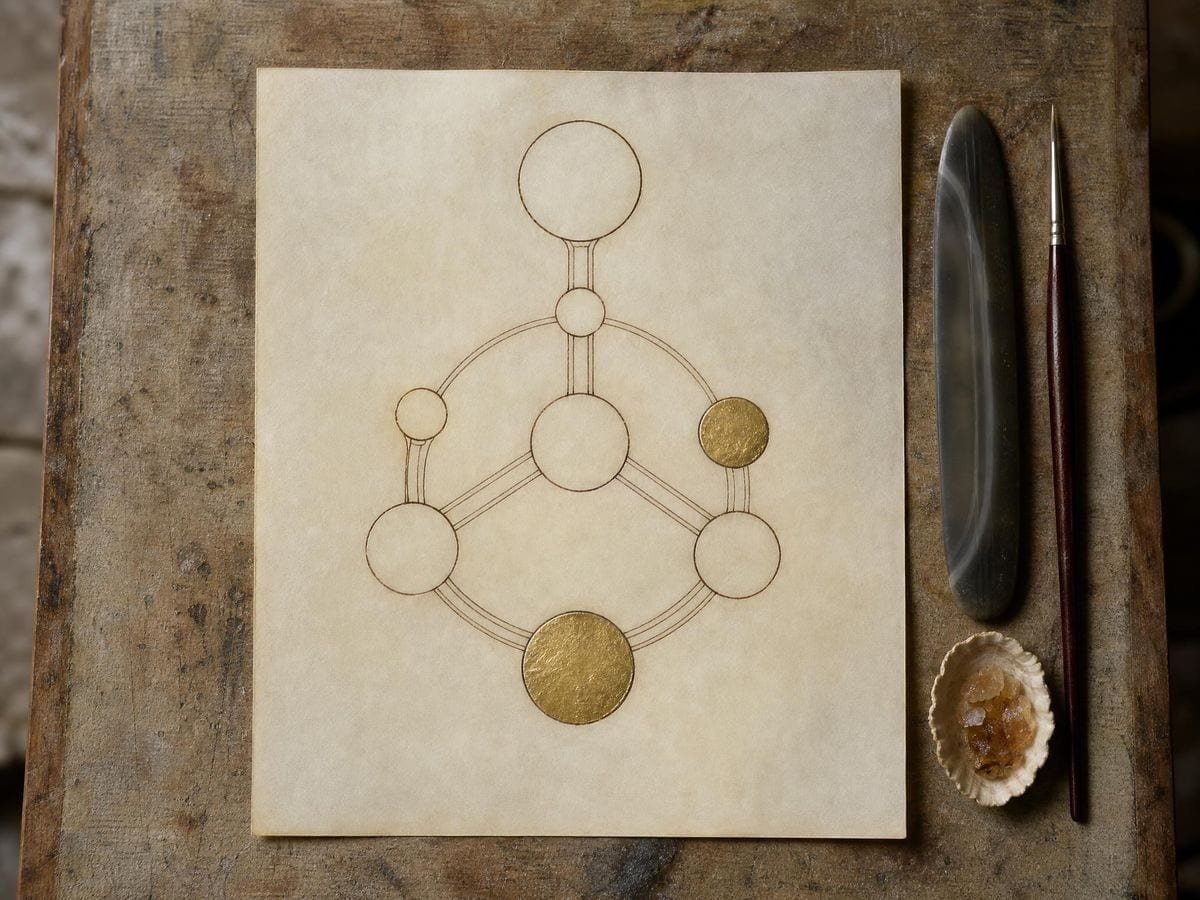
Generating the diagram removes both failure modes together. The paths are drawn between node positions, so every one starts and ends exactly on a sefirah, and the set is produced as a whole rather than assembled line by line. Scaling regenerates it rather than stretching pixels, so the endpoints stay welded at any size.
Layout variants, and why yours may differ from someone else's
It is worth knowing that more than one arrangement of the Tree has circulated historically. Different schools and different centuries have drawn the pillars with slightly different node placements and, in some traditions, different path sets — the widely reproduced modern layout is one convention among several rather than the single ancient original. If you are producing work for a specific tradition or teacher, check which arrangement they use before you commit, because the differences are meaningful to the people who care about them. The Tree of Life reference page covers the history of the layouts and what the sources support.
This is also a reason to treat any diagram you find online with caution as a production master. It is not merely a question of whether it was copied accurately, but of which convention it was copying in the first place — and an image file carries no record of either.
Line weight, node size and legibility
Because this figure is read rather than admired, legibility governs every styling decision. The paths need to be distinguishable from each other where several converge on the same sefirah, particularly on the middle pillar where the traffic is heaviest. That argues for a lighter line than you would use on a purely decorative figure, and for giving the diagram more physical size rather than thickening its strokes.
For a print or a teaching handout, 600 DPI on A4 is ample; size the diagram so the closest pair of paths is still clearly two lines at arm's length. For a wall chart or banner, export SVG and scale — the diagram's legibility improves with size, unlike a dense pattern which becomes coarse. For an overlay on artwork, drop opacity and sample a colour from the piece; the network structure survives being quiet far better than it survives being thin.
Working with labels
The overlay draws the geometry and not the Hebrew names, deliberately. Transliteration, spelling and even which name belongs at which position vary between traditions, and baking one choice into the figure would silently take a position. Exporting SVG and adding the labels in your own editor keeps that decision yours, lets you set the type in whatever face and language the piece needs, and avoids the raster-scaling problem entirely — the geometry stays vector and the type stays live.
In practice most people producing a labelled Tree work exactly that way: generate and export the network at final proportions, place it, then set the names on their own layer. It also means one exported diagram can serve several versions — a Hebrew set, a transliterated set, an unlabelled decorative one — without regenerating anything.
Using it to check an existing diagram
There is a diagnostic use worth knowing. If you have a Tree whose accuracy you doubt — an old print, a piece of jewellery, a book plate — photograph it, load the photograph, and lay the generated overlay on top. Scale until the outer nodes register, and the paths will either coincide with the original's or they will not. Because the overlay is exact, any disagreement tells you something real about the object: either it follows a different historical convention, which is interesting, or it was copied carelessly, which is worth knowing before you reproduce it.
That check is more useful than it sounds, because the Tree is one of the most frequently reproduced diagrams in Western esoteric publishing and a great deal of what circulates is third- or fourth-generation copying. Books reproduce plates from other books, print-on-demand sellers trace those, and each pass loses a little registration. Having one exact version to measure against turns a question that usually gets settled by argument into one that gets settled by looking, and it costs a photograph and two minutes. If the answer turns out to be that your source follows an older convention rather than a sloppier one, that is worth knowing too — it is the difference between an error to correct and a lineage to respect, and only the overlay comparison distinguishes them. Reproducing a deviation you have chosen is craft; reproducing one you never noticed is just copying. The overlay is what turns one into the other. The Ain Soph generator draws the other traditional arrangement of the same ten emanations, as concentric rings, and the Metatron's cube generator is the other figure here that is a line set rather than a shape.
Where the Tree of Life gets used
I set the Hebrew myself, so I want the network and nothing else. Exporting the geometry as SVG and labelling it in my own file is exactly the right division of labour.
For a two-metre wall chart the diagram had to scale without the path ends fraying. Vector export solved a problem I had been fighting with raster sources for years.
Students copy the Tree wrong constantly — usually a path missing on the left pillar. Overlaying the exact version on their work shows them where in about five seconds.
Tree of Life: frequently asked questions
The geometry
Does the overlay include the Hebrew names?
No, and deliberately. Transliteration and even which name sits at which position vary between traditions, so baking one set in would take a position for you. Export SVG and set the labels in your own editor.
Can I put it over my own artwork?
Yes. Load any image and the diagram draws on top with an independent transform, so you can register it to the piece without moving the artwork.
Why do the paths on downloaded diagrams not quite touch the circles?
Because tracing and rescaling a raster drifts the line ends. Generated paths are drawn between node positions, so they start and finish exactly on a sefirah at any size.
Is the Tree of Life the same as the Kabbalah?
No. The Tree, or Etz Chaim, is a diagram used within Kabbalistic thought, not the tradition itself. The Tree of Life reference page covers the relationship with sources rather than the popular summary.
Where can I learn what the sefirot and paths mean?
The Tree of Life reference page covers the structure, the historical layouts and the sources. This page is for producing the diagram accurately.
Using it
How many sefirot and paths are in the Tree of Life?
Ten sefirot joined by twenty-two paths. The two are traditionally counted together as the thirty-two paths of wisdom, which is why neither number is adjustable in a correct diagram.
What does the scale control move?
The whole diagram, keeping the pillar spacing and the path lengths in proportion. That matters more here than on a free-form figure: the twenty-two paths are placed from the node positions, so scaling the parts separately would put paths where no tradition has them.
How do I lay it over an existing diagram?
Match the top and bottom nodes first and let the rest fall where it falls. Versions differ mostly in the middle — the placement of Da'at and the routing of a few paths — so aligning the extremes tells you quickly whether the diagram you are checking follows the same recension.
Export and print
Can I export it as an SVG?
Yes. SVG export gives the network as vector paths, which scales without the path ends fraying and keeps type live if you add labels. Raster runs to 600 DPI — see the full feature list.
What size can I print it at?
Export is sized to the paper you choose, from A5 to A2, at up to 600 DPI. For a wall chart, export SVG and scale — this diagram gets more legible with size, not less.
Can I print it as a study diagram?
Yes, at any format up to A2 and 600 DPI, with the labels on. A wall-sized Tree is one of the more useful things to print here, because the paths are what you learn by tracing and that is hard to do on a screen.
Choosing a grid
Why does my copy look different from another Tree of Life I have seen?
More than one arrangement has circulated historically, with different node placements and in some traditions different path sets. The widely reproduced modern layout is one convention among several — the the figure's own page covers the variants.
Should I use the Ain Soph overlay instead?
They answer different questions. The Ain Soph generator draws emanation as expanding concentric circles; this draws the sefirot as a structure with named nodes and paths between them. One is a ladder, the other is a map.
Practical matters
Do I need an account, and does my image get uploaded?
Neither. There is no signup and no upload step: the geometry is drawn in your browser and any reference is read locally. There is no server to send it to.
Why does my copy differ from a Tree I have seen elsewhere?
Because no single version is the correct one. The Lurianic, Cordoveran and Hermetic traditions arrange some paths differently and disagree about Da'at, and printed diagrams vary accordingly. This draws one common arrangement; if your tradition uses another, treat the geometry as a starting point.
Can I use it in a book or a course?
Yes, with no watermark, no account and no attribution required. Be clear in your own text about which recension you are showing — that is the thing readers of this material will notice, and the terms leave the rest to you.
Open the tool Tree of Life generator
Ten sefirot, twenty-two paths
The Tree of Life comes out with every path meeting its node at any size, as vector or 600 DPI. No signup, nothing uploaded.
Back to the generator →