
Camera lucida explained
A camera lucida is a small optical prism that, when you look down through it, makes the subject in front of you appear laid directly on your paper so you can trace it by hand. William Hyde Wollaston patented it in 1806, and for a century it let portraitists and scientists draw with a precision that looked like magic. It projects nothing — it is a controlled optical illusion delivered to one eye. Today the same idea lives in your pocket: a camera lucida app, or digital camera lucida, uses the phone camera to lock a reference image over your real surface so you can draw the overlaid lines. This guide explains the optical instrument, its debated place in art history, and how the modern AR version does the same job without the brass and glass.
One of the guides behind the 82 composition overlays every visual artist should know and use.
- What it is
- An optical prism that overlays the subject on the paper
- Invented by
- William Hyde Wollaston, patented 1806
- Name means
- "Light room" — companion to the camera obscura
- Modern form
- Camera lucida app / AR tracing on a phone
- Hardest part
- Holding your eye — or the phone — steady
- Cost to try today
- Free (the browser overlay) to low
In short
- A camera lucida is an optical prism on an arm that makes the subject appear superimposed on your paper. You trace the virtual image by hand. It projects and throws nothing — it is an optical illusion for one eye.
- William Hyde Wollaston patented it in 1806. The name is Latin for "light room," a daylight counterpart to the older camera obscura, the "dark room" that projected an image in a shaded space.
- It was widely used for portrait sketching and scientific illustration, and the painter David Hockney argues it was among the optical aids available to old masters like Ingres — a debated but well-argued thesis.
- The modern "camera lucida app" or "digital camera lucida" recreates the effect with a phone camera: it locks a reference image over your real surface so you trace the overlaid lines. This is exactly what an AR tracing app does — a digital camera lucida by another name.
- The free Grid Maker Pro web tool overlays grids on your photo in the browser, free forever. The separate paid AR app is the modern camera lucida onto real paper — the one job a browser cannot do.
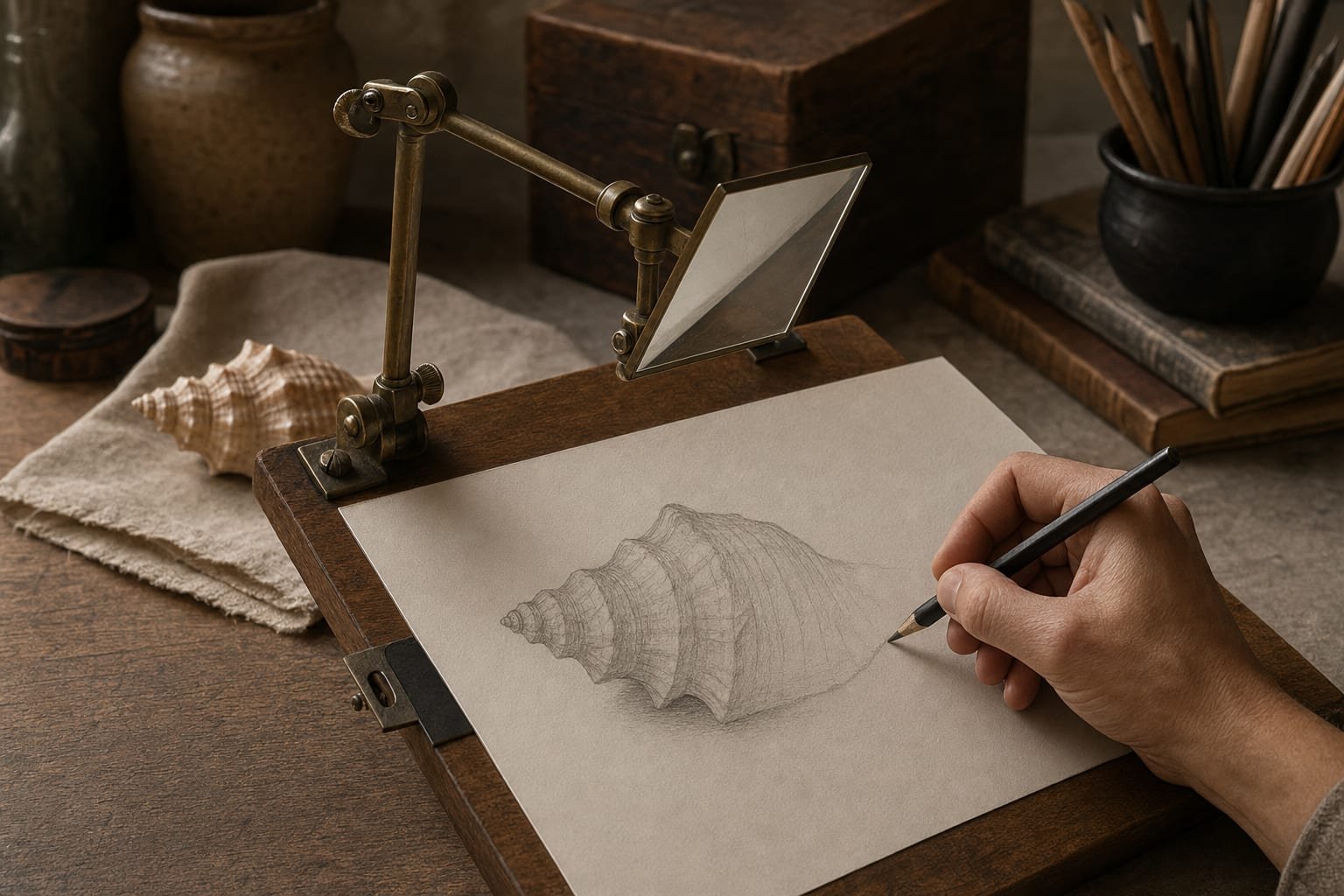
What a camera lucida actually is
Most people meet the phrase "camera lucida" and assume it is a kind of camera — a box that takes or projects a picture. It is neither. A camera lucida is an optical drawing aid, and the clearest way to understand it is to picture what the artist sees. Clamp a small prism to the edge of a drawing board, angle it over the paper, and look down through it with one eye. The subject in front of you — a face, a landscape, a specimen on the bench — appears to hover on the paper below, apparently laid right where your pencil is. You draw the outline you seem to see, and when you look up, an accurate sketch is on the page.1
Nothing is projected. Unlike a slide projector or a modern digital projector, the camera lucida throws no light onto the paper and needs no darkened room. The image exists only in your eye, assembled by the prism from two directions at once: the light coming from the subject and the light coming from the paper are combined so your brain perceives them in the same plane. That is why it works in full daylight, and why its name is camera lucida — Latin for "light room" — as opposed to the older camera obscura, the "dark room" that projected a real image inside a shaded box.2
Because the image is virtual — a perceptual overlay rather than a physical projection — the camera lucida has one famous demand: your eye must stay in exactly the right position. Shift your head a fraction and the subject seems to slide off the paper. Learning to hold that viewpoint is the whole skill of the device, and it is precisely the same discipline that a phone-based camera lucida app asks of you when it locks a reference over your surface. The technology changed; the physics of "keep your viewpoint still" did not.
With the object itself in view, the interesting questions follow. Who worked out the optics, and when? What did artists do with it? And why does a two-hundred-year-old prism matter to anyone holding a phone in 2026? The next chapter goes back to the man who patented it.
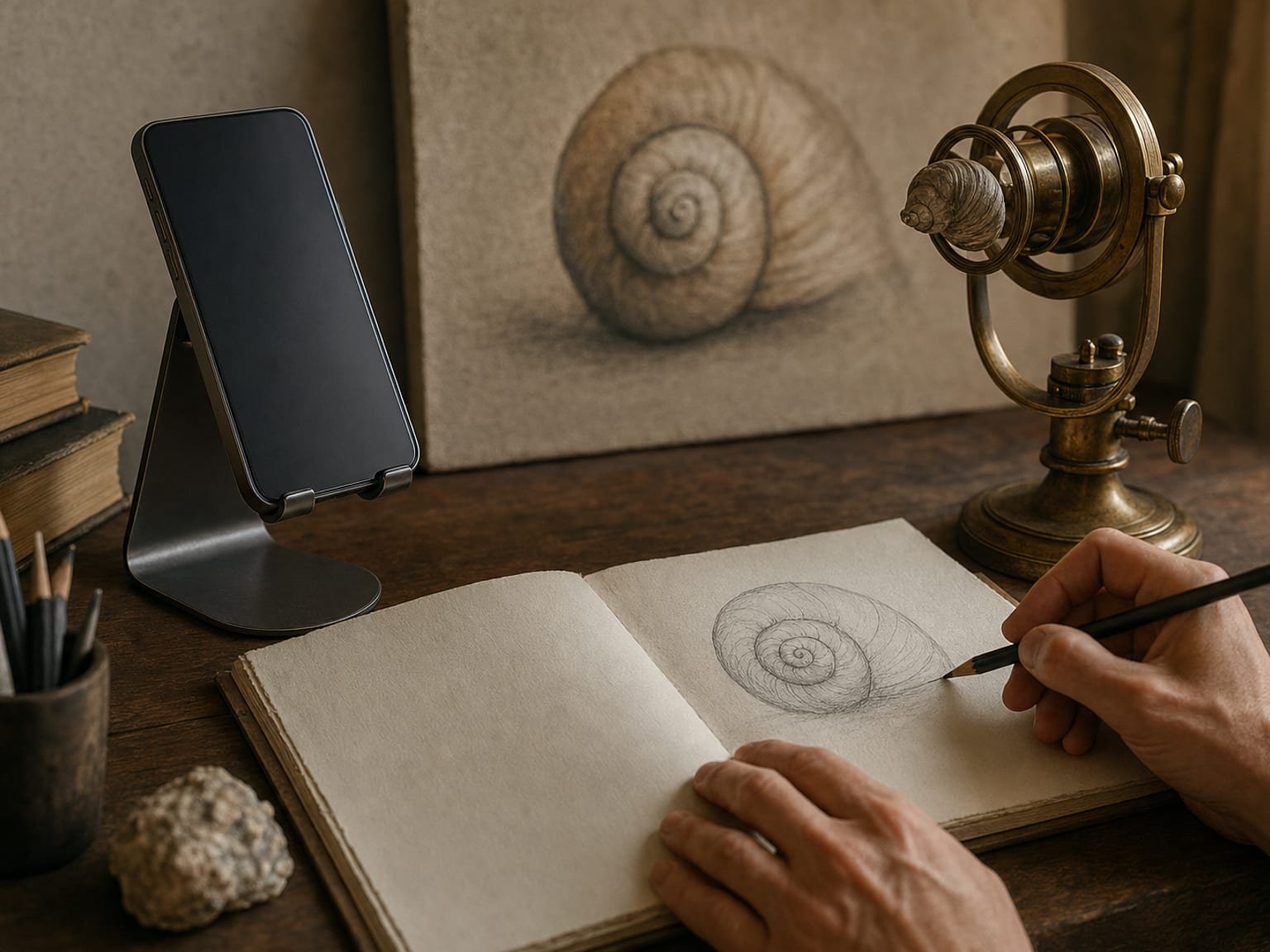
Wollaston, 1806, and how the optics work
The camera lucida in its practical form was invented by William Hyde Wollaston, an English chemist and physicist, who took out a British patent for it in 1806.3 Wollaston was a serious scientist — he discovered the elements palladium and rhodium and made lasting contributions to optics — and the camera lucida was one of several precision instruments he devised. The name itself was borrowed from a much older idea: Johannes Kepler had used the term camera lucida in the seventeenth century, but Wollaston's compact prism-on-an-arm is the device the word now means.2
The four-sided prism
Wollaston's design uses a small four-sided glass prism held just above the paper. The prism is cut so that light entering from the subject is bent twice by total internal reflection before it reaches your eye, while light from the paper passes to the same eye more directly. Position your pupil half-over the edge of the prism and your visual field is split: part of it shows the reflected subject, part shows the bare paper and your own pencil. Your brain fuses the two, and the subject seems to be sitting on the sheet where you can draw around it.1
The genius of the design is that it needs no light source, no lens focusing onto a screen, and no dark room. The trade-off is the balancing act: the split field only fuses cleanly when your eye is in a narrow sweet spot. Nineteenth-century users described the frustration of the image drifting the moment they relaxed — a complaint that recurs, almost word for word, in reviews of every optical camera lucida sold since.4
What it is good at, in one line
The camera lucida excels at recording accurate proportion and placement from life, in daylight, on any flat surface — the outline, the landmarks, the relationships between features. What it does not give you is value, edge quality, or colour; those remain the artist's to observe and render. That division of labour — the aid fixes placement, the artist does the art — is the through-line of every method in the sibling guide on tracing a photo onto paper, and it is the fairest way to think about the tool. With the mechanics understood, the more contested question is historical: how far back does this kind of aid really reach?
Optical aids and the Hockney–Falco thesis
The camera lucida arrived in 1806, but the idea it belongs to — using optics to fix an accurate image on a surface — is far older, and it sits at the centre of one of the liveliest arguments in art history. This chapter lays out that argument honestly, because it is the reason the humble prism carries so much cultural weight.
Secret Knowledge
In 2001 the painter David Hockney published Secret Knowledge: Rediscovering the Lost Techniques of the Old Masters, arguing that from roughly 1420 onward European artists used optical aids — concave mirrors, lenses, the camera obscura, and later the camera lucida — to achieve the sudden leap in optical realism visible in early Netherlandish painting and beyond.5 Hockney developed the technical side of the case with the optical physicist Charles Falco; together they pointed to telltale signs of projection in paintings by van Eyck, Caravaggio, Ingres, and others. The pairing became known as the Hockney–Falco thesis.
Hockney's own route into the subject was, tellingly, the camera lucida. He spent months drawing portraits with a Wollaston prism and found that it produced exactly the kind of precise, slightly "off" linear accuracy he saw in some Ingres drawings — which is what set him hunting for optical fingerprints across the canon.5 The camera lucida is, in that sense, the instrument that launched the whole thesis.
The counter-argument
The thesis is genuinely contested, and honesty requires saying so plainly. Many art historians and optical scientists argue that skilled draughtsmanship, perspective construction, and careful observation account for the accuracy Hockney attributes to lenses, and that hard physical evidence — documented devices in specific studios — is thin for the earliest cases.6 Martin Kemp's The Science of Art remains the measured scholarly survey of optical devices in Western art and provides the sober counterweight to the more sweeping claims.7 The debate is unresolved, and this guide does not pretend to settle it.
Two things, however, are not in dispute. Optical aids of this family existed and were available to working artists, and artists who could use a tool to work faster or more accurately generally did. That is the load-bearing point for anyone picking up a camera lucida app today: using an optical aid to fix placement is not a modern deviation from a pure tradition — it is squarely inside a tradition that stretches back centuries. The is-tracing-cheating question gets its own honest treatment later; the history is the first half of the answer.
You can feel the "overlay a reference and copy it" logic without any prism at all. Drop a photo into the free tool and switch on a grid — the overlay sits on the image the way the lucida laid the subject on the paper.
The digital camera lucida: what a camera lucida app is
Here is where the two-hundred-year-old instrument becomes a live, everyday tool again. A camera lucida app — also sold as a "digital camera lucida" — recreates Wollaston's effect in software using the camera already in your phone or tablet. Instead of a prism blending the subject and the paper by optics, the app composites a reference image over the live camera feed and holds it locked over your real drawing surface. You look at the screen, see your reference apparently lying on your paper, and draw the lines you see.8
The same illusion, held electronically
The perceptual result is identical to the optical original: the subject appears superimposed on the surface, and you trace it by hand. The mechanism is different in one helpful way. The optical prism balances the image on the exact position of your eye, which is why it drifts so easily. A camera lucida app pins the image to the surface digitally, so the overlay is far more stable and far easier for a beginner to set up. You still have to keep the phone reasonably steady — the discipline never fully disappears — but the electronic lock does most of the work the nineteenth-century artist did with a rigidly held head.
This lineage is not a marketing flourish; it is the honest way to describe the technology. The modern-reproduction movement makes the point openly: the NeoLucida project by artists Pablo Garcia and Golan Levin, funded on Kickstarter in 2013, put an affordable optical camera lucida back into artists' hands specifically to reconnect them with this drawing tradition.9 The phone-camera version is simply the next step — the same overlay-and-trace idea, delivered by a screen instead of a prism.
The free browser tool is the desk-bound cousin of this: it overlays a grid or reference on your photo on screen so you can copy it. The phone-camera version onto real paper is a separate job — the AR app does that one.
If a camera lucida app and an AR tracing app sound like the same thing, that is because, today, they largely are. The next chapter makes that equivalence explicit and shows where the terminology diverges.
Camera lucida app vs AR tracing
People search for "camera lucida app," "digital camera lucida," and "AR tracing app" as if they were three different products. Functionally, they describe one technique: overlay a virtual reference image on the real drawing surface, then trace it by hand. The words differ mainly by era and marketing, not by mechanism.8
Where they are identical
Both a camera lucida app and an AR tracing app show you a reference apparently sitting on your paper, canvas, or wall through a screen, and both leave the actual drawing — value, edge, colour — to you. If you set aside the labels and watch two artists work, one with an app called "camera lucida" and one with an app called "AR trace," you would not be able to tell which was which. The camera lucida is the historical name; AR tracing is the contemporary one for the same behaviour.
Where the terms drift apart
The small distinctions are about scope and heritage, not core function:
| Attribute | Optical camera lucida | Camera lucida app | AR tracing app |
|---|---|---|---|
| Core idea | Overlay subject on paper, trace by hand | Overlay reference on paper, trace by hand | Overlay reference on surface, trace by hand |
| Overlay held by | A prism and your eye position | The phone camera and software | The phone camera and software |
| Reference is | The live subject in front of you | Usually a photo, sometimes live | Usually a photo |
| Typical surfaces | Flat paper on a board | Paper, small canvas | Paper, canvas, walls, odd surfaces |
| Ease of setup | Fiddly — eye must stay still | Easier — overlay is pinned | Easier — overlay is pinned |
| Name comes from | Wollaston, 1806 | The historical instrument | Augmented-reality terminology |
The practical takeaway: if you searched for a "digital camera lucida," an AR tracing app is what you actually want, and it will do more than the phrase implies — it works on walls and large surfaces the flat-paper prism never could. The terminology is a historical accident; the capability is the same, extended.
Knowing they are the same thing, the useful question becomes how to actually draw with one well. That is the next chapter.
How to draw with a digital camera lucida
Drawing with a camera lucida app is straightforward once you accept the one rule the optical original taught for two centuries: stability first. The illusion holds only while your viewpoint holds. Everything below serves that.
- Steady the phone over the surface.
Mount it on a stand or clamp above your paper, or hold it at a consistent height and angle. A dedicated stand beats a hand every time — the more the phone moves, the more the overlay seems to swim. This is the digital version of the nineteenth-century artist bracing their head in one position.
- Load and lock the reference.
Open your reference photo in the app. It is composited over the live camera view and pinned to the surface. Pinch to scale it and drag to place it so the drawing lands where you want it on the page or wall.
- Set the opacity.
Drop the reference opacity to somewhere around half, so you can see both the ghosted image and your real paper and pencil through the screen at the same time. Too opaque and you lose your own marks; too faint and you lose the reference.
- Draw the placement, big shapes first.
Looking through the screen, mark the major landmarks — the axis of a head, the line of the shoulders, the horizon — then the smaller contours. Work from large to small exactly as you would freehand. You are recording placement, not rendering.
- Turn the reference off and finish by hand.
Once the proportions are down, switch the overlay off and complete the values, edges, and colour by observation. This last step is the drawing. The camera lucida — optical or digital — only ever gave you the scaffold.
Before you trace anything, it is worth checking the reference is worth tracing. Drop the photo into the free browser tool, set a crop, and confirm the composition with an overlay — then carry that framed reference into the app.
Check the composition first → · then trace it onto paper with the AR app →
Where Grid Maker Pro fits
The free Grid Maker Pro web tool — 82 composition and drawing overlays, in your browser, free forever, no account — is the open front door. It does everything a browser can: overlay grids on a photo, check composition, set a crop, copy by the grid method on screen. What a browser physically cannot do is lock a reference over your real paper or wall through the camera and let you draw the overlaid lines. That is a separate job — the modern camera lucida job — and it is what the Grid Maker Pro AR app is for.
The AR app, plainly
- A separate app — the modern digital camera lucida onto real paper. It is not a paywall on the free web tool, which stays free forever.
- Built by Sujith Puthran, a working artist of more than 15 years, to solve the AR-tracing job at his own easel.
- On Android via Google Play (com.gridmakerpro.app); an iOS version is planned.
- Runs on-device. Your reference photos stay on your phone.
- Free tier: 3 AR traces of your own photo every month, plus all 82 composition grids. Paid: $29.99 / year, $6.99 / month, or $79 once for lifetime.
If you are weighing a modern app against the classic optical instrument, the Grid Maker Pro vs the camera lucida comparison lays out the trade honestly. First, though, the plain limits of the method — because no tool is right for everything.
Strengths, limits, and when to reach for something else
A camera lucida, optical or digital, is a specialist. It is superb at one thing and indifferent at several others, and knowing the boundary keeps it from becoming a crutch.
What it is genuinely good at
It fixes proportion and placement fast, in daylight, on any surface — the exact task that trips up most people drawing from a reference. The digital version extends that to large and awkward surfaces the flat prism never reached: a mural wall, a curved sign, a canvas larger than a print. And because it is an overlay rather than a projection, it needs no dark room and no bright bulb, which is where it beats a projector for casual use.
Where it stops
It gives you placement, not artistry. Value structure, edge quality, and colour are still yours to observe and render — the overlay does none of it. It also cannot, on its own, build the observational eye that freehand and sight-size practice develop; lean on it exclusively and that skill never comes. And the digital version depends on holding the device steady and on your surface having enough visual texture for the software to hold the overlay in place; a blank white wall can make the reference drift.
| Method | Best for | Enlarges? | Needs a dark room? | Trains your eye? |
|---|---|---|---|---|
| Optical camera lucida | Daylight placement from life on flat paper | By placement | No | Some |
| Digital camera lucida / AR | Placement on any surface, including walls | Yes | No | Little |
| Grid method | Accurate enlargement at a desk | Yes, any ratio | No | Yes — actively |
| Projector | Large surfaces, fast scale-up | Yes | Usually | Little |
| Freehand / sight-size | Building observational skill | By eye | No | Most of all |
The quick rule: reach for a camera lucida app when you want a reference placed accurately and fast on a real surface without a dark room, and reach for the grid method or freehand practice when the goal is to sharpen your own eye. They are a rotation, not rivals — a point developed in full in the transfer-methods guide. Which leaves the question every artist who uses one eventually has to answer.
Is using a camera lucida cheating?
Short answer: no — with the same caveat that applies to every optical aid. The camera lucida has carried a whiff of the illicit since Hockney suggested the old masters used it quietly, but the whiff is a modern invention, not a historical judgement.
Optical and mechanical aids have been part of serious art for centuries. Wollaston patented the camera lucida for professional use; scientists and portraitists adopted it openly; and the aids Hockney documents were, on his account, tools of the trade rather than guilty secrets.5 An outline is the least artistically determinant part of most images — the value, the edges, the colour, the thousand decisions about emphasis are where the work lives, and a camera lucida does none of that for you. Trace the placement and then do that real work by hand, and you have used a tool the way professionals always have. Outsource the seeing and deciding, and you have learned nothing — but that failure is possible with no aid at all, by copying another artist's choices wholesale.
This gets a fuller treatment, with the history and the counter-arguments, in the dedicated guide on whether tracing is cheating. For the camera lucida specifically, the verdict is easy: an instrument patented by a Fellow of the Royal Society and used openly for a century is not a shortcut anyone needs to apologise for.
Artists and the camera lucida
The case that this kind of aid belongs to serious practice is strongest made by name. These are documented or strongly argued associations between the camera lucida — and its optical relatives — and artists whose work anchors the record.
William Hyde Wollaston (1766–1828)
Not an artist but the inventor. A chemist and physicist who discovered palladium and rhodium, Wollaston patented the camera lucida in 1806 as a precision instrument, giving artists and scientists a portable, daylight way to record accurate proportion.3
Jean-Auguste-Dominique Ingres (1780–1867)
Ingres's precise portrait drawings are the works most frequently linked to the camera lucida, and they are the drawings that led Hockney to the device in the first place. His celebrated linear accuracy is exactly the quality the prism delivers.5
David Hockney (b. 1937)
Hockney used a camera lucida intensively while making portrait drawings in the late 1990s, and that hands-on experience became the seed of Secret Knowledge — the modern artist who put the instrument back at the centre of the conversation.5
Pablo Garcia and Golan Levin (contemporary)
The artists behind the NeoLucida, a low-cost modern reproduction of the optical camera lucida funded on Kickstarter in 2013 to put the tool back into working artists' hands and reconnect them with the tradition.9
Nineteenth-century scientific illustrators
Beyond fine art, the camera lucida was a standard instrument for natural-history and scientific illustration through the nineteenth century, valued precisely because it recorded specimens in daylight with mechanical accuracy — the professional use Wollaston designed it for.4
Common mistakes with a camera lucida app
Holding the phone by hand
The single biggest cause of a "swimming" overlay is an unsupported phone. Every small movement shifts the apparent position of the reference, and your placement inherits the wobble.
Tracing a bad composition accurately
The camera lucida locks in whatever you give it, flaws included. A precisely traced but poorly cropped reference is a precisely bad drawing.
Leaving the overlay on for the whole drawing
The overlay gives placement, not rendering. Draw with it on the entire time and you produce a flat outline with no value or edge decisions of your own.
Using it on a blank, featureless surface
Digital overlays hold their position by reading the texture of the surface. A plain white wall or clean canvas can give the software nothing to grip, and the reference drifts.
Never drawing without the aid
Lean on any overlay for every drawing and your observational eye never develops — the tool becomes a ceiling instead of a scaffold.
The camera lucida is one of the most useful of all the optical instruments the artist can employ, but it demands more patience to master than almost any other.— Paraphrasing the recurring nineteenth-century assessment of the device recorded in its instructional literature4
Frequently asked questions
What is a camera lucida?
A camera lucida is an optical drawing aid: a small prism on an adjustable arm that, when you look down through it, makes the subject in front of you appear superimposed on the paper below. You trace the virtual image by hand. It projects nothing and throws no light — it is an optical illusion delivered to one eye. William Hyde Wollaston patented it in 1806. The name is Latin for "light room," a companion to the older camera obscura, the "dark room."
What is a camera lucida app or digital camera lucida?
A camera lucida app, or digital camera lucida, uses a phone or tablet camera to recreate the same illusion in software. Instead of a prism blending the subject and the paper, the app composites a reference image over the live camera feed and holds it locked over your real drawing surface, so you draw the overlaid contours by hand. It is easier to set up than the optical original because the image is pinned electronically rather than balanced on your eye position. Modern AR tracing apps are, functionally, digital camera lucidas.
Is a camera lucida app the same as AR tracing?
Essentially, yes. Both overlay a virtual reference image on the real drawing surface and let you trace it by hand. AR tracing is the current name for the technique and the camera lucida is its two-hundred-year-old optical ancestor, but the core idea — see the subject on the paper, then copy it — is identical. The AR version simply uses a phone screen and a locked digital image in place of a prism and a live subject.
Did famous artists use a camera lucida?
Optical aids of this family have been linked to serious artists for centuries. Ingres's precise portrait drawings are frequently associated with the camera lucida, and David Hockney, with optical physicist Charles Falco, argued in Secret Knowledge that lenses, mirrors, and the camera lucida were among the aids available to old masters. The thesis is debated, but the availability and use of optical aids in professional practice is well documented.
Who invented the camera lucida?
William Hyde Wollaston, an English chemist and physicist, patented the practical prism-based camera lucida in Britain in 1806. The term itself is older — Kepler used it in the seventeenth century — but Wollaston's compact device is the instrument the name now refers to.
How does a camera lucida work optically?
A small four-sided prism sits just above the paper. It bends light from the subject twice by internal reflection to your eye, while light from the paper reaches the same eye more directly. With your pupil positioned over the edge of the prism, your brain fuses the two views, so the subject appears to lie on the page where you can trace it. No light is projected, so it works in daylight.
Why is a camera lucida hard to use?
The virtual image only fuses cleanly when your eye is in a narrow sweet spot. The moment your head shifts, the subject seems to drift off the paper. Keeping that exact viewpoint is the whole skill. A digital camera lucida app is easier because the overlay is pinned by software rather than balanced on your eye, though you still need to hold the phone steady.
What is the difference between a camera lucida and a camera obscura?
A camera obscura ("dark room") projects a real, focused image of a scene through a small hole or lens onto a surface inside a darkened space. A camera lucida ("light room") projects nothing — it is a prism that creates an optical illusion of the subject on the paper and works in ordinary daylight. Both were used as drawing aids, but they operate on completely different principles.
Can I still buy a camera lucida?
Yes. Modern reproductions of the optical instrument are made, the best-known being the NeoLucida, a low-cost prism device funded on Kickstarter in 2013. For most people, though, a camera lucida app on a phone is easier to use and far more versatile, since it works on large and odd surfaces the flat prism cannot reach.
Is the Grid Maker Pro AR app a digital camera lucida?
Yes, in function. It locks a reference image over your real paper, canvas, or wall through the phone camera so you can draw the overlaid lines by hand — the same overlay-and-trace idea the optical camera lucida introduced in 1806. It has a free tier of three AR traces of your own photo each month; paid plans are $29.99 a year, $6.99 a month, or $79 once for lifetime. It is a separate product from the free Grid Maker Pro web tool, which stays free forever.
Does a camera lucida enlarge the image?
The optical camera lucida records placement roughly at the apparent size you set your eye and the subject to — it is not primarily an enlarging tool. A digital camera lucida app, by contrast, lets you pinch to scale the reference to any size on the surface, so it enlarges freely. For precise, calculated enlargement onto paper at a desk, the grid method remains the most reliable hand technique.
Is using a camera lucida cheating?
No. It is an optical aid patented for professional use and adopted openly by artists and scientists for a century. It gives you placement, not the value, edge, and colour decisions where the art lives — those remain yours. Trace the placement and do the real work by hand and you are using a tool the way professionals always have. The fuller argument is in the guide on whether tracing is cheating.
Does the reference image leave my device when I use the tools?
No. The free web tool renders overlays on your device with no upload, and the AR app processes your photo on-device. Your reference image stays with you in both cases.
References
- Hammond, John H., and Jill Austin. The Camera Lucida in Art and Science. Adam Hilger (1987). ISBN 978-0-85274-570-5. The standard technical and historical monograph on the instrument, its optics, and its use by artists and scientists.
- "Camera lucida." Wikipedia. On the etymology ("light room" vs the camera obscura's "dark room"), Kepler's earlier use of the term, and Wollaston's practical device. Consulted 2026-07-01; used only for orientation, with primary points corroborated by refs. 1 and 3.
- Wollaston, William Hyde. "An instrument whereby any person may draw in perspective, or may copy or reduce any print or drawing." British Patent No. 2993 (1806). The founding patent for the prism-based camera lucida.
- On the camera lucida's use in nineteenth-century scientific illustration and the recurring complaint of its difficulty: documented throughout Hammond & Austin (1987), ref. 1, which surveys the instructional literature and user accounts of the device.
- Hockney, David. Secret Knowledge: Rediscovering the Lost Techniques of the Old Masters. Thames & Hudson (2001; expanded ed. 2006). ISBN 978-0-500-23785-5. The optical thesis on lenses, mirrors, the camera obscura, and the camera lucida in old-master practice, developed with optical physicist Charles Falco; includes Hockney's own camera-lucida portrait work.
- On the scholarly debate over the Hockney–Falco thesis: the thesis has been contested by art historians and optical scientists who argue draughtsmanship and perspective construction account for the observed accuracy; see the measured survey in Kemp (1990), ref. 7, as the standard counterweight.
- Kemp, Martin. The Science of Art: Optical Themes in Western Art from Brunelleschi to Seurat. Yale University Press (1990). ISBN 978-0-300-05241-6. The standard scholarly survey of optical and perspectival devices in Western art.
- On the equivalence of the camera lucida to modern phone-camera overlay drawing: the "overlay a virtual image on the surface and trace it" principle described by Hammond & Austin (ref. 1) is the same mechanism recreated in software by digital camera-lucida and AR tracing apps.
- Garcia, Pablo, and Golan Levin. NeoLucida (portable camera-lucida device). Kickstarter (2013); project documentation at neolucida.com. A modern low-cost reproduction of the optical camera lucida made to reconnect artists with the drawing tradition.
- Alberti, Leon Battista. On Painting (Della Pittura, 1435). Translated by Cecil Grayson. Penguin Classics (1991 ed.). ISBN 978-0-14-043331-3. On the gridded veil as the earliest documented overlay-and-trace transfer aid, the conceptual ancestor of all the methods discussed.
- Steadman, Philip. Vermeer's Camera: Uncovering the Truth Behind the Masterpieces. Oxford University Press (2001). ISBN 978-0-19-280302-3. The detailed reconstruction arguing for Vermeer's use of a camera obscura, the most thoroughly examined optical-aid case in art history and a touchstone in the wider debate.
- Loomis, Andrew. Drawing the Head and Hands. Viking Press (1956); Titan Books reprint (2011). ISBN 978-1-84856-680-6. On construction and proportion as the literacy an aid can fix but cannot substitute for — the basis for "trace placement, render by hand."
- Edwards, Betty. Drawing on the Right Side of the Brain. Definitive 4th edition. Tarcher/Penguin (2012). ISBN 978-1-58542-920-2. On perception and learning to see relationships — the observational skill an overlay does not, by itself, build.

Update log
- — Published. Full guide to the camera lucida: Wollaston's 1806 prism, its optics, its debated place in art history, the modern camera lucida app / digital camera lucida, and how it relates to AR tracing.
Notes from the studio · How three artists use the overlay idea
Illustrative composites of how the tools get used in practice — not quotes from named individuals.
I place the reference with the app, mark the big landmarks, then switch it off and paint the rest by eye. It is the camera lucida my old teacher swore by, minus the cricked neck.
On a wall the prism was never an option. Locking the design over the surface through the phone gets a mural roughed in before the projector would even be level.
I grid the first study on the desk with the free tool, then use the app for placement on the canvas. Same idea in two sizes — fix the proportion, do the drawing myself.
From the screen to the page
Everything here is free in your browser and stays that way. When a reference has to leave the screen and land on real paper, canvas, or a wall, a browser has no camera to register it to the surface. The Grid Maker Pro AR app adds exactly that — hold your phone over the paper and trace your own photo directly, with the same 82 composition overlays alongside.
Meet the AR tracing app → Free web tool, free forever · AR tracing is the separate paid appThe camera lucida, two hundred years on
Overlay a grid on your photo in the free browser tool for the desk-bound version of the idea. Reach for the AR app — the modern digital camera lucida — when you want the reference locked over your real paper, canvas, or wall. Your image stays on your device, either way.
Open the free grid tool →One brief every other Tuesday.
One overlay, one historical reference, one workflow note. Studio notes from working artists, photographers, and designers. No spam, unsubscribe in two clicks.