
Free Diamond Grid Generator
Draw a diamond grid at any angle instantly with our 100% free generator. Set the cells anywhere from 45-degree squares to steep rhombi for harlequin patterns, quilting and isometric texture work over any image, then export SVG or 600 DPI in seconds. No signup, no downloads needed. Trusted by 60,000+ artists worldwide.
A square grid, turned 45 degrees
Squares rotated to sit on their points, producing diamonds. The rotation puts the cell axes on the diagonals, which suits argyle, harlequin and lattice patterns where diagonal emphasis is the point.
3 controls, not a fixed picture
Set density and angle, toggle opposite angle family. Every one is live on the canvas.
Stacks with lattices & pattern
Overlays combine, each carrying its own transform, so this one can sit under or over hexagonal, dot grid and triangular, and 4 more in the same set.
Diagonals kept clean
A 45-degree lattice is where raster aliasing shows first; SVG export keeps every edge a path. Raster to 600 DPI otherwise.
| Ctrl + Z | Undo |
| Ctrl + Y | Redo |
| Esc | Deselect overlay |
| Alt + drag | Free positioning (no snap) |
| Ctrl + scroll | Zoom canvas |
| Ctrl + P | |
| ? | Show this help |
Two crossing families anywhere between 20° and 70°. At 45° you get squares on point; move away from it and the cells stretch into the harlequin, argyle and lattice proportions that patterns actually use.
The diamond grid generator draws one of the 82 composition overlays in Grid Maker Pro, and the rest stack on the same image.
- 20°–70° angle
- 45° gives squares
- SVG + 600 DPI export
- Nothing uploaded
What is a diamond grid?
The diamond grid generator is a free browser tool that draws a rhombus lattice: two crossing line families at an angle you set between 20° and 70°, with density adjustable and the opposite family switchable. At 45° the two families are perpendicular and the cells are squares turned on point; at any other angle they are true rhombi. It draws over your own photograph or a blank canvas, exports SVG and raster to 600 DPI, and never uploads anything.

How to use the diamond grid
A square lattice turned on point, at your angle and density, over a canvas or a photograph. The ground for argyle, for harlequin, and for tile set on the diagonal.
Set the angle first
The angle is the whole character of the pattern. 45° gives squares on point — the classic harlequin. Below that the diamonds get taller and narrower; above, wider and flatter. Argyle sits in the tall range, around 25° to 30°.
JPG · PNG · GIF · WEBP
Then the density
Density divides the short side into 4 to 32 steps measured perpendicular to the lines. The rhombus side that results is longer than the spacing at any angle other than 45° — at 30° or 60° it is about 1.16 times.
Density · Angle · Opposite angle family
Decide about the second family, then export
Switching the opposite family off leaves a single set of parallel diagonals, which is a different and often more useful thing. Export SVG for vector or a raster up to 600 DPI sized to your paper.
PNG · JPG · PDF · SVG · up to 600 DPI
Three steps, about a minute. No signup, no upload.
What the Diamond Grid Generator does
Squares on point at 45°
A diamond grid at exactly 45° has perpendicular families, so its cells are squares — just rotated. Their horizontal and vertical extent is then √2 = 1.414 times the spacing, which is the number to remember when you are fitting a repeat to a fixed width.
True rhombi anywhere else
Move off 45° and the cells become genuine rhombi — four equal sides, two pairs of angles. They are not stretched squares. The side length follows 1 ÷ sin 2θ, so at 30° or at 60° it is 1.155 times the spacing.
One family or two
Turn the opposite family off and you have a single set of parallel diagonals — a hatching guide, a stripe layout, a direction to build along. It is a different tool from the lattice and it is one checkbox away.
Symmetric angles pair up
30° and 60° produce the identical rhombus, just standing on a different side; so do 20° and 70°. That symmetry about 45° is worth knowing — half the slider duplicates the other half rotated.
Over your own image
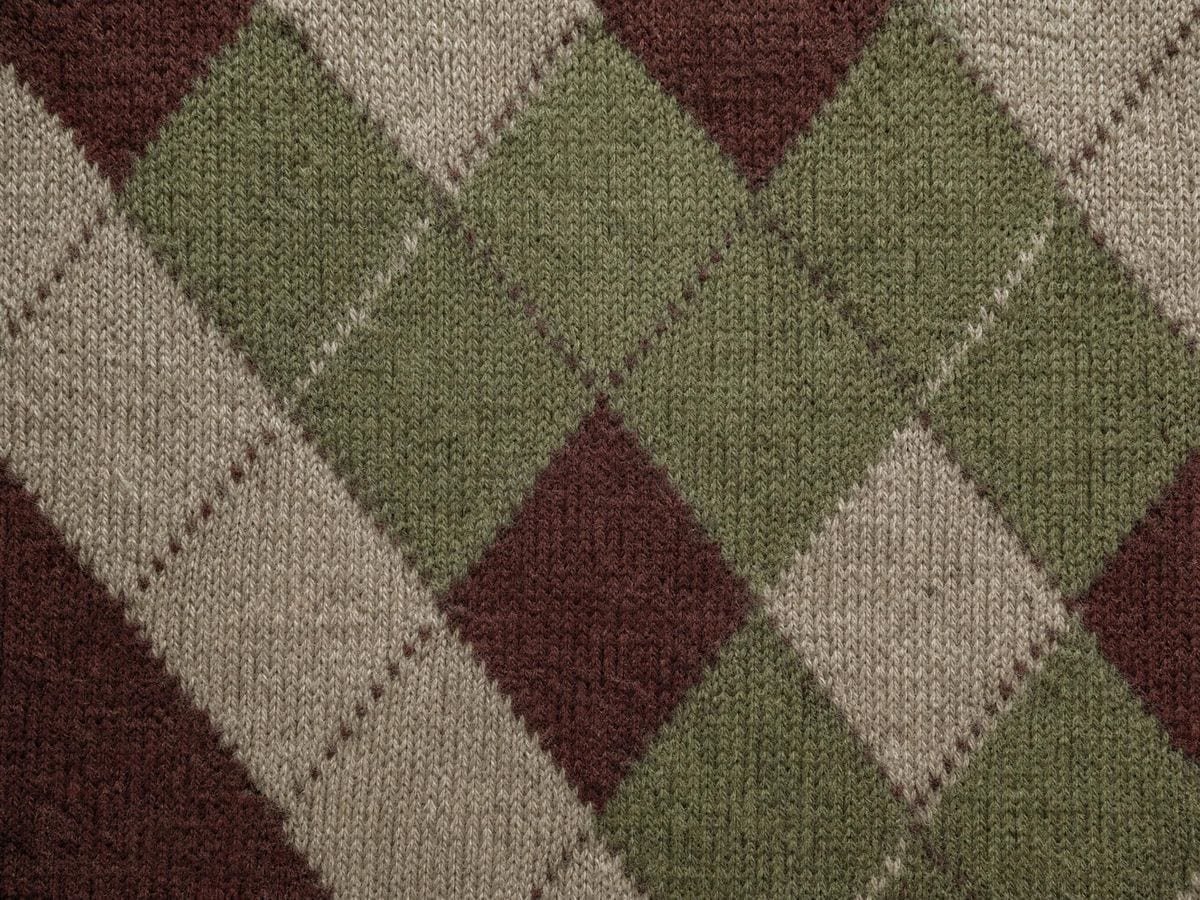
Lay it on a photograph of a lattice window, a quilt, a knitted argyle or a tiled floor and adjust the angle until it matches. Recovering the angle from a sample is far easier than measuring it off the object.
Vector out
SVG keeps the lattice editable, so cells can be filled selectively for pattern work. Raster export runs to 600 DPI, sized from the paper format rather than from your screen.
Diamond grid examples: four ways the diamond grid reads
Diamond grid vs a square grid rotated 45° vs printed diamond graph paper
| Option | Angle control | Single-family option | Vector export | Cost |
|---|---|---|---|---|
| Grid Maker Prothis tool | 20°–70°, continuous | Yesone checkbox | SVG + raster to 600 DPI | Free |
| A square grid rotated 45° | Fixed at 45° | No | Yes | Free |
| Printed diamond graph paper | Fixed by the sheet | No | No | Per pad |
| Pattern tools in a vector app | Yes | Yes | Yes | Subscription |
Who a diamond grid is for: patterns that cross
How a diamond grid works — The rhombus lattice: what changes when you tilt a grid
A diamond grid is what a square grid becomes when you stop insisting on right angles, and among the 82 composition overlays it is the one defined by a single angle. That single relaxation turns a static structure into a family of patterns that has been used for tiling, weaving, knitting and heraldry for as long as any of those have existed.
The construction is two families of parallel lines, drawn at equal and opposite angles from vertical. Where they cross, they enclose four-sided cells with all four sides equal — rhombi. That equality of sides is what makes them rhombi rather than parallelograms, and it follows automatically from the two families being mirror images of each other.
What the angle setting does
The angle setting controls how far each family leans, so the angle between the two families is twice whatever you set. At 45° they are 90° apart — perpendicular — and the rhombus becomes a square standing on one corner.
That case is worth isolating because it is the one most people mean by diamond grid. A square turned 45° is still a square, so the cells have right angles and equal diagonals. Their horizontal and vertical extent is √2 times the spacing, which is 1.414, and that is the number you need when fitting a repeat into a fixed width.
Below 45° the diamonds get taller and narrower. At 30° the acute angle of the rhombus is 60°, which makes it two equilateral triangles joined along an edge — the sixty-degree diamond of English paper piecing, and the cell that tiles into the tumbling-block illusion.
Above 45° the diamonds flatten out, and here is a symmetry worth knowing: 60° produces exactly the same rhombus as 30°, standing on a different side. So does 70° against 20°. Half the slider duplicates the other half, rotated a quarter turn, which means the useful decision is really how far from 45° rather than which side of it.
Side length, and the single-family case
The side length of the rhombus follows a simple rule: it is the spacing divided by the sine of twice the angle. At 45° that is 1 — the side equals the spacing exactly. At 30° or 60° it is 1.155. At 20° or 70° it is 1.556. Away from 45° the cells are always larger than the spacing suggests, which surprises people planning a repeat.
Turning off the opposite family gives you something else entirely: a single set of parallel diagonals. That is not a lattice, it is a direction, and it has its own uses — hatching guides, stripe layouts, an axis to build a composition along, the warp direction in a woven structure.
Where the diamond lattice came from
The pattern's history is long and thoroughly domestic. Diamond lattices appear in Egyptian tomb painting, in Roman opus reticulatum masonry, in Islamic girih tiling, in medieval leaded glass, in Japanese kikkō and hishi textile patterns, and in the trellis fencing of every European garden that ever had one. Anywhere two sets of things cross, this shape appears.
The diamond and rhombus overlay page traces those uses, beside the rest of the specialty grid overlays. Harlequin is the theatrical case. The commedia dell'arte character's costume — diamonds of alternating colour on point — is documented from the sixteenth century and became fixed as the visual signature of the role. The pattern in that form is a 45° lattice with alternating fills, and it carries connotations of playfulness and duplicity that have survived into contemporary graphic design.
Argyle is the knitted case, and it is not a 45° lattice. It comes from the tartan of Clan Campbell of Argyll and is built on tall diamonds — typically in the region of 25° to 30° — overlaid with a finer set of contrasting diagonal lines. That elongation is what distinguishes argyle from a harlequin at a glance, and it is why the angle control here matters more than it might seem.
Heraldry has its own vocabulary for the same shapes. A field divided into a diamond lattice is lozengy; the individual cell is a lozenge; a taller, narrower version is a fusil; a lozenge with a hole in it is a mascle. The distinction between lozenge and fusil is precisely the angle distinction this overlay makes.
The lattice in craft and in composition
In craft the lattice maps onto specific techniques. At sixty degrees the lattice becomes the triangular grid seen another way, and for a stitch-by-stitch chart the cross-stitch grid maker counts squares instead. Sixty-degree diamonds are the basis of English paper piecing and of tumbling-block quilts. Diamond twill is a fundamental weave structure. Argyle is intarsia knitting. Diamond-point parquetry is a woodworking pattern. In every case the angle is not decorative — it is determined by the technique.
For composition, a diamond lattice does something a square grid does not: it removes the horizontal and vertical from the structure. A square grid reinforces the frame's own edges; a diamond grid opposes them, which introduces tension. That can be exactly right for a subject with diagonal energy and exactly wrong for one that needs to sit still.
Recovering an angle from a photograph
The most common practical use over a photograph is recovering an angle. Lay the grid on a picture of a lattice window, a tiled floor, a knitted garment or a fence, and adjust until the families lie along the subject's own lines. That gives you the angle in one step, where measuring it off the object involves a protractor and a decision about which line to measure from.
For pattern design, the two settings are close to a complete specification. Angle and density between them determine every cell in the lattice, so recording those two numbers is enough to reproduce the pattern later at any size — which is not true of a pattern designed by eye.
Moiré, density and printing
There is a moiré risk to be aware of. A diamond lattice at a shallow angle over a photograph containing fine repeating texture — fabric, brickwork, a screen — can produce interference patterns that are entirely an artefact of the two grids beating against each other. Change the density a step and it disappears.
The density control counts divisions of the short side measured perpendicular to the lines, not along the frame edges. That is the correct way to measure the spacing of a line family, and it means the density number stays meaningful as you change the angle, which it would not if it were measured along an edge.
For printing, remember that a diamond lattice at 45° puts more line length per unit area than a square grid at the same density, because the lines run the long way across each cell. Drop the opacity one step from what you would use for a square grid to match the printed weight.
The grid draws over your own image rather than exporting a fixed template because where the lattice sits determines which of the subject's features land on crossings, and crossings are the registration points. Shifting by half a cell changes the whole relationship.
Export sizes itself from the paper format and the DPI you choose rather than from your screen. SVG keeps every line editable, which is what you want when cells will be filled selectively for a pattern.
Everything runs in your browser. Images you load are never uploaded, because there is no server for them to reach. The drawing, the transform and the export all happen on your own machine.
Where a diamond grid gets used
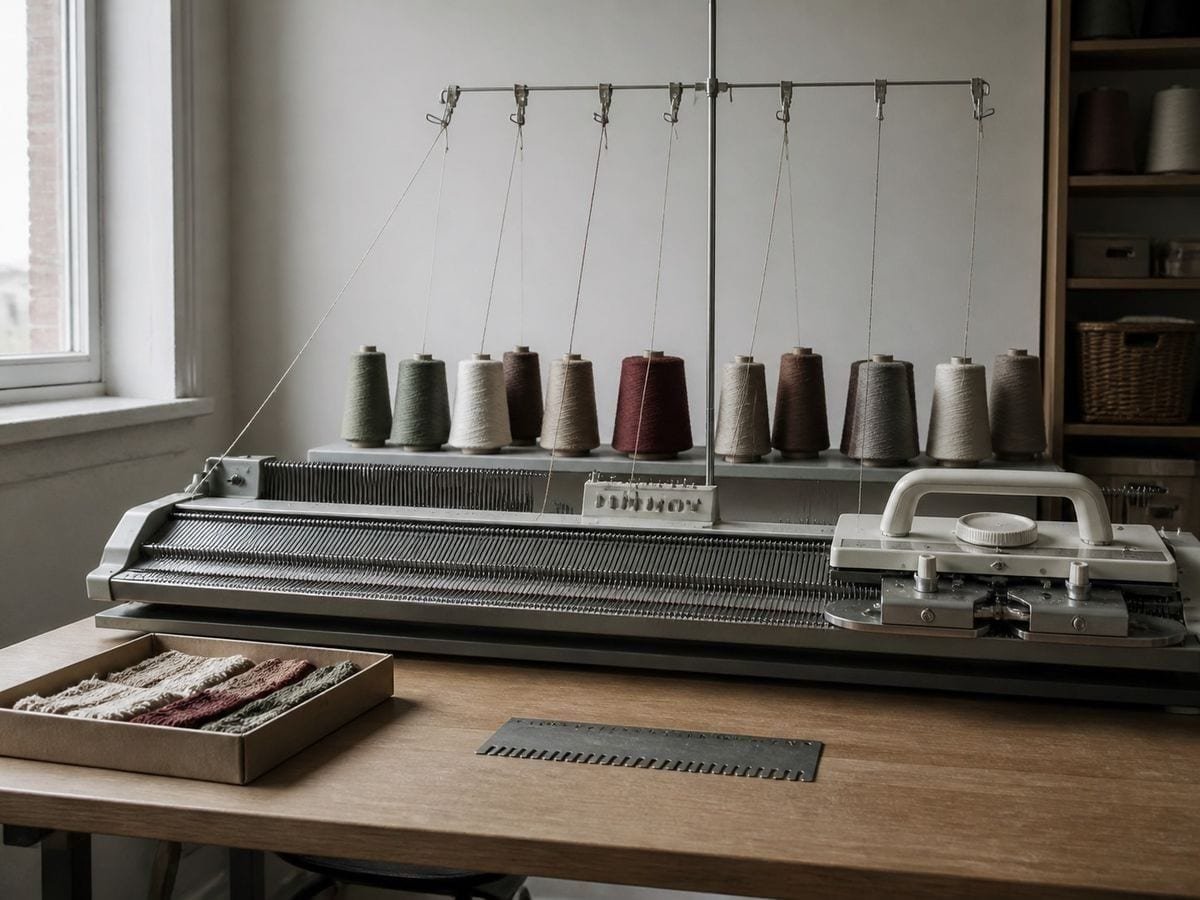
Argyle is not a 45° pattern and people design it as one constantly. The diamonds are tall — that is the whole look.
Sixty-degree diamonds are two equilateral triangles joined. Everything in tumbling blocks follows from that one fact.
I use it to read the angle off a photograph of a lattice window. One adjustment beats a protractor and an argument about which line to measure.
Diamond grid: frequently asked questions
The geometry
What happens at exactly 45°?
The two line families become perpendicular, so the cells are squares standing on one corner. Their horizontal and vertical extent is then √2 = 1.414 times the spacing, which is the number to use when fitting a repeat into a fixed width.
Are the cells at other angles just stretched squares?
No. They are true rhombi — four equal sides, two pairs of equal angles — which follows automatically from the two families being mirror images. The side length is the spacing divided by sin 2θ, so it is 1.155 times the spacing at 30° or 60°, and 1.556 at 20° or 70°.
Why do 30° and 60° look the same?
Because they produce the identical rhombus, standing on a different side. The slider is symmetric about 45°, so the real decision is how far from 45° you want to be rather than which side of it.
What angle is argyle?
Not 45°, which is the mistake people make. Argyle comes from the tartan of Clan Campbell of Argyll and uses tall diamonds, typically around 25° to 30°, overlaid with finer contrasting diagonals. The elongation is what distinguishes it from a harlequin at a glance.
What is the sixty-degree diamond used for?
It is two equilateral triangles joined along an edge, and it is the basic unit of English paper piecing and of tumbling-block quilts. Set the angle to 30° and the acute corner of the rhombus comes out at 60°.
What does turning off the opposite family do?
Leaves a single set of parallel diagonals, which is a direction rather than a lattice. Useful as a hatching guide, a stripe layout, a compositional axis, or the warp direction in a woven structure.
How is the density measured?
As divisions of the short side measured perpendicular to the lines, which is the correct way to state the spacing of a line family. It means the density number stays meaningful as you change the angle — it would not if it were measured along a frame edge.
I am getting interference patterns over a photograph. Why?
Moiré. A diamond lattice at a shallow angle laid over fine repeating texture — fabric, brickwork, a screen — beats against it and produces patterns that belong to neither. Change the density by one step and it disappears.
Can I use it to read the angle off an existing pattern?
That is one of its better uses. Load a photograph of a lattice window, a tiled floor or a knitted garment and adjust until the families lie along the subject's own lines. One adjustment gives you the angle; a protractor gives you an argument about which line to measure from.
Using it
How do I read the angle off a pattern I already have?
Load the photograph, turn the density down so only a few lines are drawn, then move the angle until one family lies along the pattern's own lines. The angle you land on is the pattern's angle, read directly rather than measured with a protractor against a curved fabric.
The lines are lost against a busy print. What do I change?
Colour and opacity first — the default is black at 60%, and on a dark print white at full opacity reads far better. Auto-contrast picks a weight for you from the image. Dropping the density also helps more than it sounds: half as many rhombi is twice as much picture between them.
Export and print
Can I print this as diamond graph paper?
Yes. Set the paper format you will draw on, leave the image out, and export the grid alone — the result is a sheet of rhombus paper at whatever angle you set, which is not something you can usually buy. At 600 DPI the lines stay crisp at A2.
Will the SVG keep the angle exact?
Yes. Every line is a straight vector path at the angle you set, so a cutting machine or plotter reproduces the lattice at exactly 30° or 52° rather than at whatever a raster's pixel stair-stepping approximates. That is the difference that matters for quilting and marquetry templates.
Choosing a grid
Is a rotated square grid not the same thing?
Only at 45°. Rotating a square grid gives you one shape at one angle; this draws the two families independently, so a 30° lattice makes long thin rhombi that no rotation of a square will produce. If 45° is all you need, either works.
Practical matters
Does anything I load get uploaded?
No. There is no server to upload to. The image is read by your browser, the grid is drawn on your machine, and the export is generated locally.
Can I use it for a quilt I intend to sell?
Yes. A lattice at an angle is not something anyone owns, the exports carry no watermark, and the terms leave every right in your own work with you. Attribution is welcome and is not asked for.
Open the tool Diamond grid generator
Two families, one angle
A diamond grid draws squares on point at 45° and true rhombi everywhere else. Export vector or 600 DPI. No signup, nothing uploaded.
Back to the generator →