
Free Cross Diagonal Grid Generator
Add a cross diagonal grid to any photo instantly with our 100% free generator. Upload a reference and each square splits into four triangles with the centre marked, the classical transfer setup for tonal drawing, then export SVG or 600 DPI in seconds. No signup, no downloads needed. Trusted by 60,000+ artists worldwide.
Both diagonals, every cell
Each cell is crossed twice, which marks its centre and gives four 45-degree references inside every square. Denser than a single diagonal and correspondingly more precise for angles.
4 controls, not a fixed picture
Set columns, rows and label size, toggle cell labels. Every one is live on the canvas.
Stacks with draw & transfer
Overlays combine, each carrying its own transform, so this one can sit under or over square grid, rectangular and custom, and 4 more in the same set.
Centres you can print
Every cell centre is a marked intersection on the exported sheet, at up to 600 DPI in PNG, JPG, PDF or SVG. Grid-only export leaves the crossings on transparency.
| Ctrl + Z | Undo |
| Ctrl + Y | Redo |
| Esc | Deselect overlay |
| Alt + drag | Free positioning (no snap) |
| Ctrl + scroll | Zoom canvas |
| Ctrl + P | |
| ? | Show this help |
Both diagonals in every cell. The obvious result is four triangles instead of one square; the useful one is that the crossing marks each cell's exact centre for nothing.
The cross-diagonal cell grid draws one of the 82 composition overlays in Grid Maker Pro, and the rest stack on the same image.
- 4 triangles per cell
- Every centre marked
- SVG + 600 DPI export
- Nothing uploaded
What is a cross diagonal grid?
The cross-diagonal cell grid is a free browser tool that draws an even grid with both diagonals in every cell, producing four triangles per cell and marking each cell's exact centre where the two diagonals cross. Columns and rows run to 50 each with optional labels. It draws over your own photograph, exports SVG and raster to 600 DPI, and never uploads anything.

How to use the cross-diagonal cell grid
Both diagonals in every cell, dividing each into four triangles. The densest transfer grid the tool draws, for the references that need it.
Set the cell counts
A cross diagonal grid takes columns and rows to 50 each. Because both diagonals are drawn, this grid puts three times as much line on the picture as a plain one at the same counts — start lower than you would otherwise.
JPG · PNG · GIF · WEBP
Use the crossings as centres
Each X marks its cell's exact centre. That is a registration point you would otherwise have to construct, and it is what makes this grid better than a plain one at twice the density for placing small features.
Columns · Rows · Cell labels
Copy quarter by quarter, then export
A contour now enters and leaves a triangle a quarter the size of the cell, which is four times the resolution without four times the cells. Export SVG or a raster up to 600 DPI.
PNG · JPG · PDF · SVG · up to 600 DPI
Three steps, about a minute. No signup, no upload.
What the Cross-Diagonal Cell Grid Generator does
Four triangles per cell
One diagonal halves a cell; two quarter it. A contour crossing a quarter-cell triangle is being judged against an area a quarter the size, which is four times the resolution without four times as many cells to count.
Every centre, free
The two diagonals of a rectangle cross at its exact centre. So every cell gets a marked centre point without a single extra line, and centres are what you register a small feature against.
Eight directions at every crossing
Where four cells meet, eight lines radiate — two grid lines and six diagonal ends. That is a dense set of angular references, and it is why this grid suits subjects with structure running every way.
The quarter-square unit
A square cut on both diagonals gives four triangles — the quarter-square triangle of traditional piecing, and the unit behind pinwheels, hourglasses and a great many star blocks.
A cross-hatching reference
Two consistent stroke directions is what cross-hatching needs, and holding both by eye across a drawing is harder than holding one. A faint grid underneath keeps every stroke on one of the two.
Over your own reference
It suits subjects with no single dominant direction — foliage, drapery, crowds, texture — where a single diagonal would lie along some contours and cross others inconsistently.
Cross diagonal grid examples: four ways the cross-diagonal grid reads
Cross diagonal grid vs doubling the cell counts vs a single diagonal
| Option | Resolution gain | Cell centres marked | Vector export | Cost |
|---|---|---|---|---|
| Grid Maker Pro — cross-diagonalthis tool | 4× per cell | Yesevery one | SVG + raster to 600 DPI | Free |
| Doubling the cell counts | 4×, with 4× the references | No | Yes | Free |
| A single diagonal | 2× per cell | No | Yes | Free |
| Half-grid subdivision | 4×, at reduced opacity | No | Yes | Free |
Who a cross diagonal grid is for: subjects that run every way
How a cross diagonal grid works — Both diagonals: four times the resolution for three times the ink
Adding one diagonal to a grid cell is a clear improvement, and of the 82 composition overlays this is the one that adds the second. Adding the second is a different kind of change, because the second one brings something the first cannot: the exact centre of every cell, free.
Start with the arithmetic of what you gain. A plain grid at n × n has n² cells. Adding both diagonals to each divides every cell into four triangles, so you are judging contours against areas a quarter the size.
Getting the same resolution from a plain grid would need doubling the counts in both directions — 4n² cells, and four times as many coordinates to keep track of. The diagonals give the resolution without the bookkeeping, because the cell references do not change.
The cost is line. A plain n × n grid draws roughly 2n lines; adding both diagonals adds 2n² short ones. At 8 × 8 that is about 16 grid lines and 128 diagonals — the picture underneath has considerably more drawn over it, which is the real limit on how far this can be pushed.
The centre point
The centre point is the part that is genuinely free and genuinely useful. The two diagonals of any rectangle cross at its exact centre, so every cell in this grid has its centre marked without a single line drawn for that purpose.
That matters because centres are what you register small features against. A plain grid gives you corners and edges; placing something in the middle of a cell means estimating a proportion of an empty span, which is the judgement the eye is worst at.
With the centre marked, a feature near the middle of a cell can be placed relative to a real point. That single addition is worth more than the extra triangles for a lot of transfer work, particularly anything with small repeated elements — eyes, buttons, windows, leaves.
The angular references
The angular references are the third gain. At every crossing where four cells meet, eight lines radiate: two grid lines and the ends of six diagonals. A contour arriving at that point can be judged against eight directions rather than four.
Which is why this grid suits subjects with no single dominant direction. Foliage, drapery, a crowd, water, any texture — a single diagonal will lie along some contours and cross others, and there is no orientation that serves all of them. Both diagonals serve everything about equally.
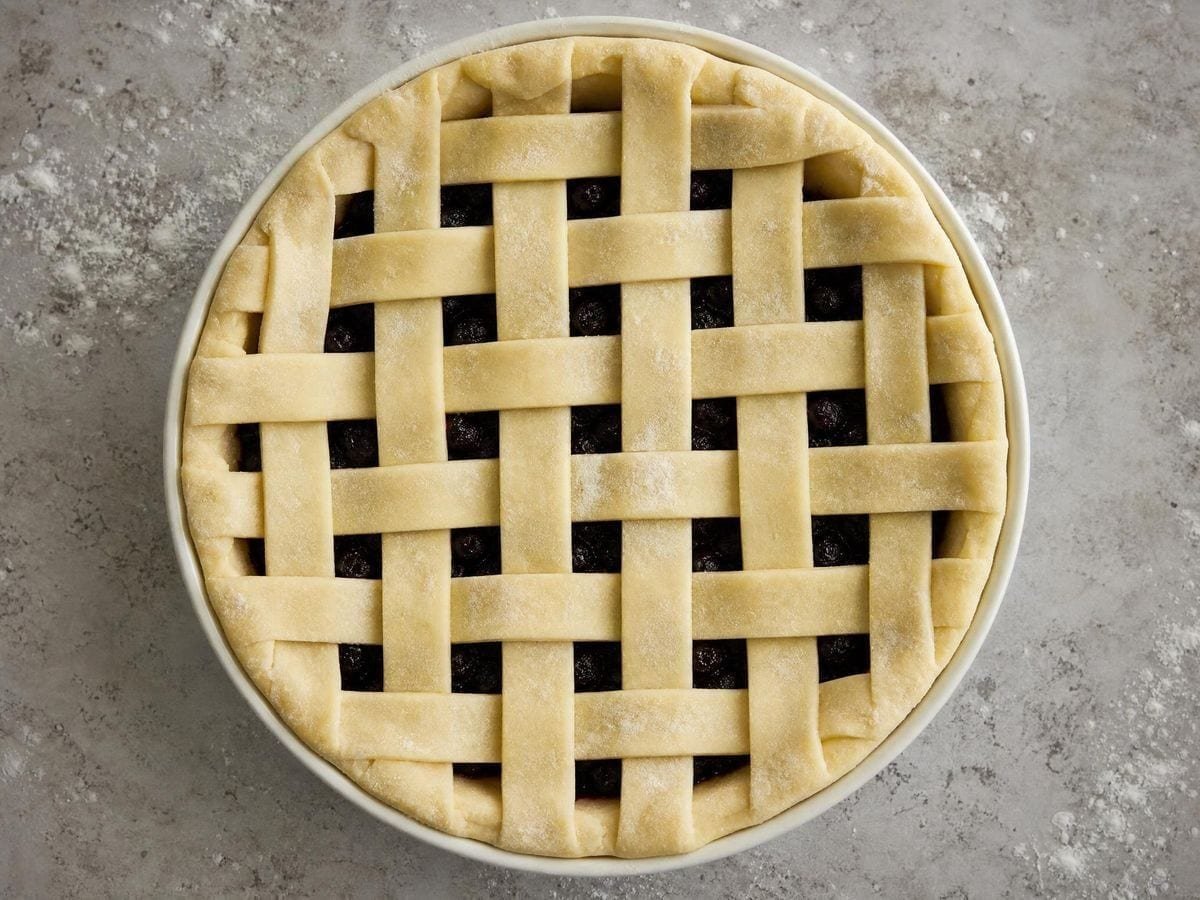
That is the choice between this overlay and the diagonal cell grid generator, stated cleanly: one diagonal when the subject has a direction, both when it does not.
Quilting and pattern work
The quarter-square triangle connection is direct and worth knowing if you sew. A square cut on both diagonals gives four triangles, and that unit — the quarter-square triangle — is one of the two fundamental pieced units alongside the half-square.
Pinwheels, hourglass blocks, a large proportion of star patterns and most of the traditional blocks with rotational symmetry are built from quarter-squares. Drawn at the right cell count, this grid is a cutting plan for all of them.
Cross-hatching with it
For pen work the two diagonals give a cross-hatching reference, which is a harder thing to hold by eye than a single hatching direction. Across a whole drawing, two consistent angles are what make cross-hatching read as tone, where two drifting angles make it read as scribble.
The sequence in practice is to lay in the first direction across everything that needs it, then the second, using the grid for both. The tone comes from the density of strokes rather than from their weight, which is easier to control when the angles are fixed.
Two drawbacks worth stating
There is a genuine drawback worth stating. The X in each cell creates a visual texture of its own, and over a photograph with fine detail the two can interfere — the diagonals read as part of the subject rather than as an overlay.
The fix is opacity rather than density. Dropping the overlay a step or two below what you would use for a plain grid restores the separation, and the diagonals remain readable because their direction is unlike anything in most photographs.
A second drawback: at high counts the grid becomes genuinely dense. At 30 × 30 there are 1,800 diagonals, and the field reads as a grey haze rather than as a set of references. The practical ceiling is a good deal lower than the slider's 50.
The useful working range
The useful working range is roughly 6 to 16 in each direction. Below six the cells are large enough that quartering them still leaves big triangles; above sixteen the ink cost outweighs the reference gain, and a plain grid at a higher count is the better trade.
The cross diagonal overlay page covers the technique, beside the rest of the artist guide overlays, and the rectangular grid maker draws the plain version this one builds on. The cell labels do the same job here as on any transfer grid — naming a cell so that two people can look at the same one. With four triangles in each, the convention is to refer to them by compass point: the north triangle of C4, the east triangle of C4.
That convention is worth adopting deliberately at the start rather than improvising it, because "the top bit of C4" is ambiguous once a drawing has been rotated or a reference has been reprinted.
For pattern and mosaic work the grid serves as the layout directly rather than as a copying aid. A tessellation of quartered squares is one of the standard mosaic grounds, and the crossings give the tesserae positions without further measurement.
As with any transfer grid, the cells must have the same proportions at both ends or the copy stretches. With both diagonals drawn the mismatch is more visible than usual — the Xs are symmetric only on square cells, and a skewed X is an immediate signal that the counts do not match the canvas.
That visibility is a small side benefit: this grid tells you when its cells are not square without your having to check, because a symmetric X is unmistakable and a skewed one is too.
The grid draws over your own reference rather than exporting a fixed template because the density decision depends on the subject. How much line a picture can carry before the overlay competes with it is not a question that can be answered on a blank sheet.
The export sizes itself from the paper format and the DPI you choose rather than from your screen. SVG keeps every line editable, which matters when the grid is a cutting plan or a mosaic layout.
Everything runs in your browser. Images you load are never uploaded, because there is no server for them to reach. The drawing, the transform and the export all happen on your own machine.
Where a cross diagonal grid gets used
One diagonal when the subject has a direction, both when it does not. Foliage and drapery have none, so both.
The free centre is the real gain. Placing something in the middle of a cell against nothing is the judgement the eye is worst at.
Quarter-square triangles are pinwheels, hourglasses and most star blocks. At the right count this is a cutting plan.
Cross diagonal grid: frequently asked questions
The geometry
What does the second diagonal add?
Two things. It quarters each cell instead of halving it, giving four times the resolution without changing any cell reference. And the two diagonals cross at the cell's exact centre, so every cell gets a marked centre point for free.
Why does the centre point matter so much?
Because placing something in the middle of a cell against a plain grid means estimating a proportion of an empty span, which is the judgement the eye is worst at. With the centre marked you are placing relative to a real point instead.
What is the practical count ceiling?
Around 16 in each direction, well below the slider's 50. At 30 × 30 there are 1,800 diagonals and the field reads as a grey haze rather than as references. Below six, quartering still leaves large triangles.
The diagonals are competing with my photograph. What do I do?
Drop the opacity a step or two below a plain grid's setting. The diagonals stay readable because their direction is unlike anything in most photographs — it is the density, not the visibility, that needs reducing.
What is the quarter-square triangle?
A square cut on both diagonals, giving four triangles. It is one of the two fundamental pieced units alongside the half-square, and pinwheels, hourglass blocks and most rotationally symmetric star patterns are built from it.
Does it show me when the cells are not square?
Yes, and that is a useful side benefit. A symmetric X is unmistakable and a skewed one is too, so this grid signals a count-to-canvas mismatch without your having to check — and that mismatch is what stretches a transfer.
Using it
How much extra line does it put on the picture?
A great deal. A plain 8 × 8 grid draws about 16 lines; adding both diagonals adds 128 short ones. That ink cost is the real limit on how far the density can be pushed.
How do I refer to a specific triangle?
By compass point: the north triangle of C4, the east triangle of C4. Adopt the convention deliberately at the start — "the top bit of C4" becomes ambiguous once a drawing is rotated or a reference reprinted.
Export and print
Can I print it as a transfer sheet?
Yes, and check the density on paper before you commit. Cross-diagonals put three times the line of a plain grid on the sheet, and what reads clearly on a backlit screen prints as a grey mesh. A5 and A4 usually want fewer cells than you would set on screen.
Which export do I use to overlay it on a digital canvas?
The transparent grid-only PNG: cells, both diagonals, centre crossings and labels with nothing behind them. Put it on its own layer at a low opacity, because at full strength this grid will dominate anything under it.
Choosing a grid
When should I use this rather than a single diagonal?
When the subject has no single dominant direction — foliage, drapery, a crowd, water, texture. A single diagonal will lie along some contours and cross others, and no orientation serves all of them. Both diagonals serve everything about equally.
Why not just double the cell count instead?
Because doubling gives you more of the same reference — four times as many squares, all with parallel edges. The diagonals give you a different kind of reference: two angles and an exact centre in every cell. For a curved contour that is worth more than four times the squares.
Is the half-grid subdivision not the same idea?
The half grid divides cells into smaller cells, so you get finer position and the same edges. This divides each cell into four triangles without changing the cell size, so the coarse reference stays readable while the interior gets richer. Different trade, and you can only see it by using both.
Practical matters
Does anything I load get uploaded?
No. There is no server to upload to. The image is read by your browser, the grid is drawn on your machine, and the export is generated locally.
Is this too much grid for a beginner?
For a beginner, yes. Start on a plain square grid, move to a single diagonal when the parallel edges stop helping, and come here when you are copying something where the cell centre genuinely matters. Three lines per cell is a lot to read past while you are still learning to read one.
Does it work for quilting templates?
The quarter-square triangle it draws is a standard patchwork unit, so yes — export the grid alone at your block size and the cutting lines are already there. Add your own seam allowance; the overlay draws the finished geometry, not the cut edge.
Open the tool Cross-diagonal cell grid
Two lines, four quarters
A cross diagonal grid quarters every cell and marks its centre for nothing. Export vector or 600 DPI. No signup, nothing uploaded.
Back to the generator →