
What is AR drawing?
AR drawing — also called AR tracing — is a way to lock a reference photo over your real paper, canvas, or wall through a phone camera, so you can draw the proportions by hand. You look at the screen, see the reference pinned in place over the live camera view, and copy the lines you see onto the surface beneath. It is the modern descendant of the camera lucida the old masters used, with a phone standing in for the prism. This guide explains what AR drawing is, how the tracking works, how it compares to the grid method, projector, and lightbox, the hardware you need, and how to run your first trace — honestly, including what it is bad at.
One of the guides behind the 82 composition overlays every visual artist should know and use.
- What it is
- Reference locked over a real surface, traced by hand
- Optical ancestor
- The camera lucida, patented 1806
- Made practical by
- ARKit + ARCore, both 2017
- Hardware
- A phone or tablet and a steady stand
- Best for
- Murals, large or odd surfaces, fast placement
- Where it starts
- The free web tool; AR on the paid app
In short
- AR drawing (AR tracing) pins a reference photo over your real paper, canvas, or wall through the phone camera so you can draw the proportions you see by hand. It gives you placement — not a finished drawing.
- It works through markerless AR: the phone reads visual feature points and its own motion to figure out where the flat surface is and hold the reference steady over it. Apple's ARKit and Google's ARCore, both from 2017, made this reliable on ordinary phones.
- AR is the modern relative of the grid method, the projector, and the camera lucida. It needs no enlargement maths and no dark room, which is why it shines on murals, large pieces, and odd surfaces a lightbox or grid cannot reach.
- The free Grid Maker Pro web tool — 82 composition overlays, in your browser, free forever — is the open front door. What a browser physically cannot do is lock a reference onto real paper through the camera; that is the job of the separate AR app.
- AR drawing is not cheating any more than a grid or a projector is. It fixes placement; the values, edges, and colour decisions that make a picture are still yours to make by hand.
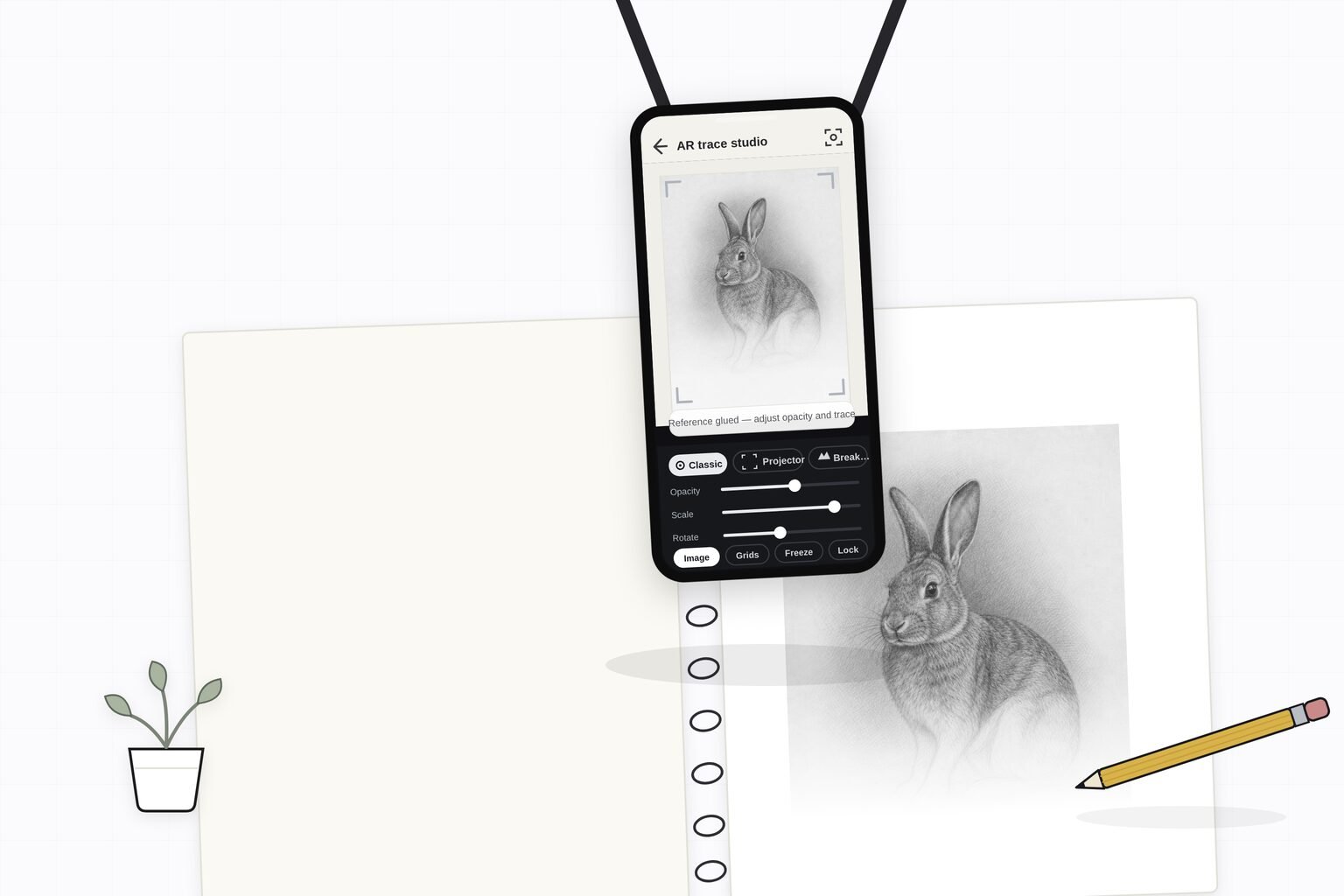
What AR drawing actually is
AR drawing — the term people also search for as "AR tracing" — is a method, not a machine. You take a reference photograph, hold a phone or tablet over the surface you want to draw on, and an app composites that reference over the live camera view and holds it locked in place relative to the surface. You then look at the screen and draw the contours you see through it onto the real paper, canvas, or wall beneath. The reference behaves as if it were painted onto the surface; your hand follows it.
The word that carries the weight is augmented. Augmented reality is the general idea of overlaying computer-generated content onto a live view of the real world, registered to it so the two appear to belong together. The phrase itself goes back to 1992, when Thomas Caudell and David Mizell, engineers at Boeing, coined "augmented reality" to describe a heads-up display that guided workers wiring aircraft.1 Ronald Azuma's widely cited 1997 survey then set the working definition still used today: an AR system combines the real and the virtual, is interactive in real time, and is registered in three dimensions.2 AR drawing is that definition applied to the oldest problem in representational art — getting an image accurately onto a surface.
It helps to say plainly what AR drawing is not. It is not a printer or a projector throwing ink or light onto the surface; nothing is deposited. It is not an AI that draws for you. And it is not virtual reality, where you are sealed inside a headset and the real room disappears — in AR drawing the real surface and your real hand are always there, and the reference is the only thing that is virtual. What you get is an overlay you trace by hand, which is exactly why it belongs in the same family as the grid method and the camera lucida rather than in the family of automated art tools.
If you have ever taped a photo to a window and traced the lines showing through, you already understand the instinct behind AR drawing. The window is a crude lightbox; AR is the version that works on any surface, at any size, with the reference you actually want, held steady by software rather than by tape and daylight. For the full history of that instinct across every method, the pillar on how to trace a photo onto paper walks all seven approaches side by side.
With the definition set, the obvious next question is the one that makes AR feel like magic the first time you use it: how does the phone know where your paper is, and how does it keep the reference from sliding around as you move? That is the tracking, and it is worth understanding, because knowing how it works tells you exactly when it will work well and when it will not.
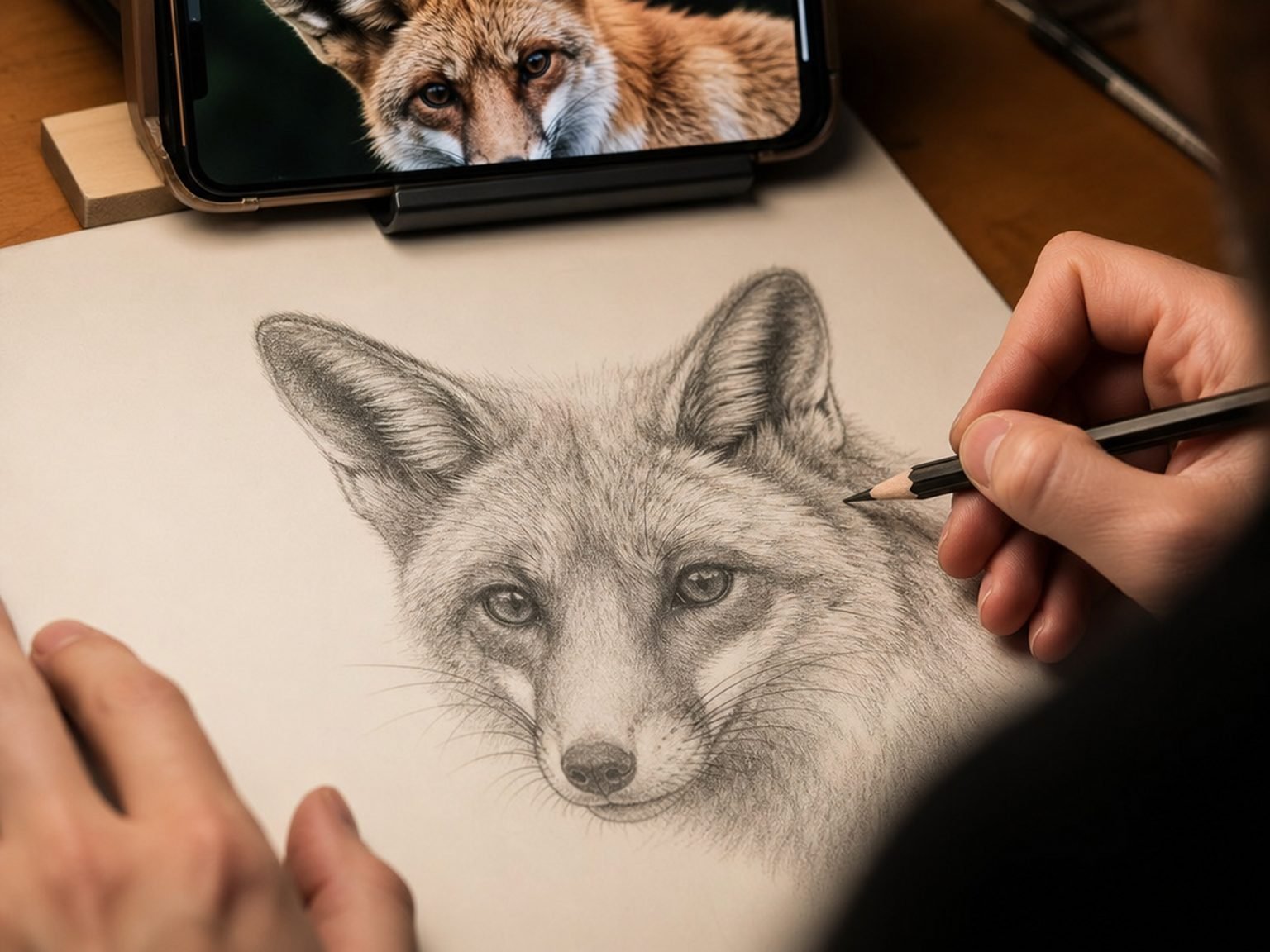
How markerless AR tracking works
Early augmented reality needed a printed marker — a black-and-white pattern the camera could recognise and pin content to. Modern phone AR is markerless: it works out where surfaces are from the camera view and the phone's own motion, with nothing printed on the surface at all. Two consumer frameworks made this ordinary: Apple's ARKit and Google's ARCore, both released in 2017, which handed developers reliable markerless tracking without having to build it from scratch.3 Almost every AR drawing app rests on one of these two.
Feature points and motion
The core trick is called visual-inertial tracking. The camera watches the scene and picks out feature points — small, distinctive patches of contrast such as the corner of a texture, a speck on the paper, the edge of a table. As you move the phone, those points shift across the frame, and the software measures exactly how. Combine that with the phone's accelerometer and gyroscope, which report how the device itself is moving, and the system can solve for the camera's position and orientation in space many times a second.4 This fusion of camera and motion sensors is why the reference stays put: the app is continuously recalculating where "here" is and redrawing the overlay to match.
Plane detection
Once the software has a cloud of tracked feature points, it looks for clusters that lie on a common flat plane — your desk, your paper, your wall — and reports them as a detected surface. This is why AR apps ask you to move the phone slowly over the paper for a moment when you start: they are gathering enough feature points to be confident about where the plane is. A blank, glossy, or evenly white surface gives the software very little to hold, which is the single most common reason a trace drifts. A little texture, a matte finish, and even lighting give it plenty.
Registration — keeping the overlay glued down
The quality artists actually feel is registration: how tightly the virtual reference stays aligned to the real surface as the phone moves. Perfect registration means the reference sits exactly where you placed it no matter how you shift; poor registration means it swims, and every line you trace inherits that wander. Azuma singled out registration as the hardest problem in AR precisely because the human eye is unforgiving of even small misalignment between the real and the virtual.2 For drawing, this translates into two practical rules that recur through the rest of this guide: hold the phone still, and give the tracking a surface it can read.
You can feel the overlay idea without any AR at all. The free web tool lays a virtual grid over your photo on screen the way an AR app lays a virtual reference over your paper — same concept, different surface. It is the fastest way to understand what "an overlay you draw from" means.
Understanding the mechanics also frames the honest comparison that follows. AR is not the only way to get a reference onto a surface, and it is not always the best one. The next chapter puts it beside the three methods it most often replaces.
AR drawing vs the grid method, projector, and lightbox
AR drawing is best understood not as something new under the sun but as the newest answer to a very old question. Every method here overlays or transfers a reference; they differ in how they do it and what they cost you in equipment, accuracy, and skill. Knowing where AR fits stops you from reaching for it when a simpler method would win.
Versus the grid method
The grid method divides the reference into cells and copies it cell by cell onto a matching but larger grid. It needs nothing but a ruler and pencil, it enlarges to any ratio with no distortion, and — uniquely — it actively trains your eye to measure. AR skips the grid entirely: you place and scale the reference directly, so there is no ruling and no ratio to calculate. The trade is that AR does not train measurement the way gridding does, and it depends on a phone and steady hands where a grid depends on nothing. For accurate desk-sized enlargement where you also want to build skill, the grid still wins; for large or awkward surfaces where ruling forty cells is a chore, AR wins. The dedicated pillar on grid method vs projector vs tracing goes deeper on that choice.
Versus the projector
A projector throws the reference onto a large surface as light, which muralists and scenic painters have relied on for generations. Its great flaw is keystone distortion: unless the lens is perfectly square to the wall, the projected rectangle skews into a trapezoid and every proportion you trace inherits the stretch. It also needs a dimmed room and a real hardware purchase. AR sidesteps both. Because you place the reference directly onto the surface through the screen rather than projecting at an angle, there is no fixed trapezoid to correct, and it works in daylight with the phone already in your pocket.5 The catch is that AR asks you to hold a consistent viewing angle, a discipline the projector does not — once a projector is squared, it stays squared.
Versus the lightbox
A lightbox is the most accurate tracing tool there is, with one hard condition: the paper must be thin enough for backlight to pass through, and the trace is always one-to-one with the print. It cannot enlarge, and it cannot work on canvas, board, or a wall. AR carries none of those limits — it works on any opaque surface at any size — but it pays for that freedom with lower absolute accuracy, since a locked-but-slightly-swimming overlay on a screen will never match the dead-certain registration of two sheets pressed against the same glowing glass.
| Method | How it overlays | Enlarges? | Works on canvas / wall? | Equipment | Best for |
|---|---|---|---|---|---|
| AR drawing | Virtual reference locked over the surface via camera | Yes, any size | Yes | Phone + stand | Murals, large or odd surfaces, fast placement |
| Grid method | Copy cell by cell from a matching grid | Yes, any ratio | Yes | Ruler + pencil | Accurate desk enlargement, training the eye |
| Projector | Reference thrown as light onto the surface | Yes | Yes | Projector + dark room | Large surfaces when a projector is set up |
| Lightbox | Backlight shows the print through the paper | No | No (thin paper only) | Light panel | Most accurate same-size copy |
Whichever method you land on, set the crop and check the composition first. Drop a photo into the free tool, switch on a thirds or golden overlay, and fix the arrangement before you transfer a single line — an accurately traced but badly cropped image is still badly cropped.
The comparison makes the equipment question concrete. AR's whole appeal is that it needs almost nothing — but "almost nothing" is not "nothing," and the one piece that matters most is not the phone. That is the next chapter.
The hardware you actually need
One of AR drawing's real advantages is how little it demands. You do not buy a projector, you do not clear a dark room, you do not own a light table. But the kit is not quite "just a phone," and getting the small parts right is the difference between a trace that holds and one that fights you.
A phone or tablet with a rear camera
Any reasonably modern phone or tablet that runs current apps will do. AR frameworks have supported a wide range of devices since 2017, so this is rarely the bottleneck.3 A tablet's larger screen makes the overlay easier to read at a glance, which some artists prefer for detailed work; a phone is lighter and easier to mount. Camera quality matters less than you would expect — the tracking cares about feature points and motion, not megapixels.
A way to hold it still — the part that actually matters
This is the piece people underestimate. Because the whole method depends on consistent registration, a phone that moves is a reference that swims. A cheap tabletop tripod, a flexible clamp arm on the edge of your desk, or an overhead mount that positions the phone above the surface will do more for your results than any phone upgrade. The goal is simple: the camera should be able to see the whole surface and then not move while you draw. Many artists rig an overhead arm so both hands stay free for drawing.
Light and a readable surface
The last two "components" are free but decisive. Even, diffuse light — not a single harsh lamp casting glare across the paper — gives the tracking clean feature points and keeps the overlay legible. And the surface itself should have a little texture or tone for the tracking to grip; a pure-white glossy sheet is the hardest case. Taping down a lightly toned ground, or simply working on a matte surface, meaningfully improves the lock.
Before you mount anything, you can plan the piece in the browser for free — pick the crop, check the balance, and decide the size you want on the surface. The overlay work in the tool and the AR trace on paper are two halves of the same workflow.
With the kit understood, the method becomes concrete. Here is a first trace, start to finish.
Your first AR trace, step by step
The mechanics are simpler in practice than in theory. This is the sequence for a first trace onto paper or a small canvas; it is the same shape whether you are working at a desk or against a wall.
-
Mount the phone so it cannot move
Fix the phone in a stand, clamp, or overhead arm above the surface. This is the step that decides everything — a steady, consistent camera position is what lets the reference stay pinned while you draw. Position it so the camera can see the whole area you will work on.
-
Let the app find the surface
Open the app over the paper and move the phone slowly for a moment so the tracking can gather feature points and detect the flat plane. Even, textured light makes this near-instant; a blank glossy sheet under harsh glare makes it slow. Once it reports a locked surface, stop moving.
-
Place and scale the reference
Drag your reference photo so it sits over the surface, then pinch to scale it to the exact size you want the drawing to be. There is no enlargement ratio to work out — what you see at that size is what you will draw. Nudge the position until the composition sits where you want it on the surface.
-
Lock it and draw the placement
Lock the reference so it stays fixed, then draw only the major landmarks and contours you see through the screen — the big shapes, the key proportions, the placement lines. Do not chase fine detail here; you are building a scaffold, not the finished drawing.
-
Turn the reference off and finish by hand
Once placement is set, switch the overlay off and render the values, edges, and colour from observation of your reference and your own judgement. This is the part that carries the picture, and no AR method does it for you. The trace got you to a correct start; the drawing is what you do next.
The lesson-plan library has a paired, classroom-ready version of this walkthrough for enlarging a design onto a wall, if you want a fuller worked example with a checklist.
Following the steps once will teach you more than any explanation — and it will also teach you AR's limits directly, which the next chapter names so you are not surprised by them.
What AR drawing is good and bad at
No method wins everywhere, and pretending AR does would be marketing, not honesty. Here is the plain ledger, so you reach for AR when it is genuinely the best tool and something else when it is not.
Where AR is genuinely the best answer
AR earns its place on the jobs the older methods handle badly. On murals and large walls, wrangling a square projector against a tall surface in a dark room is a chore AR removes entirely. On large or odd surfaces — a curved sign, a guitar body, a tote bag, a cake — transfer paper and lightboxes simply do not reach, and AR does. And for fast placement, where you want a reference roughed in within seconds rather than after ten minutes of ruling grids, nothing is quicker. For a muralist, it removes the single most awkward part of starting a wall; the muralists hub covers that workflow in detail.
Where AR is the wrong tool
AR is not the pick for small, accurate desk work where a lightbox or a grid is both cheaper and more precise. It is not the pick if your goal is to build observational drawing skill — for that the grid method and freehand sight-size train the eye in ways AR does not. And it is not reliable on featureless surfaces: a blank, glossy, or poorly lit sheet gives the tracking little to hold, and the overlay drifts. When accuracy or skill-building matters more than scale, an older method usually beats it.
The limit every method shares
The most important honest point is the one AR shares with the grid, the projector, and the lightbox alike: it gives you placement, not artistry. Registration can be perfect and the trace still be lifeless, because the values, edges, and colour decisions that make an image convincing have not been done yet. Treat AR as the scaffold and you will love it; expect it to make a picture for you and you will be disappointed by every tool ever made.
| Good at | Bad at |
|---|---|
| Murals and large walls | Small, precise same-size copies (lightbox wins) |
| Large or curved / odd surfaces | Building observational drawing skill |
| Fast placement, no enlargement maths | Featureless, glossy, or poorly lit surfaces |
| Working in daylight, no dark room | Situations needing a locked, hands-off setup for hours |
| Any surface a projector or lightbox cannot reach | Doing the values, edges, and colour — that is always by hand |
That last row — placement, not artistry — leads straight into the question every artist who traces eventually faces, and it deserves a straight answer.
Is AR drawing "real" drawing?
Because AR drawing is a tracing method, it inherits the oldest debate in the room: is it cheating? The short answer is no — no more than the grid method or a projector is — but the fuller answer is worth having, because it changes how you use the tool.
Optical and mechanical aids have been part of serious art since at least the fifteenth century. Alberti described a gridded veil for transfer in 1435; Dürer engraved his sighting frames proudly into instructional woodcuts; painters from the early Netherlandish masters onward are documented or strongly argued to have used lenses, mirrors, and the camera obscura.6 The camera lucida that AR drawing directly descends from was patented in 1806 and used by celebrated draughtsmen for precise work. The notion that "real" artists use only an unaided eye is a modern myth, not a historical fact.
The real distinction is what you do with the time the tool saves. An outline is the least artistically determinant part of most images; the value structure, edge quality, and colour decisions are where the art lives, and AR does none of that for you. If you trace the placement with AR and then do that real work by hand and eye, you are using a tool the way professionals always have. If you trace to avoid thinking, you have produced a copy and learned nothing — but the fault is in the avoidance, not the AR. This is the whole argument, made at length, in the pillar on whether tracing is cheating.
Settled honestly, the question opens onto the more useful one: which artists is AR drawing actually for, and how does it fit each of their workflows?
AR drawing for different artists
AR drawing is not equally useful to everyone, and the honest pitch is different for each kind of artist. Here is where it genuinely earns its place, by discipline.
Muralists and scenic painters
This is AR's strongest case. Scaling a small design up onto a wall has always meant gridding a huge surface or fighting a projector square in a dark room. AR removes both: you place the design onto the wall through the phone at whatever size you want, rough in the placement, and paint. For working muralists it is the difference between an afternoon of setup and a few minutes. See the muralists hub for the full workflow.
Portrait and commission artists
Commission work often means matching a client's photograph precisely, on a deadline, where refusing to trace is wasted time rather than virtue. AR gets the likeness placed quickly so the artist's hours go into the rendering the client is paying for. The portrait artists hub covers the balance between accurate placement and hand-rendered life.
Crafters on unusual surfaces
Woodburners, sign painters, cake decorators, and glass painters all share a problem the classic methods handle poorly: transferring a design onto a surface that is curved, opaque, or edible. AR reaches surfaces a lightbox never could, which is why the surface-specific guides across the how-to guides lean on it.
Students and self-teaching beginners
Here the honest advice is a mix. AR is wonderful for confidence — seeing a hard subject placed correctly removes the intimidation of the blank surface. But a beginner who only ever traces never builds the observational eye. The right use is as removable training wheels: trace placement, then progressively wean onto the grid and freehand practice. The free web tool is the ideal companion for that weaning, because its grid teaches measurement the way AR does not.
Whichever camp you are in, the free browser tool is where the workflow starts — plan the crop, check the composition, learn what a strong overlay feels like — before you ever reach for AR on the real surface.
Across all of these there is a quiet thread worth pulling out on its own: where your reference photo actually goes when you use these tools. For a lot of artists that is the deciding factor.
The privacy angle — on-device by design
There is a practical reason to care where AR drawing does its work, beyond principle: your references are often personal — a client's family photo, an unpublished piece, a commission you are under contract not to share. A method that runs on your own device keeps those where they belong.
AR tracking is computed on the phone. The camera feed, the feature points, the plane detection, and the overlay all happen locally in real time — that is inherent to how markerless AR works, since the tracking has to respond frame by frame to the phone's own motion.4 Done well, an AR drawing app never needs to send your reference photo anywhere; the whole job is local.
The free Grid Maker Pro web tool takes the same stance from the other direction: it renders overlays on your device with no upload, because there is no backend to upload to. Your reference never leaves the browser. That is a structural promise, not a policy one — nothing is sent because nothing can be sent. The AR app carries the equivalent promise onto the phone: the reference stays on your device.
Where Grid Maker Pro fits
The free web tool — 82 composition and drawing overlays, in your browser, free forever, no account — is the open front door to all of this. It does everything a browser can: overlay grids on a photo, check composition, set a crop, work the grid method on screen. What a browser cannot do is lock a reference over your real paper or wall through the camera and let you trace it by hand. That is a separate job, and it is what the Grid Maker Pro AR app is for — an addition to the free tool, never a paywall on it.
The AR app, plainly
- A separate app — not a paywall on the free tool. The browser tool stays free forever, with all 82 overlays and no account.
- Built by Sujith Puthran, a working artist of more than 15 years, to solve the AR-tracing job at his own easel.
- On Android via Google Play (com.gridmakerpro.app); an iOS version is planned.
- Runs on-device. Your reference photos stay on your phone.
- Free tier: 3 AR traces of your own photo every month, plus all 82 composition grids. Paid: $29.99 / year, $6.99 / month, or $79 once for lifetime.
With the privacy stance clear, the only thing left is the practical on-ramp: how to actually start, at zero cost, today.
Getting started with AR drawing
The best on-ramp costs nothing and does not need AR at all. Start in the browser, learn the overlay habit, and reach for AR when the surface calls for it.
Start free, in the browser
Open the free Grid Maker Pro tool, drop in a reference photo, and switch on a grid. Nothing uploads; the overlay renders on your device. This teaches you the core skill AR depends on — reading an overlay and drawing from it — without any hardware, and it is genuinely all many artists ever need for desk-sized work.
Learn the method on paper first
Before you trace anything against a wall, run the grid method once at your desk from the how to trace a photo onto paper pillar. Understanding what accurate placement feels like by hand makes you far better at judging whether an AR overlay has actually landed correctly.
Reach for AR when the surface calls for it
When the job is a wall, a large canvas, or an odd surface — the cases where the grid and the lightbox run out of road — that is the moment AR earns its keep. Mount the phone, follow the five steps above, and keep the free tool open alongside for the composition check. If you are weighing AR apps against each other, the honest comparison with Da Vinci Eye lays out the differences without overselling.
The two tools are two halves of one workflow: plan and check in the free browser tool, then trace onto the real surface with AR. Start with the half that costs nothing.
Notes from the studio
Illustrative scenarios, not real customer quotes — written to show how AR drawing tends to fit a working practice.
"The wall was ten feet across and I used to spend the first morning just gridding it up. Placing the design through the phone and roughing it in, then painting the rest by hand, gave me that morning back."
"I trace the client's photo for placement so the likeness is right, then turn it off and paint. The hours go into the skin and the eyes, which is what they are paying for — not into measuring the nose."
"I use the grid on the free web tool to teach my students to measure, and the AR app when they are ready to work bigger than a sketchbook. The grid builds the eye; the AR removes the fear of the big surface."
There is no wrong door. The free tool teaches the habit, the grid method builds the eye, and AR handles the surfaces nothing else can reach.
The lineage AR drawing belongs to
AR drawing did not appear from nowhere. It sits at the end of a long line of overlay and transfer devices, and naming that lineage is the clearest way to show it belongs to serious practice, not against it.
Leon Battista Alberti (1404–1472)
Alberti's On Painting of 1435 gave the first written description of a gridded veil — a velum — held between artist and subject to record proportion exactly. AR's "overlay a reference and copy what you see" is the same instinct, six centuries earlier.6
William Hyde Wollaston (1766–1828)
Wollaston patented the camera lucida in 1806: a small prism that makes the subject appear superimposed on the paper so the artist can trace a virtual image by hand. This is AR drawing's direct optical ancestor — a phone screen now does with software what the prism did with glass.7
Thomas Caudell and David Mizell (1990s)
The Boeing engineers who coined the term "augmented reality" in 1992, describing a head-mounted display that overlaid wiring guidance onto real aircraft assemblies — the first naming of the exact idea AR drawing applies to a canvas.1
Ronald Azuma (1990s)
Azuma's 1997 survey set the definition of AR still in use — real and virtual combined, interactive in real time, registered in 3D — and named registration as the field's hardest problem, which is exactly the quality an artist feels when an overlay stays glued to the paper.2
Apple and Google (2017)
ARKit and ARCore, released within months of each other in 2017, put reliable markerless tracking into ordinary phones and made consumer AR drawing possible at all. Almost every AR tracing app stands on one of the two.3
Common mistakes with AR drawing
Not holding the phone still
The most common cause of a swimming, unreliable trace is a moving camera. Pick the phone up mid-trace, put it back, and the tracking re-registers with a little drift each time — which compounds into visibly wrong proportions.
Tracing on a blank, glossy sheet
Markerless tracking needs feature points to hold onto. A pure-white glossy surface under harsh glare gives it almost nothing, so the overlay drifts no matter how still you are.
Tracing a bad composition accurately
AR places whatever you give it, flaws included. A precisely placed but poorly cropped or unbalanced reference is a precisely bad drawing.
Tracing only outlines and stopping there
An AR trace gives placement, not a finished image. A traced outline with no value structure reads as flat and lifeless — the work that makes it convincing has not been done.
Never drawing without the aid
Trace every single piece and your observational eye never develops. AR stops being a tool and becomes a ceiling.
An augmented reality system supplements the real world with virtual objects that appear to coexist in the same space as the real world.— Ronald T. Azuma, A Survey of Augmented Reality, 19972
Frequently asked questions
What is AR drawing?
AR drawing, or AR tracing, is a method where an app locks a reference photo over your real paper, canvas, or wall through the phone camera so you can draw the proportions by hand. You look at the screen, see the reference pinned in place over the live camera view, and copy the lines you see onto the surface beneath. It is the modern version of the camera lucida — an optical overlay you trace by hand — with a phone screen standing in for the prism.
How does AR tracing know where the surface is?
Markerless AR uses the camera and the phone's motion sensors together. The software picks out visual feature points in the camera view, watches how they move as the phone moves, and from that infers the flat plane of your surface and the phone's position relative to it. This is why a lightly textured, evenly lit surface tracks better than a blank white sheet — there is more for it to lock onto. Apple's ARKit and Google's ARCore, both from 2017, made this reliable on ordinary phones.
Is AR drawing cheating?
No more than the grid method or a projector is. AR tracing fixes placement, which is the least artistically interesting part of an image; the value structure, edges, and colour decisions are still yours to make by hand. Optical aids have been part of serious art since the fifteenth century, so tracing placement and then doing the real work by hand is exactly how illustrators, muralists, and animators have always worked.
What hardware do I need for AR drawing?
A reasonably modern phone or tablet with a rear camera, and something to hold it still over the surface — a stand, a clamp, or an overhead arm. A steady mount matters more than an expensive phone, because the trace holds only if the camera position stays consistent. You do not need a projector, a dark room, or a light table.
What is the difference between AR drawing and using a projector?
A projector throws the reference onto the surface as light and must be squared to the wall or it keystones into a trapezoid. AR places the reference directly onto the surface through the screen, so there is no fixed trapezoid to correct and it works in daylight. The trade is that AR asks you to hold a consistent viewing angle, where a squared projector stays squared once set.
Does AR drawing work on canvas and walls?
Yes. Unlike a lightbox, which needs thin paper that light passes through, AR works on any opaque surface at any size — canvas, board, a wall, a curved sign. That is exactly the case AR handles better than the older methods, which is why muralists and crafters gravitate to it.
Why does my AR reference keep drifting?
Drift almost always comes from one of two things: a moving phone, or a surface with too little for the tracking to grip. Mount the phone so it cannot move, and work on a lightly toned, matte surface under even light rather than a blank glossy sheet. Both give the markerless tracking a steadier lock.
Is AR drawing the same as VR?
No. Virtual reality seals you inside a headset and replaces the real world; augmented reality overlays virtual content onto a live view of the real world. In AR drawing your real surface and your real hand are always present — only the reference is virtual, which is what lets you trace it by hand.
Do I need to be online to use AR drawing?
The tracking itself runs on the phone, frame by frame, because it has to respond to the device's own motion in real time. A well-built AR drawing app does the whole job on-device, so your reference photo does not need to be sent anywhere and your images stay with you.
Can beginners use AR drawing?
Yes, and it is great for confidence — seeing a hard subject placed correctly removes the fear of the blank surface. The caution is that tracing everything means your observational eye never develops. Use it as removable training wheels: trace placement, then progressively wean onto the grid and freehand practice, with the free web tool teaching measurement alongside.
How is AR drawing different from the free Grid Maker Pro web tool?
The free web tool overlays grids on a photo on your screen — composition checks, the grid method, cropping — all in the browser, free forever, no account. What a browser physically cannot do is lock a reference over your real paper or wall through the camera. That is a separate job the AR app does; the app is an addition, never a paywall on the free tool.
Is the Grid Maker Pro AR app free?
It has a free tier of three AR traces of your own photo every month, plus all 82 composition grids. Paid plans are $29.99 a year, $6.99 a month, or $79 once for lifetime. The separate web tool is free forever. The app is a different product for the job a browser cannot do, not a paywall on the free tool.
Which artists benefit most from AR drawing?
Muralists and scenic painters gain the most, because scaling a design onto a wall is exactly what AR does best. Portrait and commission artists working from a client's photo on a deadline benefit too, as do crafters on curved or opaque surfaces — woodburners, sign painters, cake decorators, glass painters — that a lightbox cannot reach.
References
- Caudell, Thomas P., and David W. Mizell. "Augmented Reality: An Application of Heads-Up Display Technology to Manual Manufacturing Processes." Proceedings of the Twenty-Fifth Hawaii International Conference on System Sciences (HICSS), vol. 2, IEEE (1992), pp. 659–669. doi:10.1109/HICSS.1992.183317. The paper that coined the term "augmented reality."
- Azuma, Ronald T. "A Survey of Augmented Reality." Presence: Teleoperators and Virtual Environments, vol. 6, no. 4 (August 1997), pp. 355–385. doi:10.1162/pres.1997.6.4.355. Sets the working definition of AR — real and virtual combined, interactive in real time, registered in 3D — and identifies registration as the field's central problem.
- Apple Inc. ARKit (introduced with iOS 11, 2017) and Google LLC, ARCore (released 2017). The two consumer frameworks that made reliable markerless tracking available on ordinary phones. See Apple developer documentation for ARKit and Google's ARCore developer documentation.
- On visual-inertial tracking (camera feature points fused with accelerometer and gyroscope data to estimate device pose in real time): the standard approach underlying ARKit and ARCore world tracking, described in their respective developer documentation on world tracking and motion tracking.
- On keystone distortion in projection and why direct on-surface overlay avoids a fixed trapezoid: standard mural- and scenic-painting workflow, in which a projected image must be squared to the surface to avoid trapezoidal error.
- Alberti, Leon Battista. On Painting (Della Pittura, 1435). Translated by Cecil Grayson, introduction by Martin Kemp. Penguin Classics (1991 ed.). ISBN 978-0-14-043331-3. Book Two describes the gridded veil (velum) for transferring proportion.
- Wollaston, William Hyde. Patent for the camera lucida, British Patent No. 2993 (1806). The prism device that overlays a virtual image of the subject onto the drawing surface — the direct optical ancestor of AR tracing.
- Hockney, David. Secret Knowledge: Rediscovering the Lost Techniques of the Old Masters. Thames & Hudson (2001; expanded ed. 2006). ISBN 978-0-500-23785-5. The optical thesis on lenses, mirrors, and the camera lucida in old-master practice, developed with optical physicist Charles Falco.
- Kemp, Martin. The Science of Art: Optical Themes in Western Art from Brunelleschi to Seurat. Yale University Press (1990). ISBN 978-0-300-05241-6. The standard scholarly survey of optical and perspectival devices in Western art, the measured counterpoint to Hockney's thesis.
- Adobe. "Tracing Apps" (Adobe Aqua learning resource), aqua.adobe.com/learn/tracing-apps. An overview of digital tracing and overlay tools for artists, situating AR tracing among contemporary methods.

Update log
- — Published. Full explainer of AR drawing: the definition, how markerless tracking works, comparisons to the grid, projector, and lightbox, the hardware, a first trace step by step, the honest limits, the "is it real drawing" question, and the on-device privacy stance.
On this page
1. What AR drawing is 2. How the tracking works 3. AR vs grid, projector, lightbox 4. The hardware you need 5. Your first AR trace 6. Good and bad at 7. Is it "real" drawing? 8. For different artists 9. The privacy angle 10. Getting started The lineage Common mistakes FAQ Related guides References AuthorFrom the screen to the page
Everything here is free in your browser and stays that way. When a reference has to leave the screen and land on real paper, canvas, or a wall, a browser has no camera to register it to the surface. The Grid Maker Pro AR app adds exactly that — hold your phone over the paper and trace your own photo directly, with the same 82 composition overlays alongside.
Meet the AR tracing app → Free web tool, free forever · AR tracing is the separate paid appStart free, trace anywhere
Drop a reference into the free browser tool for the grid method, composition checks, and clean transfers — free forever, no account, nothing uploaded. Reach for the AR app when the surface is a wall, a canvas, or anything a browser cannot reach. Your image stays on your device, either way.
Open the free grid tool →One brief every other Tuesday.
One overlay, one historical reference, one workflow note. Studio notes from working artists, photographers, and designers. No spam, unsubscribe in two clicks.