
Best AR drawing apps in 2026
An AR drawing app llocks a reference image over your real paper, canvas, or wall through the phone camera so you can draw the proportions by hand. There is no single best one — it depends on your platform, your budget, and whether you care about tracing your own photo for free. Below are five worth your time: the Grid Maker Pro app, Da Vinci Eye, SketchAR, Camera Lucida, and Morpholio Trace. We make one of these, and we will say so plainly. The one thing that sets ours apart is that it lets you trace your own photo free every month, where most of the category paywalls exactly that. The rest of this page is an honest look at all five, with links so you can verify every claim yourself.
By Sujith Puthran · Published 30 June 2026 · This page is by Grid Maker Pro and reflects our perspective; we link to each app so you can verify claims independently.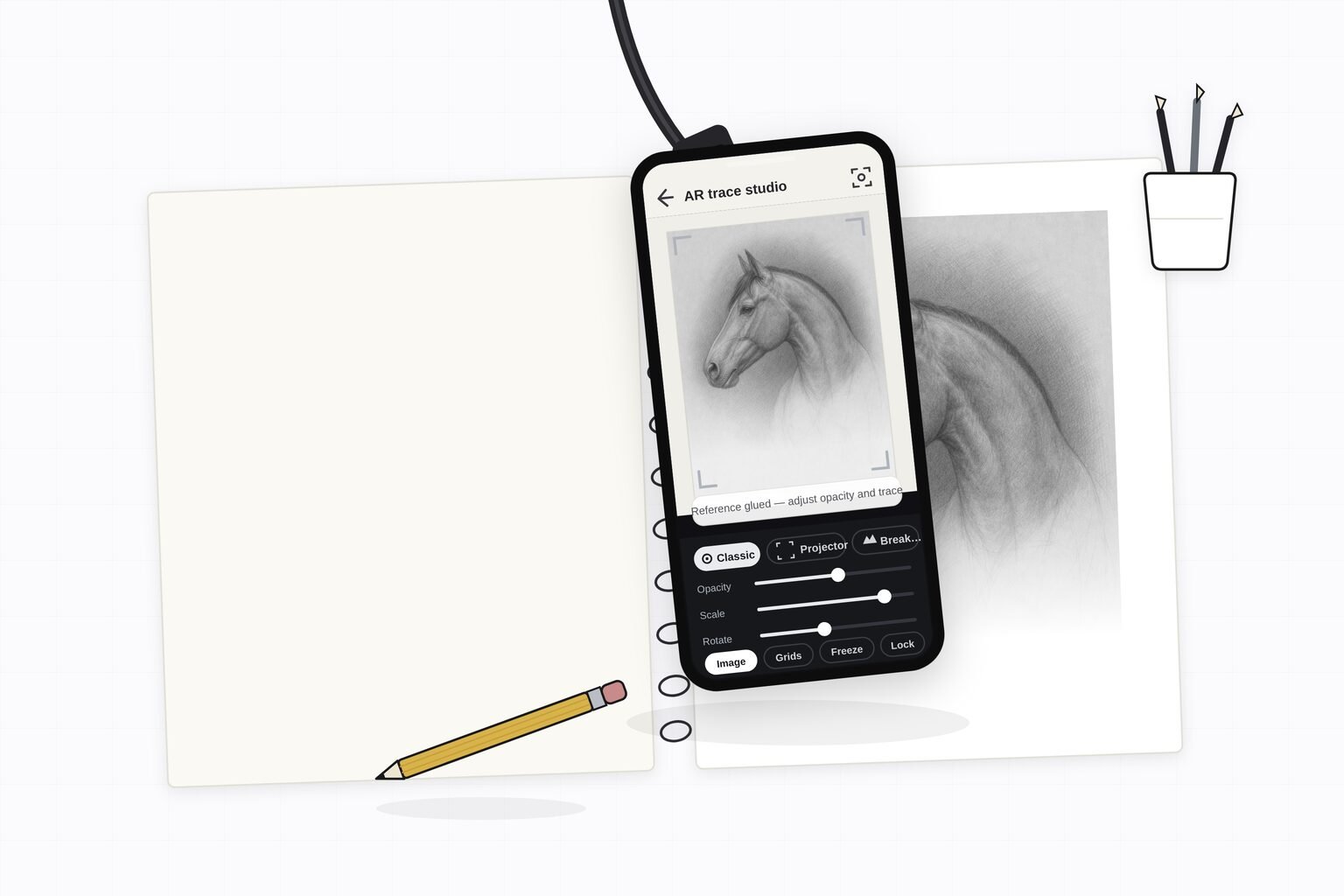
Worth saying plainly: the free Grid Maker Pro web tool at gridmakerpro.com stays free forever and browser-only. The AR app is a separate, optional product that adds the one thing a browser cannot do — projecting your reference onto real paper, canvas, or a wall.
How we ranked them
We weighed four things: whether you can trace your own photo without paying, how reliable the AR tracking feels, the pricing model (subscription, one-time, or free tier), and how honest the free experience is — that is, whether it nags you or buries the app in ads. Store ratings and download counts are useful signals but they are not the whole story, so we name them and tell you to re-check them. Prices and ratings drift, so verify the current price and rating on each app's official store listing before you decide. We do not invent numbers, and where a figure is uncertain we say so.
The summary comparison
| App | Platforms | Trace your own photo free | Pricing (verify on store) | Best for |
|---|---|---|---|---|
| Grid Maker Pro app | Android (iOS planned) | Yes — 3 a month | Free tier; $29.99/yr, $6.99/mo, or $79 Lifetime | Tracing your own photo free + 82 overlays + one-time price |
| Da Vinci Eye | iOS, Android, Vision Pro | No — Pro-only | ~$7.99/mo or ~$29.99/yr; subscription | The most mature feature set |
| SketchAR | iOS, Android | No — PRO-only | ~$9.99/mo or ~$34.99/yr; subscription | Largest user base; guided lessons |
| Camera Lucida | iOS only | Yes (it's a paid app) | ~$14.99 one-time; no subscription | One-time price, no subscription |
| Morpholio Trace | iPad / iOS | Yes (free 5 projects) | Free tier; Plus $9.99/yr, Pro $19.99/yr | Architects and designers |
Prices, platforms, and ratings above were observed in June 2026 and drift over time — confirm the current figures on each app's official App Store or Google Play listing before you commit.
1. Grid Maker Pro app — best for tracing your own photo free
What it is. The Grid Maker Pro app is an AR tracing app that projects your own photo onto real paper or canvas so you can draw the proportions by hand. It also ships all 82 professional composition overlays from the web tool — golden ratio, Loomis head, dynamic symmetry root rectangles, perspective grids, and sacred geometry. It is built by Sujith Puthran, a working artist of 15 years.
Who it's for. Hobby and working artists who want to trace their own reference without a subscription, and who also want to check composition, not only trace contours.
Pricing. Free to install, with three AR traces of your own photo every month plus all 82 overlays at no cost. Unlimited tracing is $29.99 a year, $6.99 a month, or a $79 one-time Lifetime unlock with no subscription. (Verify current pricing on its Google Play listing.)
Strengths. The free own-photo allowance is the differentiator — it lets you feel the moment of locking your own reference over your paper before you pay anything. The 82-overlay library is deeper than any other tracing app ships, the reference is processed on your device, there is no account required to start, and the lifetime option avoids a recurring bill.
The catch. It is Android-first; iOS is planned but not out yet. It has no library of built-in video lessons the way Da Vinci Eye does. And as a newer app it has a far smaller track record and review base than the established names below.
2. Da Vinci Eye — the most mature feature set
What it is. Da Vinci Eye, listed as "Da Vinci Eye: AR Trace & Draw" on iOS and "AR Art Projector" on Android, is the established brand leader, hosted at davincieyeapp.com. It offers both AR and Classic projection modes, image stabilization and a strobe option, value-layer separation, time-lapse, a library of built-in lessons, and Apple Vision Pro support.
Who it's for. Painters, muralists, and tattoo artists on iOS or Vision Pro who want the broadest projection toolkit and don't mind a subscription.
Pricing. Free to install with an auto-renewing subscription. Marketing pricing is around $7.99 a month or $29.99 a year with a seven-day free trial, though live in-app tiers vary by store and region. It is not a one-time purchase. (Verify on its App Store listing.)
Strengths. Years of polish, high store ratings (around 4.6 stars from roughly 11,000 ratings on iOS at last check), the most complete projection feature set in the category, and wider brand reach after a Shark Tank appearance in Season 15.
The catch. Tracing your own imported photo is paywalled behind the subscription — free users get only the community and stock photo library. This is the single most common complaint in its reviews, and the company's own FAQ acknowledges it. See the full Grid Maker Pro vs Da Vinci Eye comparison.
3. SketchAR — the biggest by download volume
What it is. SketchAR is one of the largest AR drawing apps by reach, with more than five million downloads across iOS, Android, and headset platforms. It pairs AR tracing with guided drawing courses and a sketch-to-art feature set.
Who it's for. Beginners who want a guided, lesson-led path into drawing and don't mind a more aggressively monetized experience.
Pricing. Freemium with a PRO tier — roughly $9.99 a month or $34.99 a year, though a higher annual variant has been seen. (Verify on its Google Play or App Store listing.)
Strengths. The largest user base in the category, a broad library of courses and lessons, and cross-platform reach including some headset support.
The catch. Reviews repeatedly cite aggressive and repetitive subscription pop-ups and a lot of content locked behind PRO, and the AR tracking can be unreliable. The gap between its Android rating (around 3.7 stars) and iOS rating (around 4.2 stars) is itself a signal of monetization friction. See the full Grid Maker Pro vs SketchAR comparison.
4. Camera Lucida — one-time price, no subscription
What it is. Camera Lucida is an iOS app that emulates the classic camera-lucida optical device, overlaying your reference on your drawing surface. It is the trusted incumbent for artists who refuse subscriptions.
Who it's for. iOS artists who want a one-time purchase and a no-nonsense tool, and who are willing to set up a small physical rig.
Pricing. Around $14.99 as a one-time purchase, with no subscription. (Verify on its App Store listing.) It carries a high rating — around 4.8 stars from roughly 1,800 ratings at last check — from a small but loyal base.
Strengths. The honest pay-once model, a long track record, and a strong rating. It does exactly what it says without nagging you.
The catch. The interface feels dated next to modern AR apps, the physical rig can be fiddly to set up and keep steady, and it is iOS only. It is not a phone-camera AR experience in the modern plane-tracking sense. See the full Grid Maker Pro vs Camera Lucida comparison.
5. Morpholio Trace — for architects and designers
What it is. Morpholio Trace is an iPad and iOS drawing and design app aimed at architects and interior designers. It is a digital trace-paper tool with AR perspective, room-scan, and CAD-adjacent features rather than a hobby photo-tracing app.
Who it's for. Architects, interior and landscape designers, and anyone sketching over plans or site photos on an iPad with an Apple Pencil.
Pricing. Free for up to five projects; Plus is $9.99 a year and Pro is $19.99 a year, adding AR Perspective, SketchWalk, and LiDAR room scanning. (Verify on its official site or App Store listing.)
Strengths. A genuinely professional design toolkit, layered trace paper, and AR features tuned to spatial and architectural work. The free tier is generous for occasional use.
The catch. It is not aimed at hobby tracers transferring a portrait or a photo onto canvas — the workflow, feature set, and audience are different. It is iPad-first and assumes a design practice. See the full Grid Maker Pro vs Morpholio Trace comparison.
Honorable mention: the ad-heavy clone tier
Beyond these five, the stores carry a long tail of near-identical "AR Drawing" and "Tracing Projector" apps, often sharing the same template across many listings. Many of them lean on heavy ad walls and subscription pop-ups that can be hard to dismiss, and reviews frequently describe deceptive trial-to-charge billing. We are not naming specific ratings here because the listings shift constantly and several are unverified, but the pattern is consistent enough to mention: if an app shows you an ad every few seconds or makes the close button hard to find, that is a sign to look elsewhere. The five apps above are the ones worth your attention.
Which one should you pick
- Pick the Grid Maker Pro app if you want to trace your own photo for free each month, want the deepest composition-overlay library in a tracing app, would rather pay once with a $79 lifetime unlock than subscribe, and you are on Android.
- Pick Da Vinci Eye if you want the most mature feature set, are on iOS or Apple Vision Pro, and value Classic mode, value layers, time-lapse, and built-in lessons enough to accept a subscription.
- Pick SketchAR if you want a guided, lesson-led path into drawing and the largest community, and you can tolerate the more aggressive monetization.
- Pick Camera Lucida if you are on iOS, want a one-time purchase with no subscription, and don't mind a more dated, rig-based workflow.
- Pick Morpholio Trace if you are an architect or designer working over plans and site photos on an iPad.
- Use any of them alongside the free web tool. Whichever app you choose for projecting onto paper, the free Grid Maker Pro web tool stays free and browser-only for composition work on screen.
Frequently asked questions
What is the best AR drawing app?
There is no single best AR drawing app for everyone. Da Vinci Eye has the most mature feature set and the strongest store ratings, SketchAR has the largest user base, Camera Lucida is the trusted one-time-purchase option on iOS, and Morpholio Trace is built for architects and designers. The Grid Maker Pro app is the only one that lets you trace your own photo for free every month and ships 82 professional composition overlays, which is why we lead with it for hobby tracers who do not want a subscription. Pick by your platform, your budget, and whether tracing your own reference for free matters to you.
What is the best free AR drawing app?
Most AR drawing apps are free to install but paywall importing your own photo, which is the feature most people actually want. The Grid Maker Pro app gives you three AR traces of your own photo every month for free, plus all 82 composition overlays. Da Vinci Eye and SketchAR let you trace community or stock images for free but require a subscription to trace your own imported photo. Always confirm the current free-tier terms on each app's official store listing, since they drift.
Is there an AR drawing app without a subscription?
Yes. Camera Lucida is a one-time purchase of around $14.99 on iOS with no subscription. The Grid Maker Pro app offers a $79 one-time lifetime unlock alongside its free tier and subscription options, so you can avoid a recurring bill. Da Vinci Eye and SketchAR are subscription-based. Verify current pricing on each store listing before you buy.
Which AR drawing app lets me trace my own photo for free?
The Grid Maker Pro app gives you three AR traces of your own photo every month at no cost. This is the single most common complaint across the category: apps advertise tracing your own photo and then lock importing your own image behind a subscription. Da Vinci Eye and SketchAR both paywall your-own-photo on the free tier. If tracing your own reference for free is the deciding factor, the Grid Maker Pro app is built for that.
Do AR drawing apps work on Android and iPhone?
It depends on the app. Da Vinci Eye and SketchAR run on both iOS and Android. Camera Lucida and Morpholio Trace are iOS or iPad only. The Grid Maker Pro app is Android-first via Google Play, with iOS planned. Check each app's store listing to confirm your device is supported before you commit.
Is the free Grid Maker Pro web tool the same as the AR app?
No. The free Grid Maker Pro web tool at gridmakerpro.com stays free forever and browser-only, with all 82 composition overlays for working on screen. The AR app is a separate, optional product that adds the one thing a browser cannot do — projecting your reference onto real paper, canvas, or a wall so you can trace it by hand. The app does not replace or limit the free web tool.
References
- Da Vinci Eye: AR Trace & Draw. davincieyeapp.com and App Store listing. Da Vinci Eye LLC. Primary source for its platforms, pricing, ratings, and the own-photo restriction — verify current terms before relying on them.
- SketchAR. App Store and Google Play listings. Source for downloads, pricing, and the Android / iOS rating split.
- Camera Lucida. App Store listing. Source for its one-time price, rating, and iOS-only availability.
- Morpholio Trace. morpholioapps.com/trace. Source for its tiers (Free, Plus, Pro) and architect / designer feature set.
- Alberti, Leon Battista. On Painting (Della Pittura, 1435). Penguin Classics. ISBN 978-0-14-043331-3. The foundational text on the squared "veil" — the proportional-transfer ancestor of every tracing and AR method.
