
Free Quadrant Grid Generator
Divide any frame into weighted quarters instantly with our 100% free quadrant grid generator. Upload any image, draw the centre lines heavy and optional quarter lines light so the hierarchy reads at a glance, then export SVG or 600 DPI in seconds. No signup, no downloads needed. Trusted by 60,000+ artists worldwide.
Halved both ways
A single horizontal and a single vertical through the centre, dividing the frame into four equal quarters. The simplest division there is, and the one that shows immediately whether weight is balanced side to side and top to bottom.
2 controls, not a fixed picture
Toggle quarter lines and center point. Every one is live on the canvas.
Stacks with composition & photography
Overlays combine, each carrying its own transform, so this one can sit under or over rule of thirds, golden spiral and armature (14-line), and 15 more in the same set.
Minimal lines, maximum clarity
Two lines export cleanly at any resolution up to 600 DPI, and grid-only on transparency gives a reusable centre mark for a whole shoot.
| Ctrl + Z | Undo |
| Ctrl + Y | Redo |
| Esc | Deselect overlay |
| Alt + drag | Free positioning (no snap) |
| Ctrl + scroll | Zoom canvas |
| Ctrl + P | |
| ? | Show this help |
A grid where the two levels are drawn at different weights, so you read the halving first and the quartering second — which is what a hierarchy is for, and what a uniform grid cannot give you.
The quadrant grid generator draws one of the 82 composition overlays in Grid Maker Pro, and the rest stack on the same image.
- Halves at 1.5×
- Quarters at 0.7×
- SVG + 600 DPI export
- Nothing uploaded
What is a quadrant grid?
The quadrant grid generator is a free browser tool that draws a two-level division over any photograph or blank canvas. The centre lines — one vertical, one horizontal — are drawn at 1.5 times the base line weight, and the optional quarter lines at 0.7 times it, so the heavy lines are more than twice the weight of the light ones. That difference is the point: the frame reads as halved first and quartered second, rather than as a uniform mesh where all five lines each way compete equally.

How to use the quadrant grid
Two lines through the centre and the four areas they make, so the weight in each quarter can be compared directly. The simplest hierarchy a frame can be given.
Load the frame
The quadrant grid halves the frame twice: drop in the photograph or work in progress. The centre lines are drawn heavier than the quarters from the first frame, so the two levels are distinguishable before you adjust anything.
JPG · PNG · GIF · WEBP
Read the halves first
The heavy pair divides the frame into four quadrants. The first question a quadrant grid answers is how the visual weight distributes across those four, which is a different question from where the subject sits.
Quarter lines · Center point
Add the quarters, then export
Turn the light lines on when you need finer positions inside a quadrant. Export SVG for vector or a raster up to 600 DPI sized to your paper.
PNG · JPG · PDF · SVG · up to 600 DPI
Three steps, about a minute. No signup, no upload.
What the Quadrant Grid Generator does
Two levels, two weights
The quadrant grid draws its two levels at different weights: heavy at 1.5× and light at 0.7× of the base, more than double the difference. A uniform grid makes you count lines to know which is which; a weighted one tells you at a glance, which is the whole reason hierarchies exist.
The four quadrants first
The heavy pair asks how visual weight distributes across four regions. That is a balance question rather than a placement question, and it is the one a thirds grid cannot answer because thirds has no centre lines at all.
A real centre point
Optional, and more useful than it sounds. For symmetrical subjects — reflections, architecture, flat-lays — the exact centre is the thing you are aligning to, and eyeballing the middle of a frame is reliably off by a percent or two.
Quarters when you need them
Off by default, because most of the time the halving is the question. On when you are placing inside a quadrant and need a division finer than half without going to a full mesh.
Over your own photograph
Its own transform, so you can rotate it onto a tilted subject or scale it to test a crop without moving the image beneath.
Vector or print size
SVG export keeps the two weights as separate stroke values. Raster export is sized from the paper format and DPI you choose, up to 600.
Quadrant grid examples: four ways the grid reads
Quadrant grid vs a camera's viewfinder grid vs guides in a photo editor
| Option | Two distinct line weights | Exact centre point | Vector export | Cost |
|---|---|---|---|---|
| Grid Maker Prothis tool | Yes1.5× and 0.7× | Yesoptional | SVG + raster to 600 DPI | Free |
| A camera's viewfinder grid | Rarely | Sometimes | No | Included |
| Guides in a photo editor | Only if you set them | Yes | Yes | Subscription |
| Folding the sheet | Not applicable | Yesexactly | No | Free |
Who a quadrant grid is for: work that has to be square, level and balanced
How a quadrant grid works — Two weights, four quadrants, and the question this grid answers that thirds cannot
A quadrant grid looks like the most basic of the 82 composition overlays and answers a question none of the off-centre systems does. The weight difference between its two levels is not decoration — it is what makes it a hierarchy rather than a mesh.
The construction is four lines at most: one vertical and one horizontal through the centre, and optionally two more each way at the quarters. What makes it a quadrant grid rather than a 4×4 mesh is that those two sets are drawn at different weights — the centre pair at 1.5 times the base stroke, the quarters at 0.7.
That is a ratio of more than two to one, which is comfortably above the threshold at which the eye reads two line weights as two categories rather than as an inconsistency. Below about 1.5:1 a weight difference looks like a mistake; above it, it looks like structure.
A grid where every line is the same weight is a mesh. A grid with two weights is an argument about which lines matter.
The question it answers
None of them has a centre line, and that is deliberate: for a subject that is not symmetrical, they exist to prevent centring. The quadrant grid is the opposite: it is the system for looking at how the frame's weight distributes across four regions.
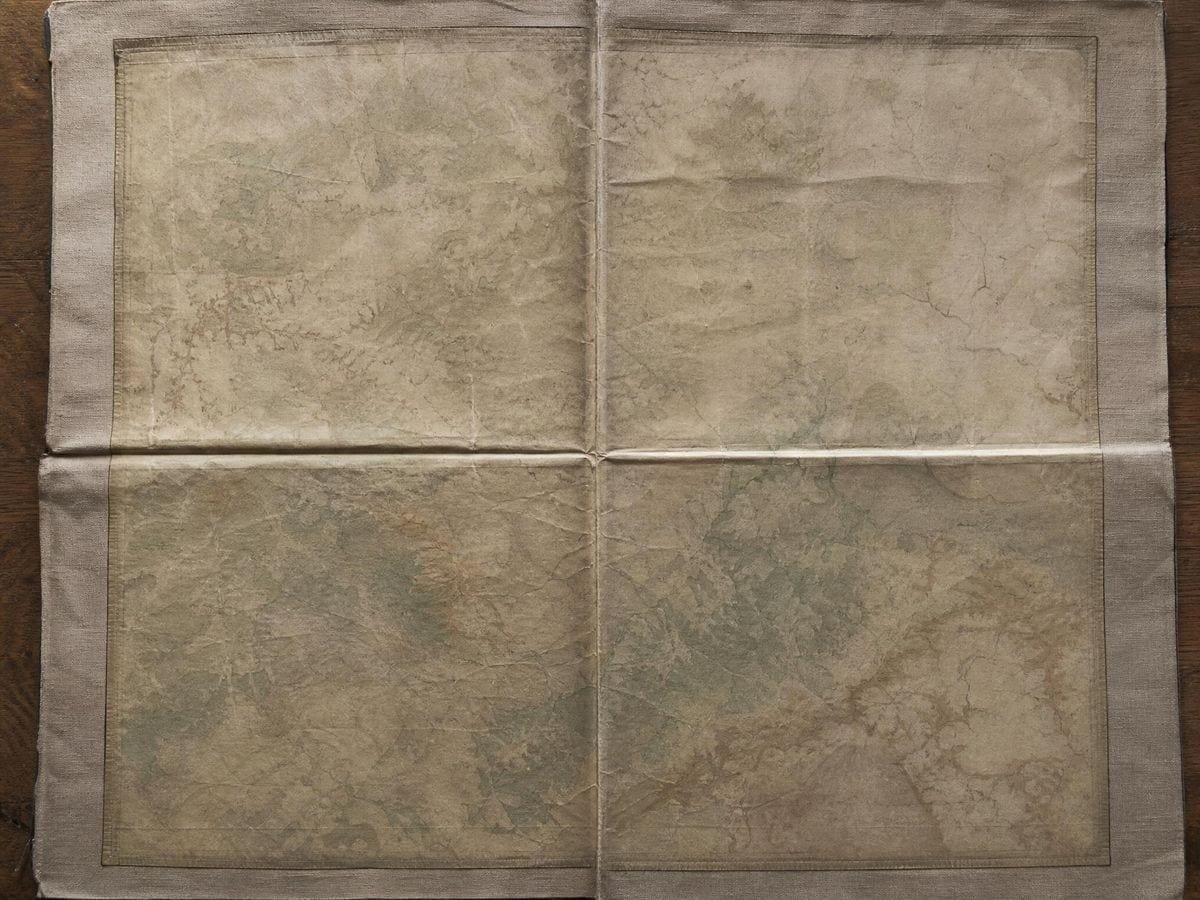
That is a balance question rather than a placement question, and it is the one that goes wrong on a picture that already looks correctly composed. A subject can sit perfectly on a thirds intersection while three quarters of the frame's visual mass sits in one half — which reads as a picture leaning without anyone being able to say why. Halving the frame and looking at each quadrant is the fastest way to see it.
And the case where centring is right
The other honest use is symmetry. There is a persistent teaching that centring a subject is a beginner's error, and it is wrong often enough to be worth contradicting: reflections, frontal architecture, flat-lays, portraits meant to confront the viewer, and a great deal of formal and religious composition all centre deliberately and correctly.
For that work the centre lines are the composition, not a warning. And the centre point matters more than it sounds, because eyeballing the exact middle of a frame is reliably off by a percent or two — small enough to pass unnoticed and large enough that a mirrored subject looks subtly wrong without anyone being able to locate the problem.
Quarters, and when to turn them on
The quarter lines are off by default because most of the time the halving is the whole question. They earn their place when you are working inside a quadrant — placing a secondary element, checking that a repeated motif is evenly spaced, dividing a panel into eighths by using the quarters and their own midpoints.
They also give something the halves alone do not: the quarter positions at 0.25 and 0.75 are a real alternative to the thirds at 0.333 and 0.667, sitting further toward the edges. That is the same placement the root 3 rectangle's armature produces, and it reads as more open at the centre. If a thirds composition feels crowded, the quarters are the next thing to try.
Where it comes from
There is no romantic history here and that is a point in its favour. Halving a frame is what any maker does with a folded sheet, and centre lines appear on drawing boards, printing formes and camera focusing screens as a matter of practical necessity rather than of theory.
The quadrant overlay page traces that use, beside the rest of the composition category. Its current ubiquity is as a viewfinder option: most cameras offer a centre-cross or quadrant grid alongside the thirds grid, precisely because architectural and copy work need alignment rather than off-centre placement. It is the grid you switch to when the job is to get something square and level rather than to make it interesting.
Using it
Start with the heavy pair alone and look at the four quadrants in turn, asking only which is heaviest. If one is obviously dominant and the picture is not meant to lean, that is the finding — and it is usually fixable by a small crop rather than by moving anything.
Then turn the quarters on if you need finer positions, and turn them off again before making a final judgement. Six lines across a photograph at similar weights competes with the image; two lines does not. The weighted default exists so that the grid can be present without dominating, and adding the quarters spends that budget.
For symmetrical work, use the centre point and check both axes separately. A subject can be perfectly centred horizontally and two percent out vertically, which reads as a picture that is subtly falling — and finding it is a matter of looking at one axis at a time rather than at the middle as a whole.
And keep the opacity low. This grid is at its most useful as a background reference you glance at rather than a structure you compose against, and at full strength two heavy lines through the middle of a photograph are very hard to see past.
Using it on work in progress
The quadrant grid is at its most useful on something unfinished, which is not true of most composition overlays. Photograph a painting at the block-in stage, lay the heavy lines over it, and the balance across four regions is legible long before the picture is legible — masses read as masses when there is not yet any detail to distract from them.
That is a genuinely different use from checking a finished frame. At the block-in stage you can still move a mass; by the time the picture is resolved you can only crop. Catching a heavy quadrant early is the difference between an adjustment and a compromise.
The same applies to layout. A page at the grey-box stage, with the quadrant grid over it, shows you the weight distribution before any type or image is real — and it is much easier to move a grey box than a finished element. The thirds grid generator, the centre cross generator and the reciprocal armatures divide a frame in three different ways, and only one of them marks the middle.
Where a quadrant grid gets used
Copy work and architecture. I am not placing a subject, I am getting something square, and the centre point does that faster than the edges do.
The four quadrants catch a picture leaning when nothing else does. Subject on a thirds point, three quarters of the weight in one half, and it reads as wrong without a reason.
Flat-lays are centred by definition, and a centre that is two percent out is visible even when nobody can say where.
Quadrant grid: frequently asked questions
The geometry
What question does it answer?
How visual weight distributes across four quadrants. That is a balance question rather than a placement question, and no off-centre system can answer it because thirds, fifths and the reciprocal armatures all deliberately have no centre lines.
Is centring a subject really acceptable?
For a symmetrical subject it is the correct choice. Reflections, frontal architecture, flat-lays, confronting portraits and a great deal of formal and religious composition all centre deliberately. The teaching that centring is a beginner's error is wrong often enough to be worth contradicting.
Why is there a centre point?
Because eyeballing the exact middle of a frame is reliably off by a percent or two — small enough to pass unnoticed and large enough that a mirrored subject looks subtly wrong without anyone being able to locate the problem.
When should I turn the quarter lines on?
When you are working inside a quadrant: placing a secondary element, checking that a repeated motif is evenly spaced, or dividing a panel into eighths. Off the rest of the time, because six lines at similar weights compete with the photograph.
Does it have any historical pedigree?
None, and that is a point in its favour. Halving a frame is what anyone does with a folded sheet, and centre lines appear on drawing boards, printing formes and focusing screens out of practical necessity rather than theory.
How should I use it to check balance?
Heavy lines only, then look at the four quadrants in turn asking which is heaviest. If one dominates and the picture is not meant to lean, that is the finding — usually fixable with a small crop rather than by moving anything.
The lines are too dominant over my image.
Drop the opacity and use the eyedropper to sample a mid-tone. This grid works best as a background reference you glance at, and two heavy lines through the middle of a photograph at full strength are very hard to see past.
Using it
What is the point of the two line weights?
Hierarchy, visible at a glance. The centre lines are drawn at 1.5 times the base weight and the quarter lines at 0.7, so the halves read as the main division and the quarters as a subdivision — which is the information a uniform mesh throws away.
How do I use it to check whether a picture is balanced?
Look at what is in each quadrant, not at what the lines touch. The question this grid answers is whether the weight in the four quarters is roughly even or deliberately uneven — so read the quantity of interest per quadrant and ignore where the lines happen to cross the subject.
Export and print
Can I print quarters to fold a sheet against?
Yes, and it is more accurate than folding. Export the grid alone at your paper format and the halves and quarters are ruled exactly, where a folded sheet accumulates error at every crease — noticeable by the third fold on anything larger than A4.
Which export keeps the two line weights?
All of them keep the ratio. Bear in mind that export line weight is scaled from the canvas, so the same workspace exported from a small window comes out relatively heavier — set the weight you want after you have sized the window you are working in.
Choosing a grid
What makes it different from a 4×4 mesh?
The weights. The centre lines are drawn at 1.5 times the base stroke and the quarters at 0.7, which is more than a two-to-one difference — above the threshold at which the eye reads two weights as two categories rather than as an inconsistency.
How do quarters compare with thirds as placements?
Quarters at 0.25 and 0.75 sit further toward the edges than thirds at 0.333 and 0.667, leaving the centre more open. It is the same placement a root 3 rectangle's armature produces, and it is the next thing to try when a thirds composition feels crowded.
Practical matters
Does my photo get uploaded?
No. Everything happens in your browser — the image is drawn to a canvas on your own device and never sent anywhere.
Does it work on a phone?
Yes, in mobile Safari and Chrome, and it is a sensible thing to have on a phone: quarters are the fastest balance check there is, and the whole judgement takes about as long as it takes to load the picture.
Can I use it with students?
Yes. It is the overlay to start a composition class on, because halves are the division everybody already understands, and the argument about whether centring is a mistake is a better opening lesson than the rule of thirds. Nothing needs an account.
Open the tool Quadrant grid generator
Two weights, four quadrants
Halve the frame, look at the balance, add the quarters only when you need them. Export vector or 600 DPI. No signup, nothing uploaded.
Back to the generator →