
Swiss editorial design
Multi-column journals where every line in every column rests on the same rung — the discipline the baseline grid was made for.
A column grid aligns type sideways; the baseline grid aligns it down the page. It is a stack of evenly spaced horizontal lines set to the body text's line height, and when every baseline lands on one, a layout reads with a steady vertical rhythm that the eye registers as calm and considered. It is the quiet backbone of Swiss typography and the hardest grid to hold on the modern web. Here is what it is, the maths of leading, the history, and how to use it as an overlay.
One of the 82 composition overlays every visual artist should know and use.
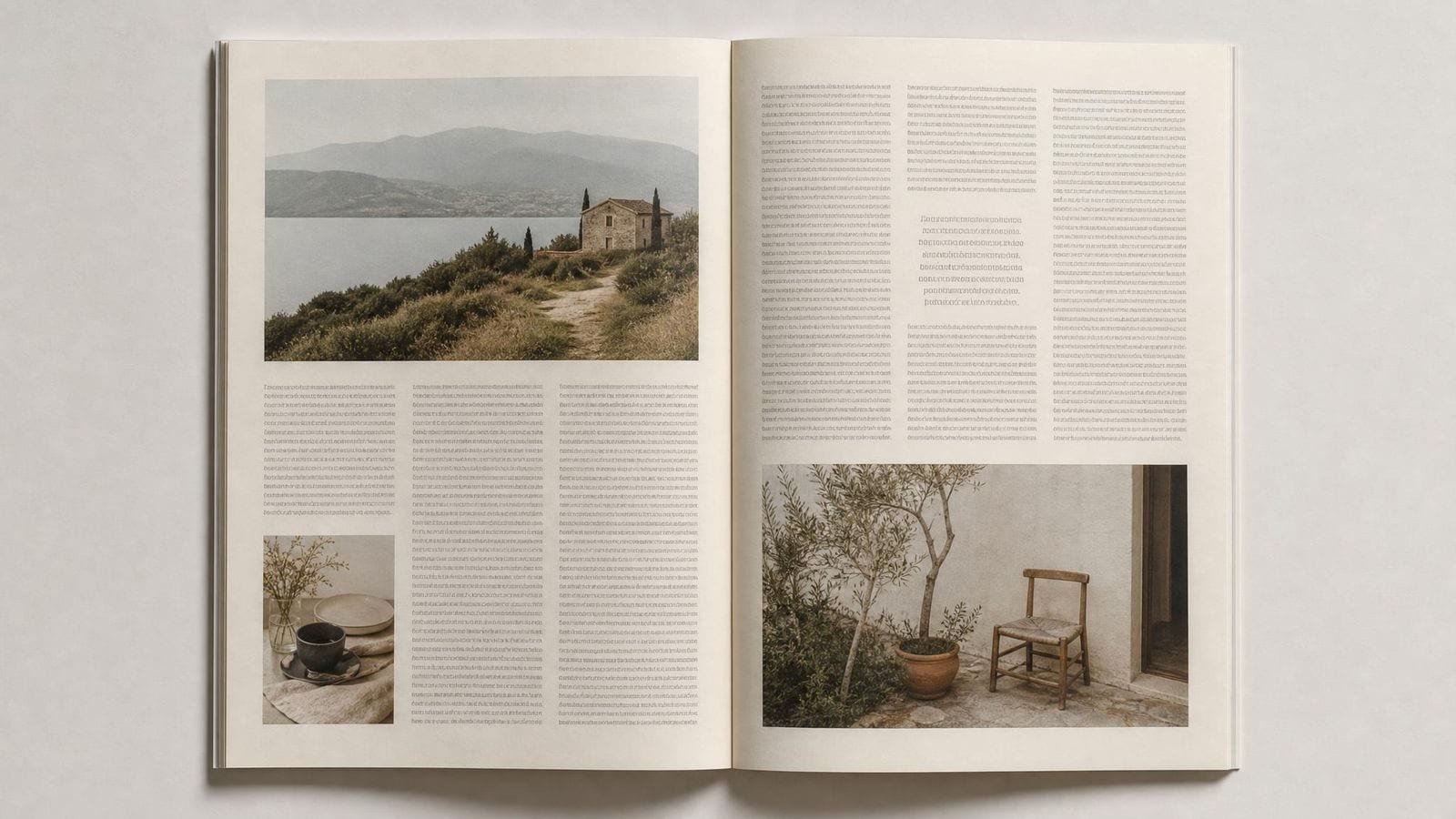
In an editorial spread, every line of body text across both columns sits on the same horizontal line — the baseline grid is what makes facing columns line up rung for rung.
The overlay draws a stack of equally spaced horizontal lines from the top of the layout to the bottom. The spacing is not arbitrary: it equals the leading (line height) of the body text. Each line marks where a line of body type should rest its baseline — the invisible line on which letters sit, ignoring descenders like the tail of a g.
Because every baseline lands on the same set of lines, text in adjacent columns aligns horizontally, paragraphs across a spread share the same rungs, and the page gains a measured vertical cadence. As an overlay it is a checking tool: you slide it over a draft and look for lines of text floating between rungs. Grid Maker Pro lets you set the spacing to your exact leading and offset the first line, so the grid matches a real document rather than a generic ruler. It sits alongside the other typography grid overlays — the column grid, modular grid, and 8-point spacing grid it most often works with.
One refinement matters in practice: a baseline grid is measured from the first baseline, not the top of the layout, because text rests on a line rather than above it. The overlay therefore offers a top offset, so the first rung lands exactly where the first line of body text sits. Get that offset right and every rung below it coincides with real type; get it wrong and the whole grid looks half a line out of step even when the spacing is correct.
The baseline unit is the body leading, and everything else is a whole multiple of it:
leading = font-size × line-height
16px × 1.5 = 24px baseline unit
heading / margin / image height = n × 24px
The single rule is that no vertical dimension may be a fraction of the unit. A heading is sized so its whole line box is, say, two units (48px); space above a section is one or two units, never 1.4; an image is cropped to a height that is a whole number of units. When that holds, any element you drop into the flow leaves the following text still landing on a rung.2 The arithmetic is trivial; the discipline is the hard part, which is why a live overlay that shows the misses is more useful than the formula.5
Swiss codification. The baseline grid is part of the grid discipline formalised by the Swiss / International Typographic Style. Josef Müller-Brockmann's Grid Systems in Graphic Design (1981) is the canonical statement, treating the grid — horizontal columns and a baseline rhythm together — as the basis of objective, legible design.1 Jan Tschichold's earlier writing on book typography established the underlying concern with consistent spacing and the unity of the page.3
The modern bridge. Robert Bringhurst's The Elements of Typographic Style (1992) carried the baseline grid and the idea of vertical rhythm to a broad contemporary audience,2 and Jost Hochuli's Detail in Typography explains the fine mechanics of the baseline and leading with unusual precision.4 Ellen Lupton's Thinking with Type and Kimberly Elam's Grid Systems made the concept standard teaching in design schools.56
The web adoption. In the mid-2000s the web design community embraced "compose to a vertical rhythm" as a way to bring print discipline to CSS, and the baseline grid became a recurring topic in front-end typography.
It is a convention, not a law. The vertical rhythm is a craft tradition that produces calm, consistent pages — not a proven perceptual necessity. Plenty of excellent typography breaks it deliberately.
The web makes it genuinely hard. Variable line lengths, images of any height, web-font loading shifts, and sub-pixel rendering all conspire against pixel-perfect baseline alignment. Timothy Samara's work on grids is candid that the grid is a servant to be broken when content demands it.7
| If you want to... | Use the baseline grid | Don't use it for... | Difficulty |
|---|---|---|---|
| Align text across multiple columns | Every baseline lands on the same rung, so columns line up | Single short blocks of text (no rhythm to hold) | Intermediate |
| Give a long document a calm, even cadence | Whole-multiple spacing creates steady vertical rhythm | Expressive, deliberately irregular layouts | Intermediate |
| Keep facing pages and spreads consistent | Shared rungs unify a book or magazine | One-off posters with a single focal block | Beginner |
| Bring print discipline to a web design system | A baseline unit ties type and spacing together | Highly dynamic, image-led responsive pages | Advanced |
| Audit a draft for vertical inconsistency | The overlay reveals lines floating off the rhythm | Final pixel-perfection on variable web content | Intermediate |
Six contexts. The Swiss and editorial uses are documented practice; the readings are analysis.
Multi-column journals where every line in every column rests on the same rung — the discipline the baseline grid was made for.
A baseline unit drives margins and line heights in a design system so type stays consistent across breakpoints — within the web's real limits.
Facing pages whose text lines align across the gutter, so an open book reads as one continuous rhythm rather than two.
Even on bold posters, a baseline unit ties the dense information blocks together beneath the display type.
Components whose internal spacing is a multiple of the baseline keep text aligned when they stack — the practical core of UI rhythm.
Data-dense documents where tables, captions, and body copy all share one rhythm so the eye never loses the line.
If the baseline spacing doesn't equal the body line height, the body text can never sit on every rung — it drifts a little further off with each line.
A 30px gap on a 24px grid knocks everything after it off the rhythm. One fractional value cascades down the whole column.
Trying to force every web baseline to snap, against variable fonts and dynamic images, produces brittle CSS and endless special cases.
Forcing captions, fine print, and small UI controls onto the body rhythm can make them look loose or misaligned. Rigid obedience can hurt more than it helps.
The baseline grid is the editorial designer's core tool for multi-column work. Set the leading, lock the baseline grid in the page-layout app, and snap all body text to it so columns align rung for rung across the spread. Headings and pull quotes are sized in whole units so they re-enter the rhythm cleanly. The discipline is what separates a considered magazine from one that merely fills the page.
On the web the baseline grid is more aspiration than guarantee, so treat it as a spacing system rather than a pixel contract. Choose a baseline unit (often 24 or 32px), express margins and line heights as multiples, and accept that images and variable fonts will occasionally break the snap. Used this way it gives a design system real vertical consistency without fragile CSS.
Books are where the baseline grid pays off most: long, uniform text where a steady rhythm becomes invisible and effortless to read. Align baselines across the gutter so facing pages share rungs, size chapter openings and footnotes in whole units, and the reader feels the consistency without ever seeing the grid. Hochuli's attention to the baseline's fine detail is the standard to aim for.
Learning the baseline grid teaches the single most transferable idea in layout: derive every dimension from one unit. Start by overlaying the grid on existing well-set pages to see the rhythm, then build a simple two-column layout where everything is a multiple of the leading. Once the habit is internalised, you carry it into web, UI, and print alike.
"The grid system is an aid, not a guarantee. It permits a number of possible uses and each designer can look for a solution appropriate to his personal style. But one must learn how to use the grid; it is an art that requires practice."
Josef Müller-Brockmann, Grid Systems in Graphic Design (1981)1

Illustrative composites of how the tool gets used in practice — not quotes from named individuals.
I lock the baseline grid before I place a single word. Columns that line up across the gutter are the difference between a magazine and a mess.
On the web I keep the multiples and let go of the pixels. Chasing perfect snapping against web fonts is how you lose a week.
I teach it by overlaying the grid on a well-set book. Students suddenly see the rhythm they'd only felt, and they never set ragged spacing again.
Drop a layout. Set the spacing to your leading and check every baseline against the rhythm. Free, in your browser.
Launch Grid Maker Pro →Everything on this page — the baseline grid overlay included — stays free in the browser. The leap from a screen overlay to a drawn line on paper is the one step the web can't bridge. The Grid Maker Pro AR app does it: your photo is held over the paper through the phone camera so you trace it by hand, at sketchbook size or wall size, with all 82 overlays alongside.
How AR tracing works → Free web tool, free forever · AR tracing is the separate paid app