Transform Your Artwork with Professional Grid Techniques
Discover how thousands of artists use Grid Maker Pro to create stunning portraits, landscapes, architectural drawings, and more. From beginners to professionals, see real-world applications and master proven grid techniques.

Portrait Drawing
Master facial proportions and capture perfect likenesses with precision grids. Ideal for artists learning portrait fundamentals or professionals working on commissions.
Why Grids Help
- Perfect Proportions: Accurately measure distances between eyes, nose, and mouth
- Symmetry Control: Maintain facial balance across the central axis
- Value Mapping: Break complex shading into manageable sections
- Faster Progress: Reduce measurement errors and rework time
Best Grid Type
Standard 8×8 or 10×10 Grid - Provides enough reference points without overwhelming detail. For detailed work, use 12×12 or higher.
Pro Tips for Portrait Drawing
- Start with a 4×4 grid for initial proportions, then add detail grids for complex areas
- Align the central vertical line with the nose for perfect symmetry
- Use horizontal lines to mark eye level, nose bottom, and mouth center
- Pay special attention to the triangle formed by eyes and mouth
- Don't trace slavishly—use the grid as a guide, not a crutch


Drag to see how grids reveal proportions
Try This Technique →"Using Grid Maker Pro cut my portrait sketching time in half. The accuracy is incredible—my clients can't believe how quickly I capture likenesses now."
— Sarah Martinez, Portrait Artist

Landscape Painting
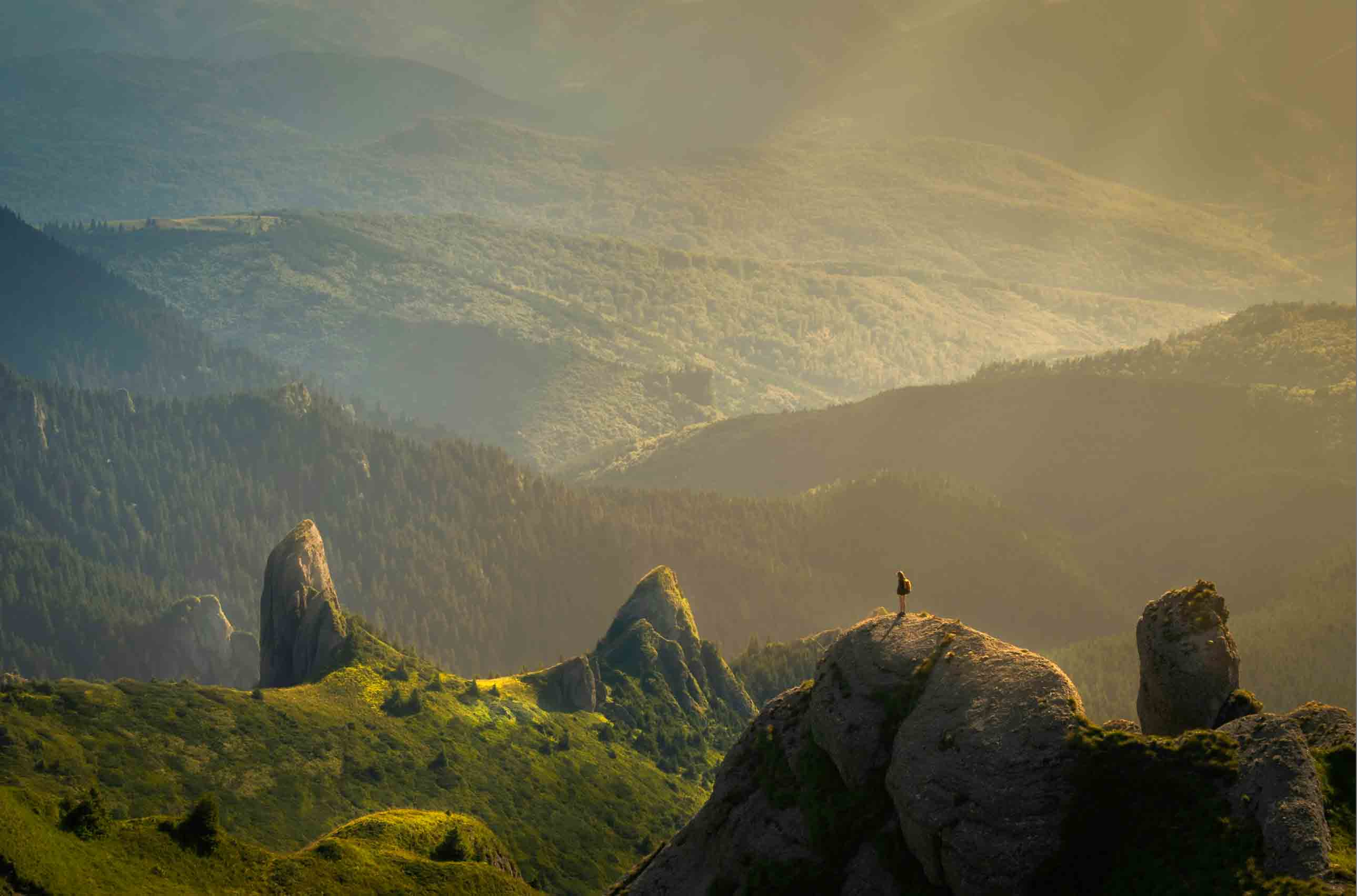
Compose breathtaking landscapes with balanced horizons and strategic focal points. Perfect for plein air painters and studio artists working from photo references.
Why Grids Help
- Horizon Placement: Position skylines at ideal thirds for dynamic composition
- Focal Point Design: Place key elements at intersection points for visual impact
- Depth & Perspective: Maintain accurate recession from foreground to background
- Color Zones: Organize areas for consistent value and temperature shifts
Best Grid Type
Rule of Thirds (3×3 Grid) - Natural composition with horizon on upper or lower third. For complex scenes, combine with a 6×6 detail grid.
Pro Tips for Landscape Painting
- Place horizons on the upper third for dramatic skies, lower third for emphasis on land
- Position focal points (trees, buildings) at grid intersections for natural eye flow
- Use diagonal grid lines to guide rivers, roads, and leading lines
- Map atmospheric perspective: darker/sharper foreground, lighter/softer background
- Simplify complex foliage by treating each grid square as a value/color block


See how Rule of Thirds creates balanced compositions
Try This Technique →"The Rule of Thirds grid transformed my landscape work. My paintings now have that professional 'it' factor galleries look for."
— Michael Chen, Landscape Painter

Architectural Sketches
Render buildings and structures with precise perspective and perfect verticals. Essential for architects, urban sketchers, and technical illustrators.
Why Grids Help
- Perspective Accuracy: Maintain correct vanishing points and convergence
- Vertical Alignment: Keep columns, windows, and walls perfectly plumb
- Proportional Details: Scale windows, doors, and ornamental features accurately
- Complex Geometry: Break down intricate facades into manageable sections
Best Grid Type
Fine 12×12 or 16×16 Grid - High detail for technical precision. Combine with perspective guides for complex multi-point perspectives.
Pro Tips for Architectural Sketches
- Use vertical grid lines to check plumb—ensure they match building verticals in photo
- Identify the horizon line first, then establish vanishing points beyond the frame
- Map window patterns: count units horizontally and vertically within grid squares
- For perspective shots, note where diagonal roof/cornice lines intersect grid
- Sketch construction lines lightly, then commit to final linework with confidence


Precision grids ensure architectural accuracy
Try This Technique →"As an architect, accuracy is everything. Grid Maker Pro gives me the precision I need for presentation sketches without the tedious manual grid work."
— David Thompson, Architect & Urban Sketcher

Figure Drawing
Master human anatomy and dynamic poses with proportional accuracy. Perfect for life drawing, character design, and anatomy studies.
Why Grids Help
- Anatomical Proportions: Accurately measure head-to-body ratios (typically 7-8 heads)
- Gesture & Flow: Capture dynamic movement while maintaining structural integrity
- Foreshortening: Handle complex perspectives in limbs and torso rotation
- Comparative Measurement: Relate shoulder width to hip width, arm length to leg length
Best Grid Type
8×10 or 9×12 Grid - Taller rectangles suit full-figure proportions. Combine with Loomis Method for head construction.
Pro Tips for Figure Drawing
- Use the head as your unit of measure—mark 7-8 heads from crown to feet
- Horizontal lines at: chin, shoulders, nipples, navel, crotch, knees, ankles
- Central vertical line follows the spine's curve—note weight distribution
- For seated/dynamic poses, compare negative spaces within grid squares
- Start with gestural line-of-action first, then refine with grid measurements


Grids reveal anatomical landmarks and proportions
Try This Technique →"Learning figure drawing felt impossible until I started using grids. Now I can see the relationships between body parts instantly."
— Emma Rodriguez, Illustration Student

Photography Composition
Plan stunning photo compositions before you shoot or crop existing images with perfect balance. Essential for photographers, photo editors, and visual storytellers.
Why Grids Help
- Visual Balance: Position subjects at power points for maximum impact
- Leading Lines: Align natural lines with grid diagonals for viewer guidance
- Cropping Precision: Reframe photos to improve composition post-shoot
- Dynamic Tension: Use Dynamic Symmetry for energetic, professional layouts
Best Grid Type
Rule of Thirds (simple) or Dynamic Symmetry (advanced) - Start with thirds, then explore golden ratio diagonals for editorial-level composition.
Pro Tips for Photography Composition
- Place subject eyes at top-third intersections for portraits
- Align horizons on thirds—never center unless intentionally symmetrical
- Use diagonals from Dynamic Symmetry to position arms, paths, or gaze direction
- Leave breathing room in direction subject faces or moves
- Overlay grids on existing photos to identify why compositions work or fail


See how grids create professional compositions
Try This Technique →"I used to crop randomly until I discovered Grid Maker Pro. Now every image follows proven composition principles—my Instagram engagement tripled!"
— Alex Park, Wedding Photographer

Pattern Design
Create seamless repeating patterns for textiles, wallpapers, and surface design. Perfect for graphic designers, textile artists, and illustrators.
Why Grids Help
- Perfect Repeats: Ensure motifs align seamlessly across tile boundaries
- Spacing Control: Maintain consistent distances between pattern elements
- Symmetry Options: Design mirrored, rotational, or translational symmetries
- Scale Planning: Visualize how patterns work at different print sizes
Best Grid Type
Square 8×8, 10×10, or 12×12 Grid - Square units simplify tile-based repeats. For diagonal patterns, consider custom grid angles.
Pro Tips for Pattern Design
- Design one tile unit within a grid square, then repeat it to test seamless tiling
- Use grid intersections as anchor points for motif placement
- For half-drop repeats, offset every other row by half a grid unit
- Maintain consistent visual weight by filling roughly equal amounts per grid square
- Test patterns at 50%, 100%, and 200% scale to ensure versatility


Grids ensure perfect pattern alignment
Try This Technique →"Grid Maker Pro revolutionized my surface design workflow. I can visualize repeats instantly and fix alignment issues before going to production."
— Priya Desai, Textile Designer
Artist Success Stories
See how Grid Maker Pro helped artists achieve their creative goals
"I finish portraits in half the time while maintaining accuracy. More commissions, same quality."
"From student to professional illustrator—Grid Maker Pro was essential for learning proportions."
"My landscape compositions became gallery-worthy after applying Rule of Thirds consistently."
Ready to Master These Techniques?
Start creating professional grids in under 30 seconds. No signup required—completely free forever.